Sonoff SNZB-02B: Always Know How Hot and Humid It Is in Every Room
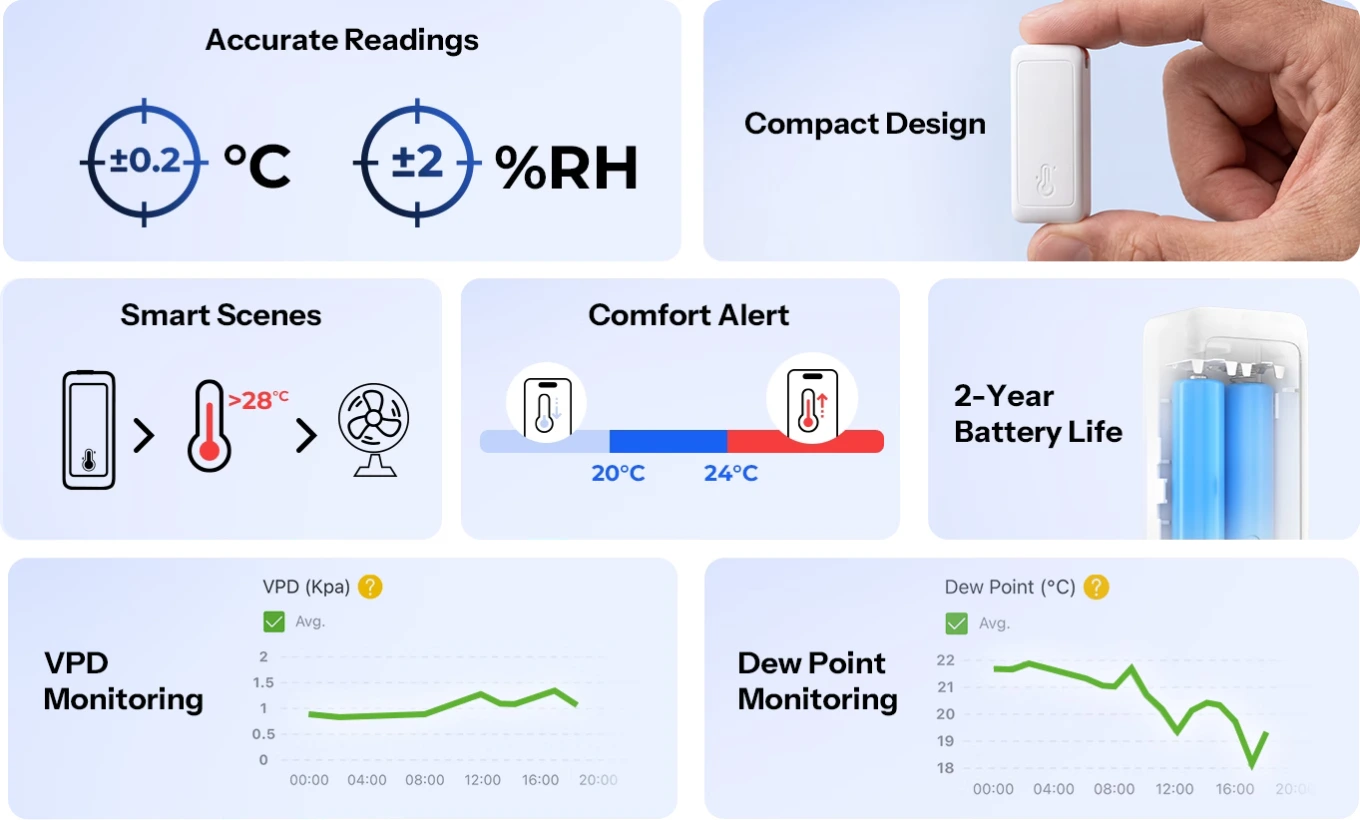
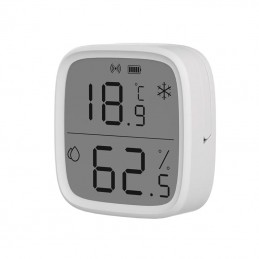
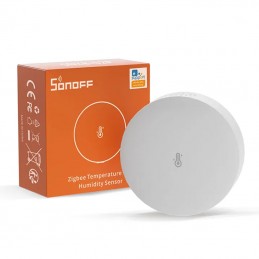
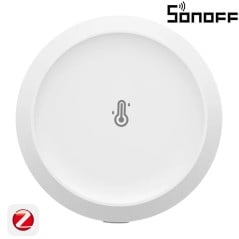
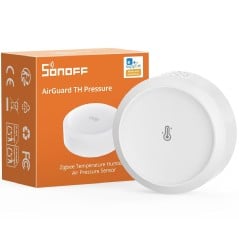
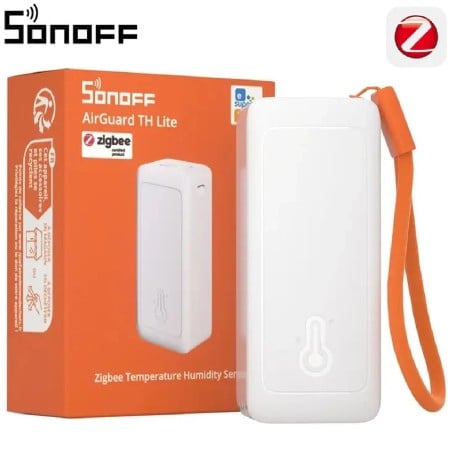
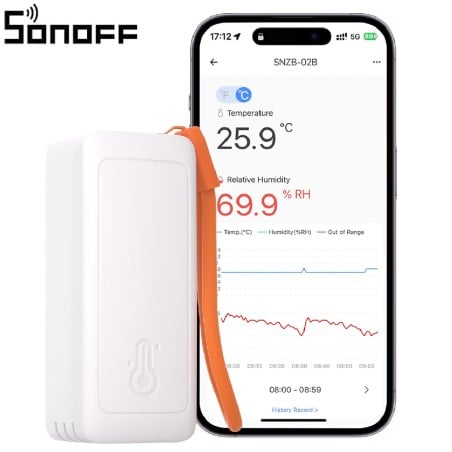
The Sonoff SNZB-02B is a battery-powered temperature and humidity sensor: you can place it or hang it in a room and always know how the air is on your phone. It speaks Zigbee 3.0 , the network that home devices use together without clogging up Wi-Fi. It therefore needs a Sonoff Zigbee hub to connect it to the eWeLink app. Inside is a Swiss Sensirion sensor, accurate to ±0.2 °C , with readings every five seconds. From the temperature and humidity, the app also calculates the dew point , which is when the walls start to sweat and mold starts to grow. Set the comfort range you want and receive an alert when the room exceeds it, or you can automatically start the dehumidifier. It uses two AAA batteries , the ones in the remote control, and last up to two years. Compared to its brother, the SNZB-02M, it does not measure air pressure: it costs less and does what is needed in the home.
Accurate to ±0.2°C and ±2% Humidity, with a New Reading Every Five Seconds
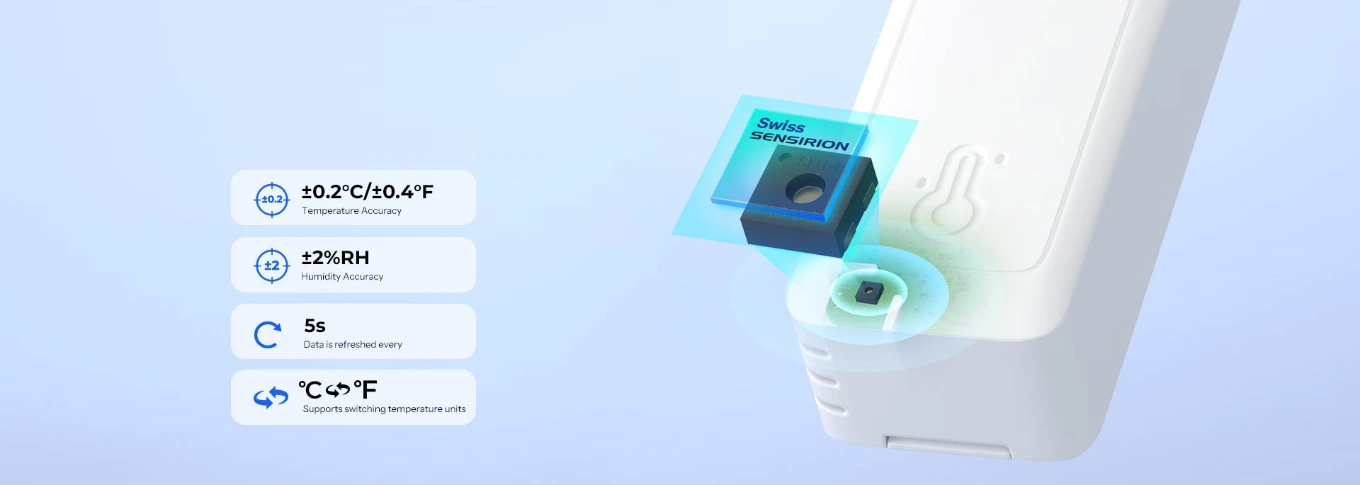
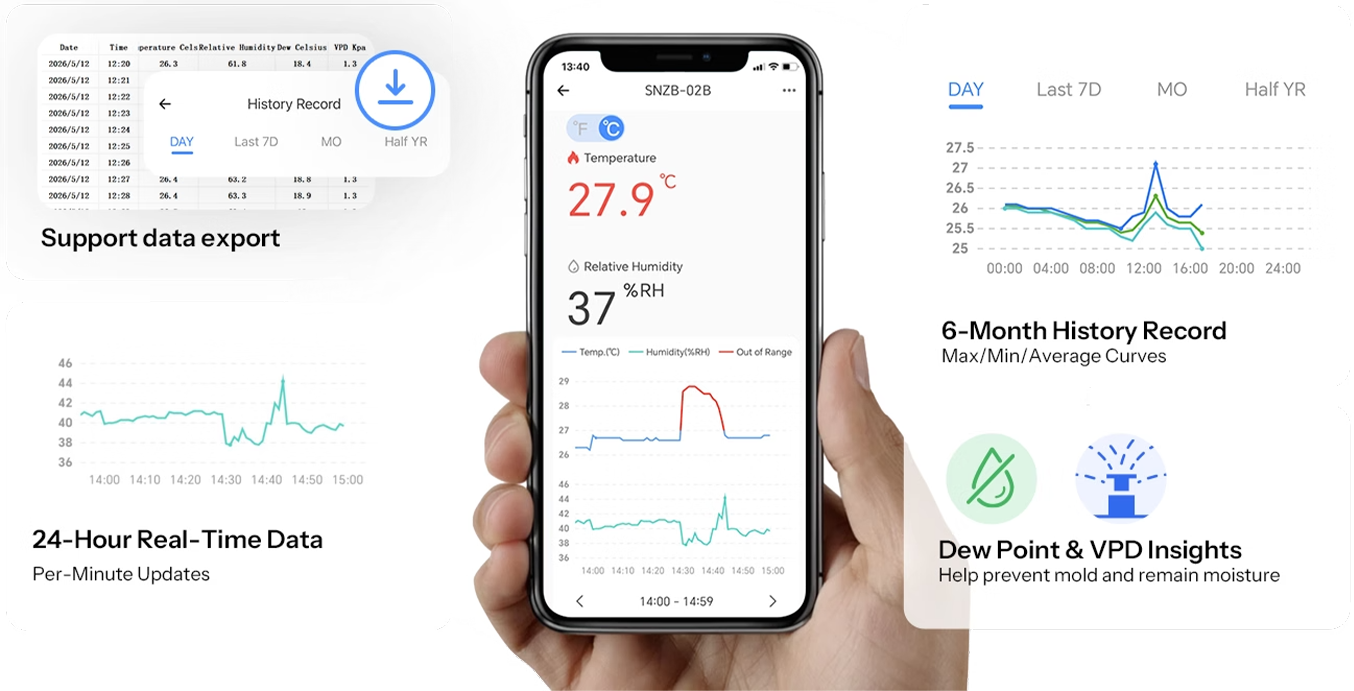
Accuracy is what matters when you decide to turn on the heating or ventilate: ±0.2°C for temperature and ±2% for relative humidity. Cheap sensors are off by a degree or two, and a degree more or less changes your bill. The readings are updated every five seconds , so when you open the window, you see the air changing in real time instead of waiting for the next update. It measures from -20 to 60°C . And from 5 to 95% humidity: it covers the cellar in winter and the greenhouse in summer without leaving its operating range.
Inside is a Swiss Sensirion sensor: Measurements that remain accurate even after years
The chip that measures it is a Sensirion , the Swiss company that supplies temperature and humidity sensors to laboratories and industrial plants. The difference with any other sensor isn't noticeable on day one, it's noticeable after a year : cheap sensors get out of line and start making mistakes, but this one stays within its limits. It's the same sensor mounted on the entire Sonoff AirGuard series, including the SNZB-02M with atmospheric pressure. For an object you leave in a room for years without thinking about it again, it's the choice that matters.
It fits where you need to know what the air is like.
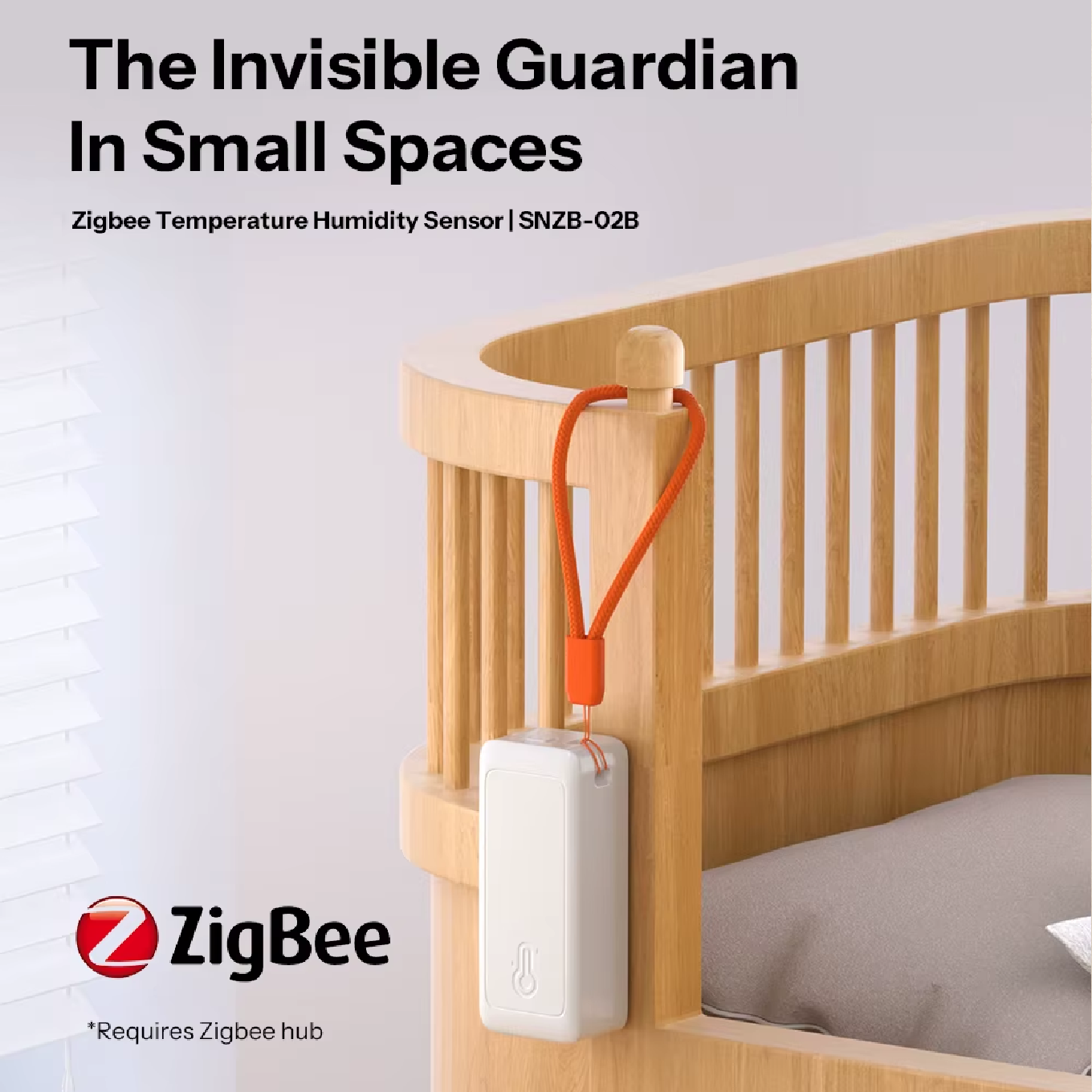
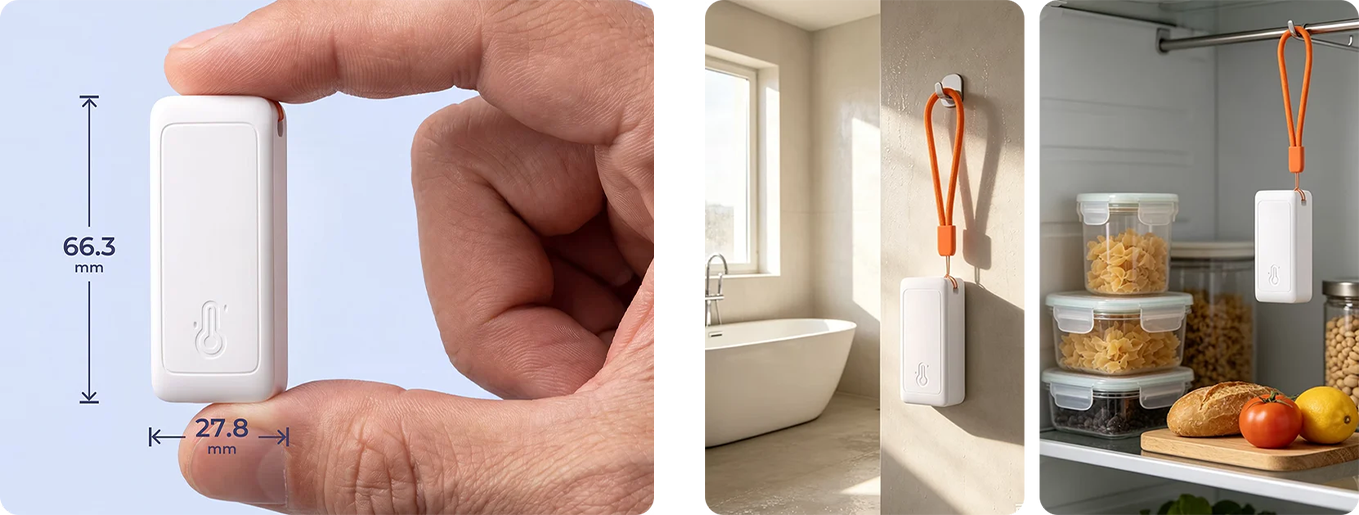
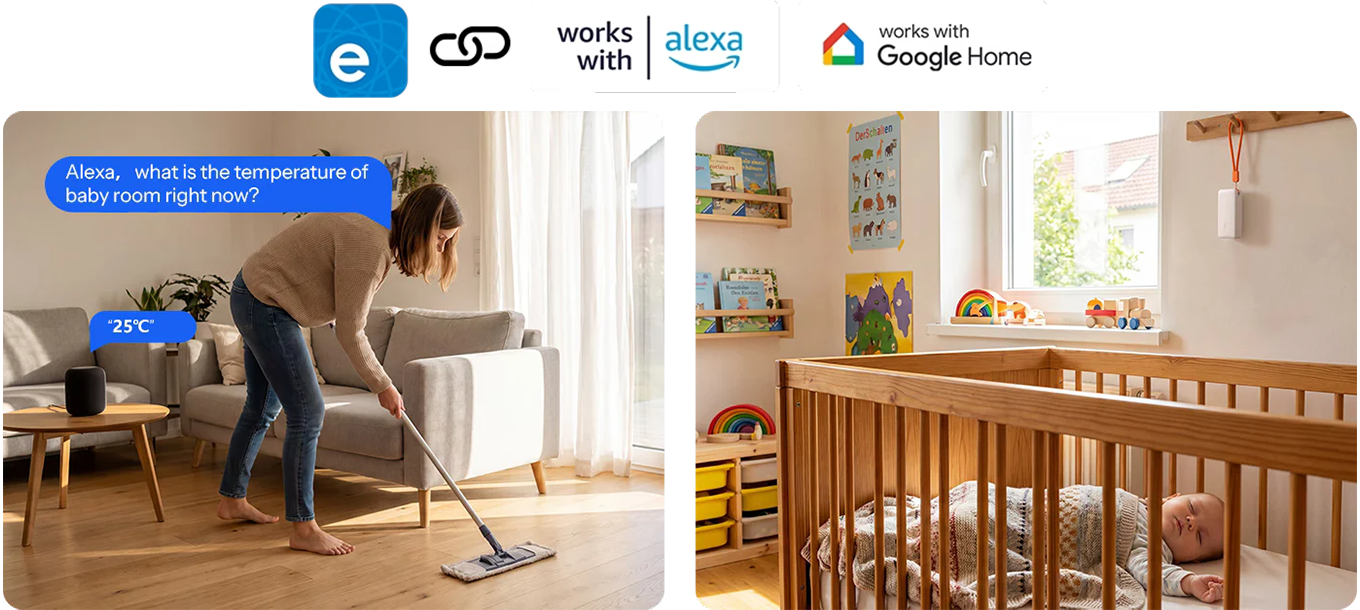
In the nursery, you can see if it's too hot at night or if the air is dry, and adjust the heating before the baby wakes up. In the bathroom, you can see how humid it is after a shower and how long it takes to dry. In the pantry and cellar , you can keep an eye on the conditions where you store food, wine, or tools. The SNZB-02B fits anywhere because it's small, battery-operated, and wireless: hang it with a strap, attach it with an adhesive, or place it on a shelf. One sensor per room, and the house no longer feels like a guesswork.
The Dew Point Tells You When Walls Start Sweating and Mold Growing
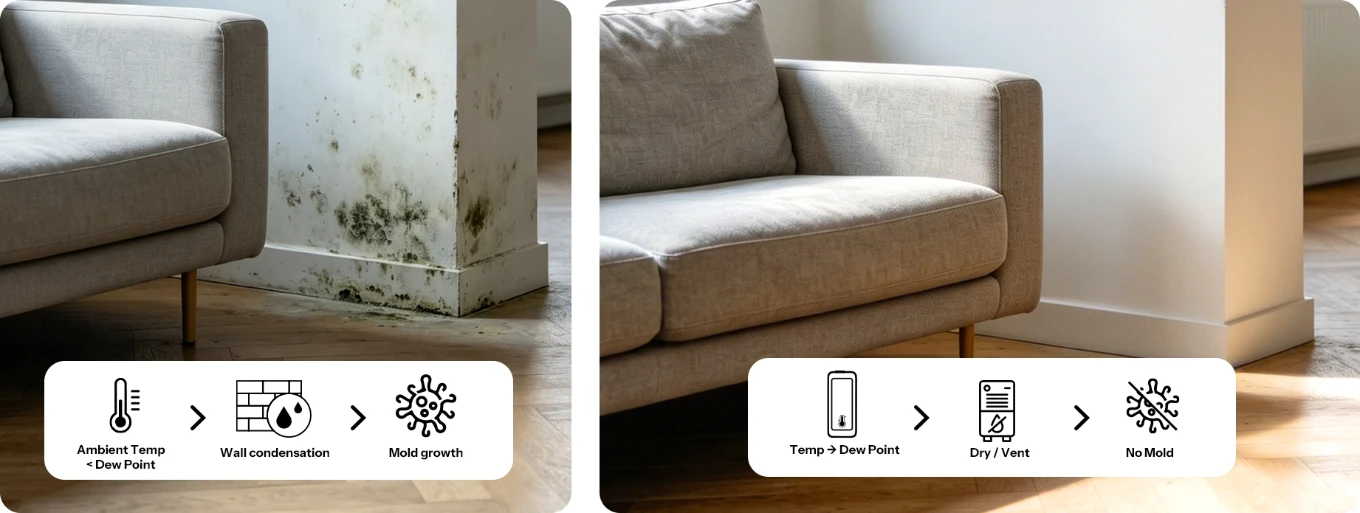
Mold doesn't arise from humidity itself, but when moist air touches a cold wall and leaves condensation on it. The temperature at which this occurs is called the dew point , and the app calculates it automatically from the two values the sensor measures. If the dew point approaches the temperature of the walls, it's time to ventilate or turn on the dehumidifier, before black spots appear. The SNZB-02B has this information; the basic SNZB-02P doesn't. For those with a damp home or a corner that gets moldy every winter, this is the reason to choose it.
VPD for Greenhouses, Plants, and Terrariums: How Much Water Air "Pulls" from the Leaves
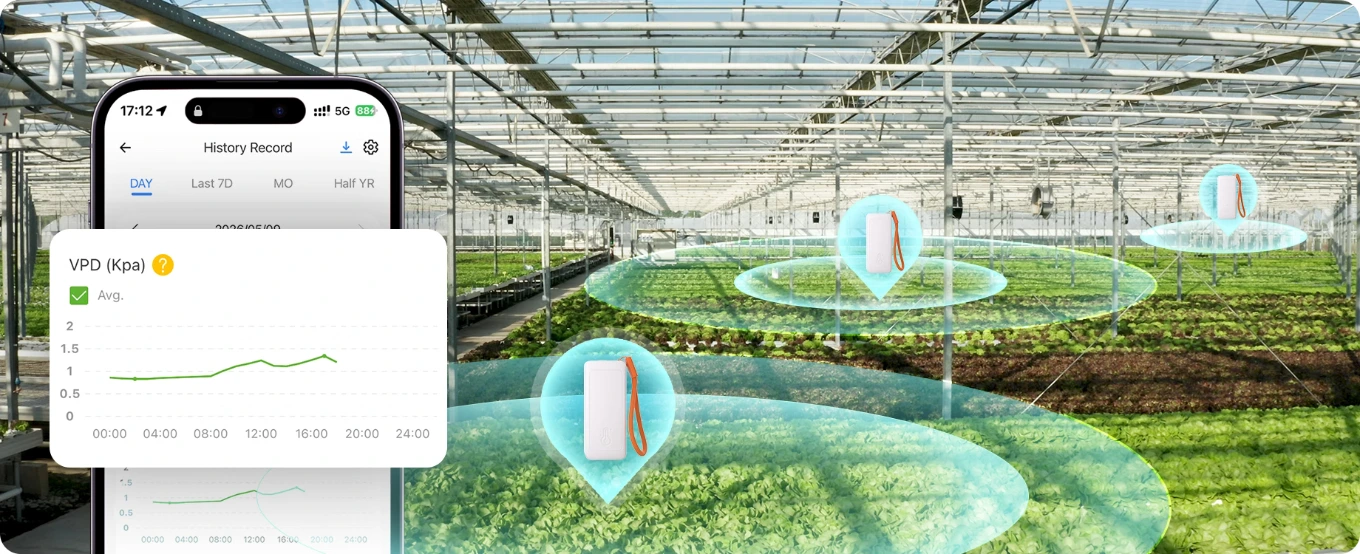
VPD , or vapor pressure deficit, is the number greenhouses use to determine whether plants are transpiring well or suffering. The app calculates it from temperature and humidity and displays it alongside other values. With a low VPD, the air is saturated and plants are at risk of fungus; with a high VPD, they lose water faster than they absorb. For a balcony greenhouse , a grow tent, or a terrarium , this data makes the difference between guessing and knowing. And the SNZB-02B is one of the few sensors in this price range that displays it.
Two AAA Batteries and Up to Two Years of Battery Life: No Cables, No Recharging
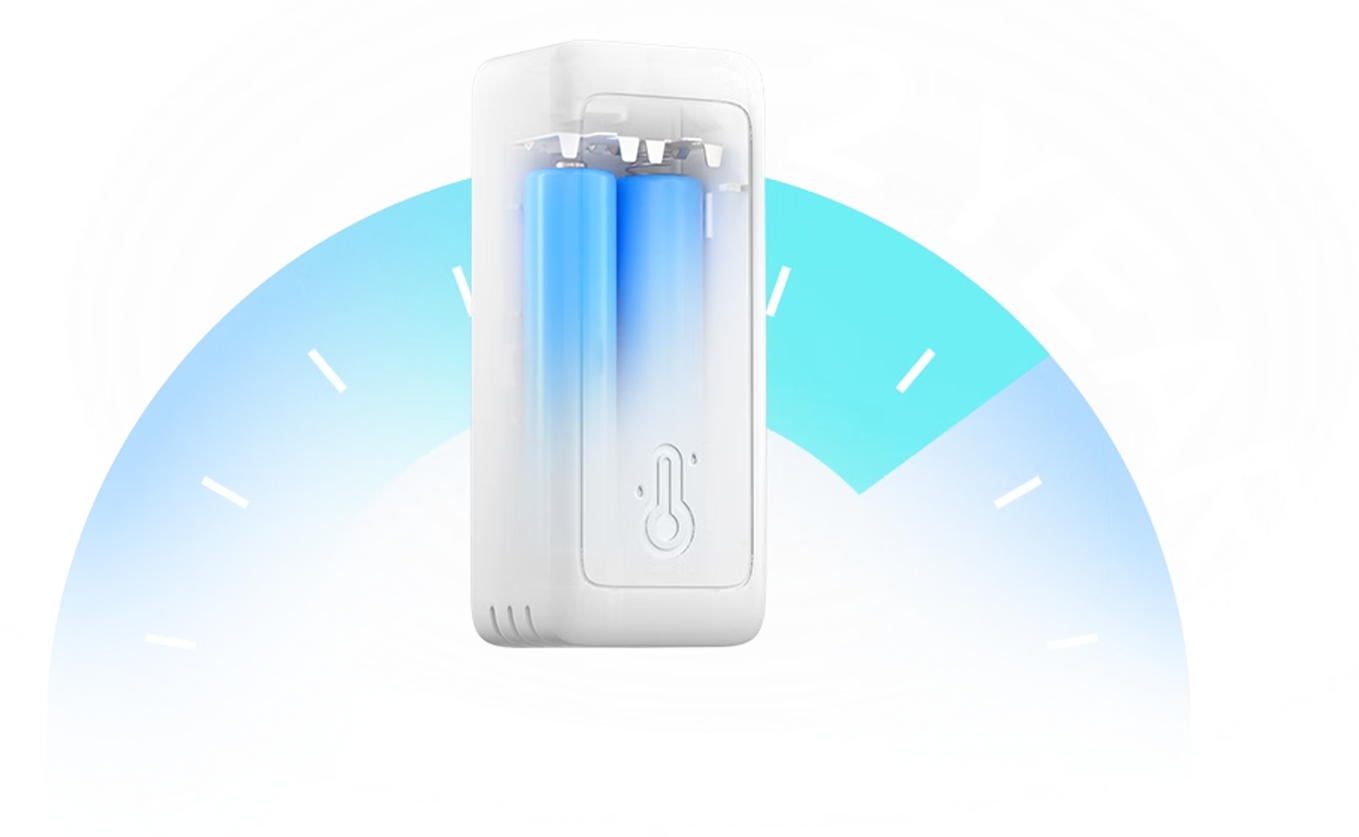
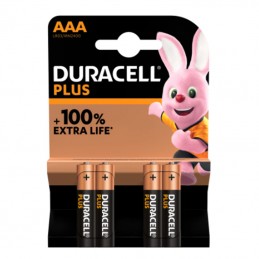
It runs on two AAA batteries , the ones you already have in the remote control drawer, and are included in the package. They last up to two years with normal use: the sensor only sends data when it changes, and sleeps the rest of the time. When they run out, you can see it in the app, which displays the battery level , and you can replace them in ten seconds without tools. No power cord, no charging, no outlet to search for: that's why you can put it in the pantry, the cellar, or behind a cabinet. The battery life depends on how often the values in the room change.
Set the Comfort Zone You Want and Get Notified When the Room Exits It
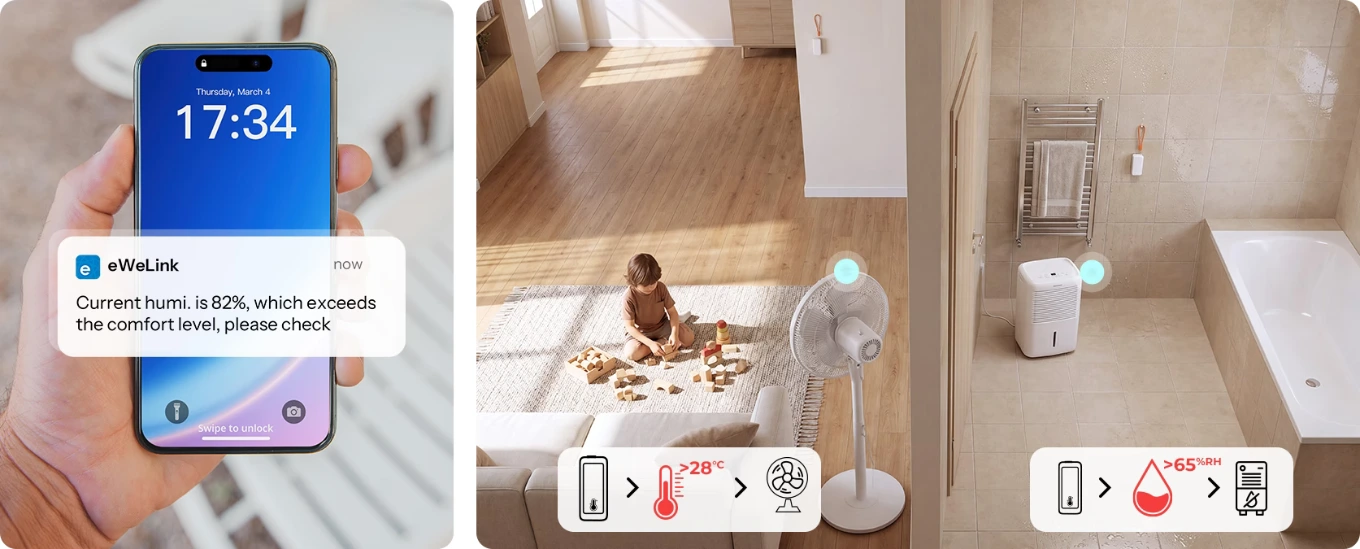
You decide what "comfortable" means in that room: for example, between 18 and 24°C . And humidity between 40 and 60% . When the temperature or humidity goes outside that range, the eWeLink app sends you a notification on your phone. So you know that the guest room drops below 16 degrees before they arrive. Or that the children's room is too dry in the winter. It's the sensor's simplest function, and the one you use most: a timely alert is worth more than a hundred graphs.
Automatic Scenes: When Humidity Rises, the Dehumidifier Starts, Without You Doing a Thing
The alert is useful, but the scene does the work for you. In the app, you connect the sensor to another smart device and write the rule: if the humidity in the bathroom exceeds 70% , turn on the dehumidifier . If the temperature in the bedroom is above 26°C , turn on the air conditioning . When it returns to the right range, turn everything off. You need a smart plug or switch on the device you want to control, such as the Sonoff modules and sockets in the catalog . From that moment on, the room regulates itself, and you'll only notice it on your bill.
Six Months of History in the Cloud: See How Your Home's Air Changes Season by Season
Every reading goes to the eWeLink cloud and stays there for six months . Open the graph and see the day, week, or month: what time the room heats up, how long it takes the bathroom to dry, whether the basement is more humid in the fall. Compare the before and after of an intervention, such as a new window or a dehumidifier, and understand if it worked. The data can be exported and brought into a spreadsheet. The complete history and export are features of the eWeLink app, so they pass through the Sonoff hub.
Ask Alexa or Google How Many Degrees It Is in Your Room, and Launch Scenes with Your Voice
Once you've added the SNZB-02B to the eWeLink app, you can connect it to Amazon Alexa and Google Home , and from then on, all you have to do is ask: "Alexa, what's the temperature in the room?" You can launch the scenes you've created in the app by voice, for example, "turn on the dehumidifier." The connection goes through the cloud , from account to account, not the hub: the sensor remains on its Zigbee network, and the assistant reads the data that eWeLink passes to it. If you have an Echo with a built-in Zigbee hub, such as the Echo Plus or fourth-generation Echo, you can also connect it to Alexa directly, without a Sonoff hub.
Works with Apple Home through a Matter Bridge: Bridge Ultra, iHost, or NSPanel Pro
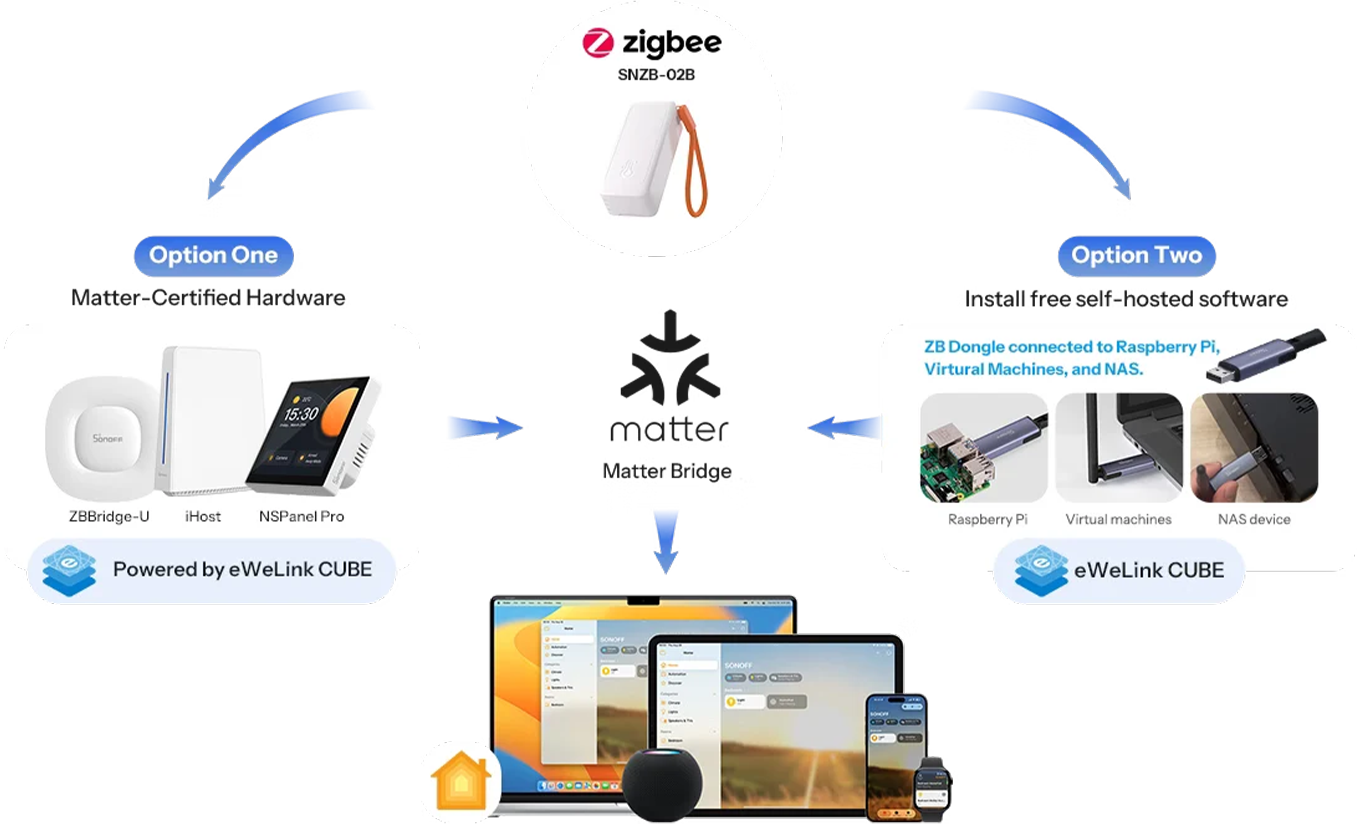
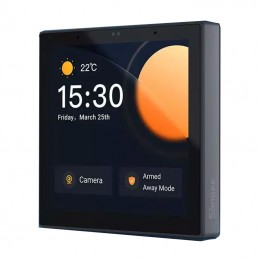
If you control everything at home from Apple Home , the SNZB-02B gets in through a Matter Bridge : a Sonoff hub that speaks Zigbee on one side and Matter on the other. There are two ways. The first is a Matter-certified hub like the Zigbee Bridge Ultra , iHost , or NSPanel Pro , with eWeLink CUBE on board. The second is a Zigbee dongle connected to a Raspberry Pi, a virtual machine, or a NAS, with Sonoff's free software. In both cases, temperature and humidity appear in the Home app and in Apple automations on iPhone, iPad, Mac, and Apple Watch.
Sonoff Zigbee Bridge Ultra
Matter Bridge Certified
Sonoff iHost
Matter Bridge with eWeLink CUBE
Sonoff NSPanel Pro
Matter Bridge with screen
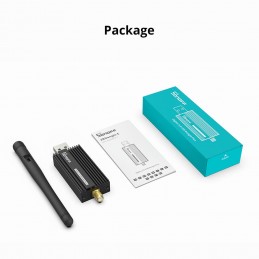
Sonoff Zigbee 3.0 USB Dongle Plus-E
The key to the self-hosted way
It also works with Home Assistant and Zigbee2MQTT, with a Dongle Series Key
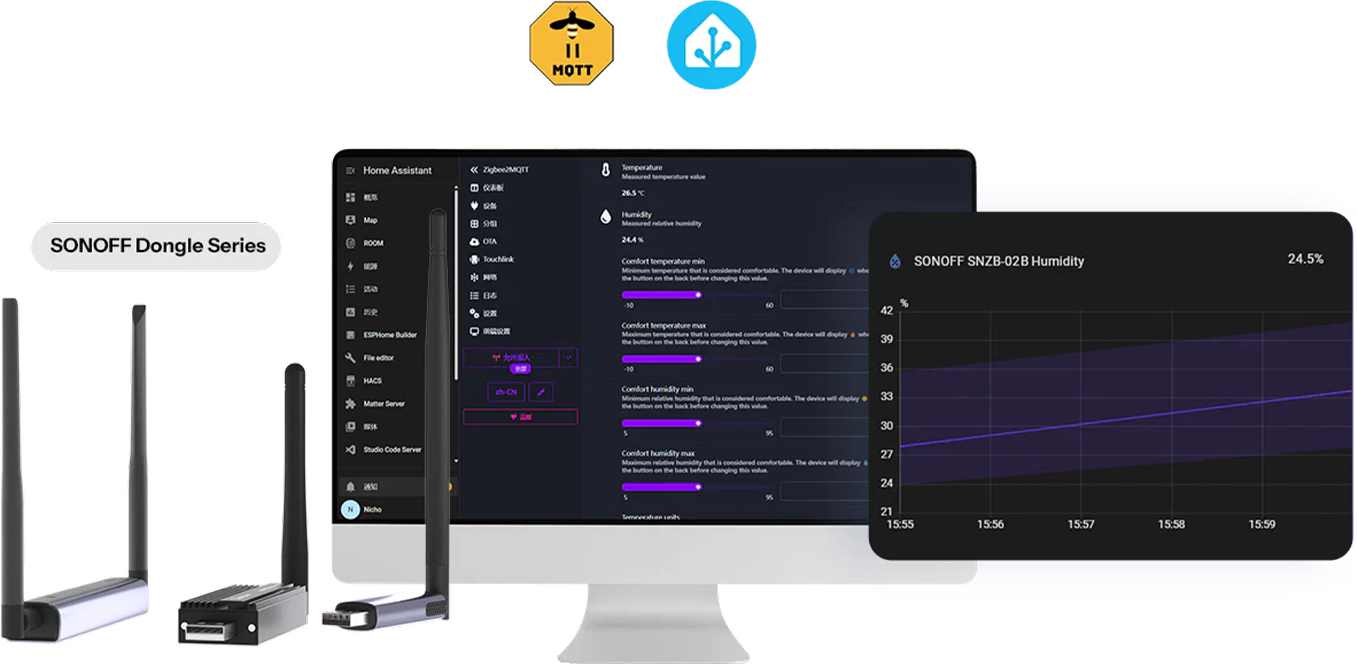
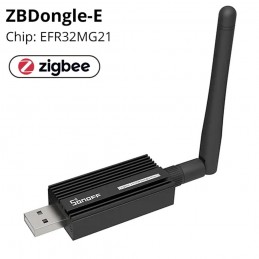
If you don't want to go through the cloud, the SNZB-02B speaks the Zigbee 3.0 standard and can be read by the systems you manage in your home. With a Sonoff Dongle connected to your server, Home Assistant and Zigbee2MQTT read it as a normal entity. You can view temperature, humidity, and battery level. You can write automations with the tools you already use, and the graphs remain local. On Home Assistant with ZHA , an extra step, done only once, is required to view all the values. This is the solution for those who want zero dependencies on external services.
Sonoff Zigbee 3.0 USB Dongle Plus-E
The dongle for Home Assistant and Zigbee2MQTT
What You Need to Make It Work: A Zigbee Hub, and What's Different From One Hub to Another
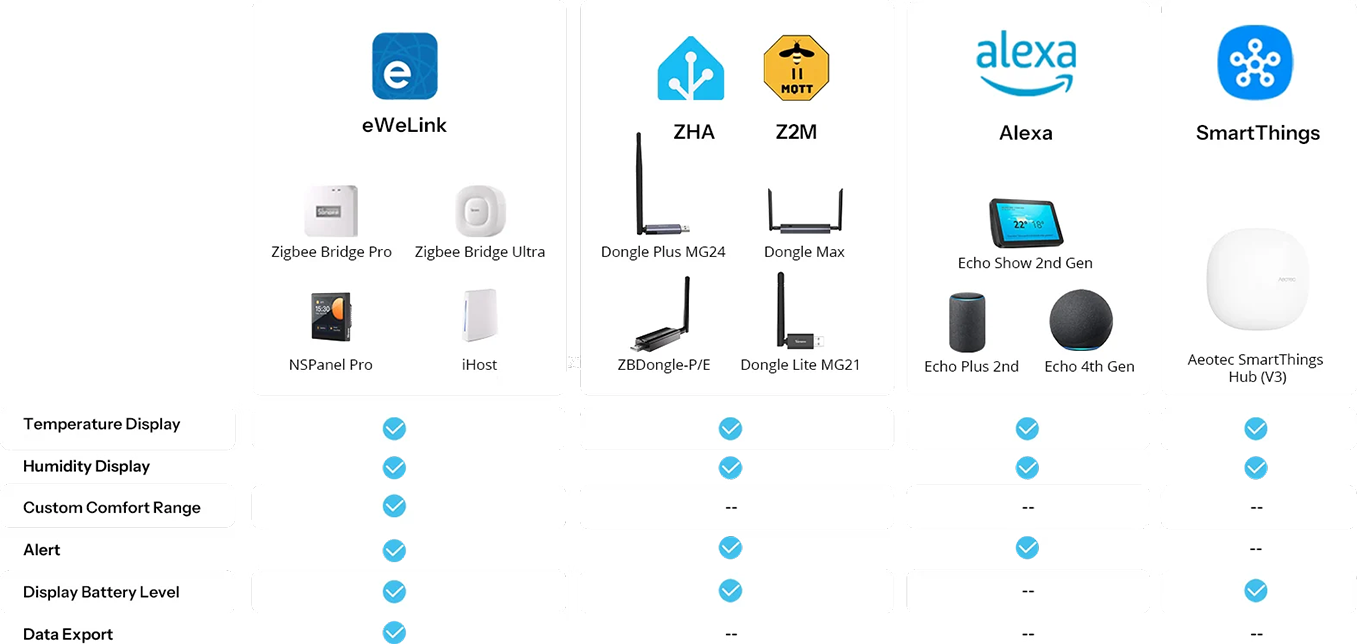
It doesn't do anything on its own: it needs a Zigbee hub to connect it to the network. With a Sonoff hub—Bridge Pro, Bridge Ultra, NSPanel Pro, or iHost—you have everything in the eWeLink app: comfort zones, alerts, history, and export. With a Zigbee dongle, you can view temperature, humidity, battery, and alerts on Home Assistant . With an Echo that has a Zigbee hub built in, you can connect it directly to Alexa and view the readings and alerts. With a SmartThings hub, you can view the readings and battery life. The gateway is purchased separately: you can find it among the Zigbee hubs in the catalog .
Sonoff Zigbee Bridge Pro
eWeLink Zigbee Hub
Sonoff Zigbee Bridge Ultra
Zigbee Hub and Matter Bridge
Sonoff NSPanel Pro
Control panel with Zigbee hub
Sonoff iHost
Local hub with eWeLink CUBE
Sonoff Dongle Plus MG24
Zigbee dongle and Thread
Sonoff Dongle Max
Zigbee dongle and PoE thread
Sonoff Zigbee 3.0 USB Dongle Plus-E
Zigbee dongle for Home Assistant
Sonoff Dongle Lite LMG21
Zigbee dongle and Thread
SNZB-02B or SNZB-02P: Same Sensor, but Only the 02B Calculates Dew Point and VPD
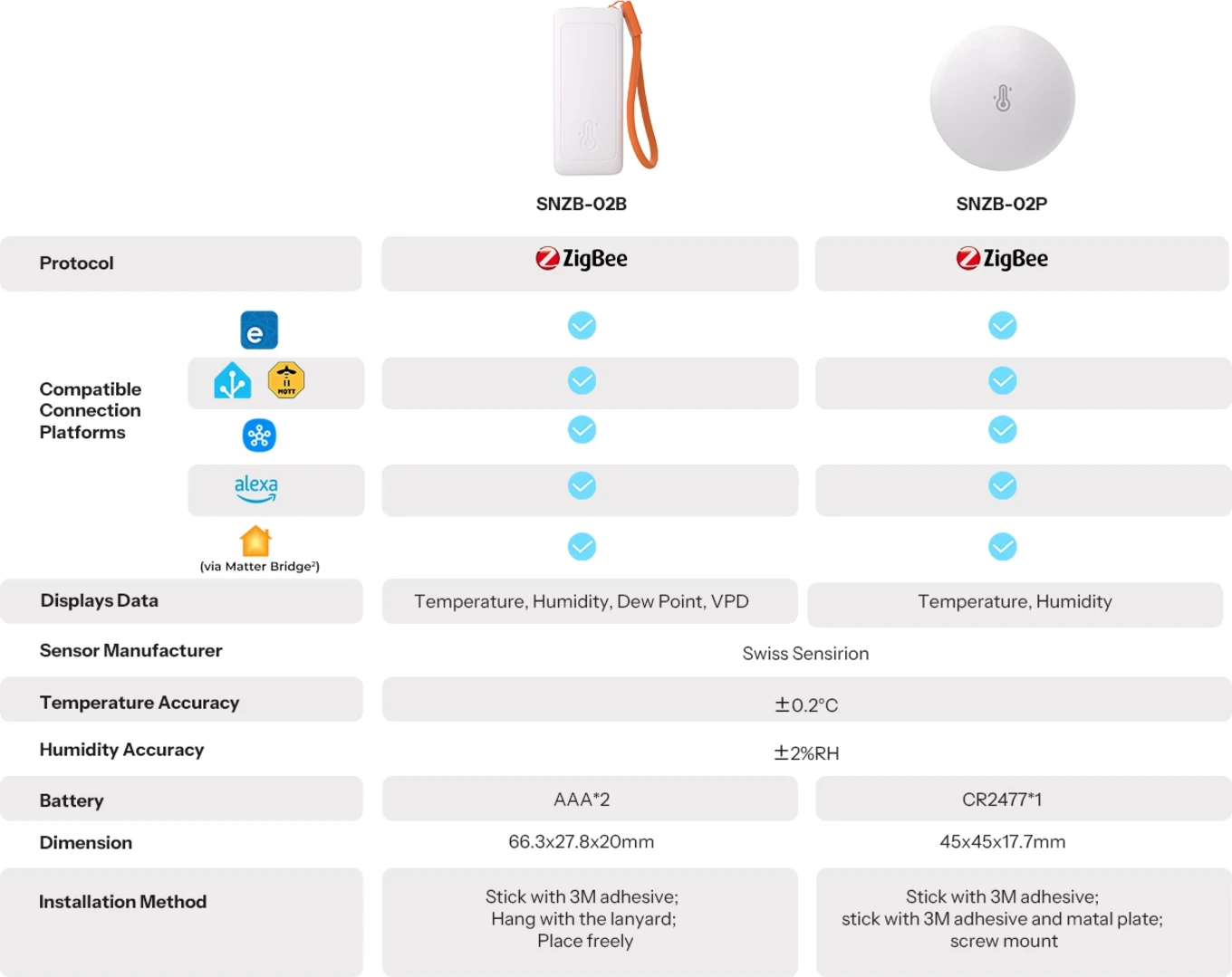
The two models have the same Sensirion sensor and the same accuracy, and the same hub. The difference is in three things. The SNZB-02B also displays dew point and VPD , the 02P only temperature and humidity. The 02B uses two AAA batteries, the 02P uses a CR2477 button cell. The 02B is a bar with a string, the 02P is a disk that can be attached with an adhesive, plate, or screw. If you're concerned about mold or have plants, get the 02B. If you only want temperature and humidity, the SNZB-02P will do. If you also want air pressure, check out the SNZB-02M.
Sonoff SNZB-02B
The sensor on this page: dew point and VPD, two AAA
Sonoff SNZB-02P
Temperature and humidity only, CR2477 battery
SNZB-02B Specifications: Accuracy, Measuring Range, Batteries, Size and Weight
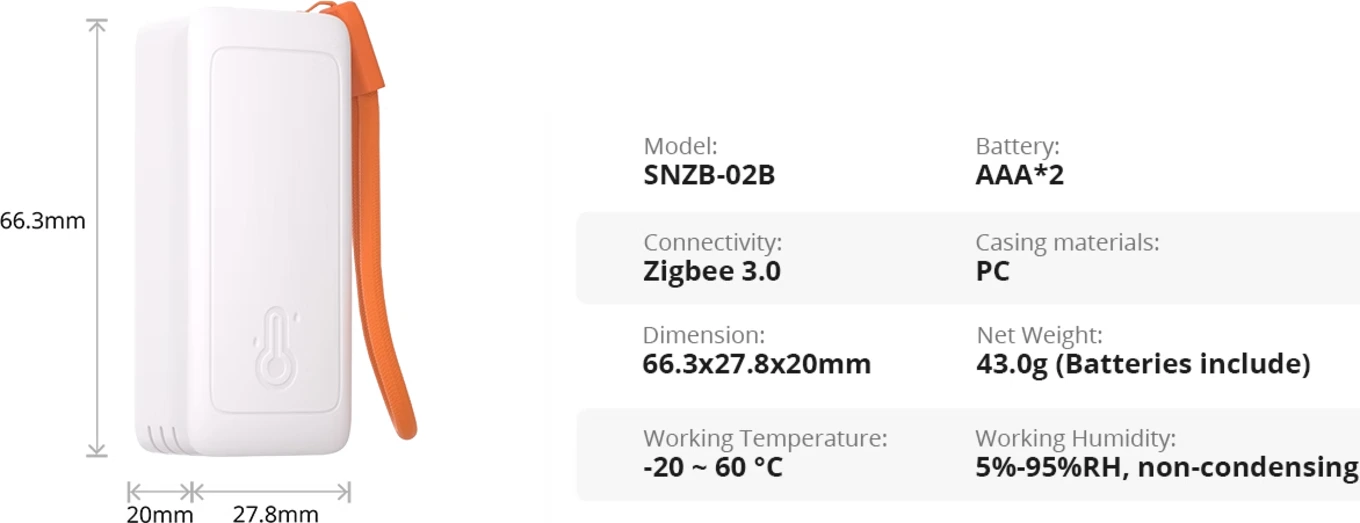
In summary: Zigbee 3.0 , ±0.2 °C and ±2% RH , 2 × AAA , 66.3 × 27.8 × 20 mm , 43 g . The SNZB-02B measures temperature from -20 to 60 °C and humidity from 5 to 95% non-condensing, with a reading every 5 seconds. The sensor is a Sensirion ; the radio is Zigbee 3.0 on IEEE 802.15.4 with TLSR8656 chip. It is powered by two LR03 AAA 1.5 V batteries, with an autonomy of up to two years. The body is made of white polycarbonate , with a strap and 3M adhesive, to be installed within 2 m of height. Pairing with a 5-second press, reset with 10. For indoor use only. The complete data sheet is on the official Sonoff page .
What's in the Box: Sensor, Lanyard, Two AAA Batteries, and Sticker
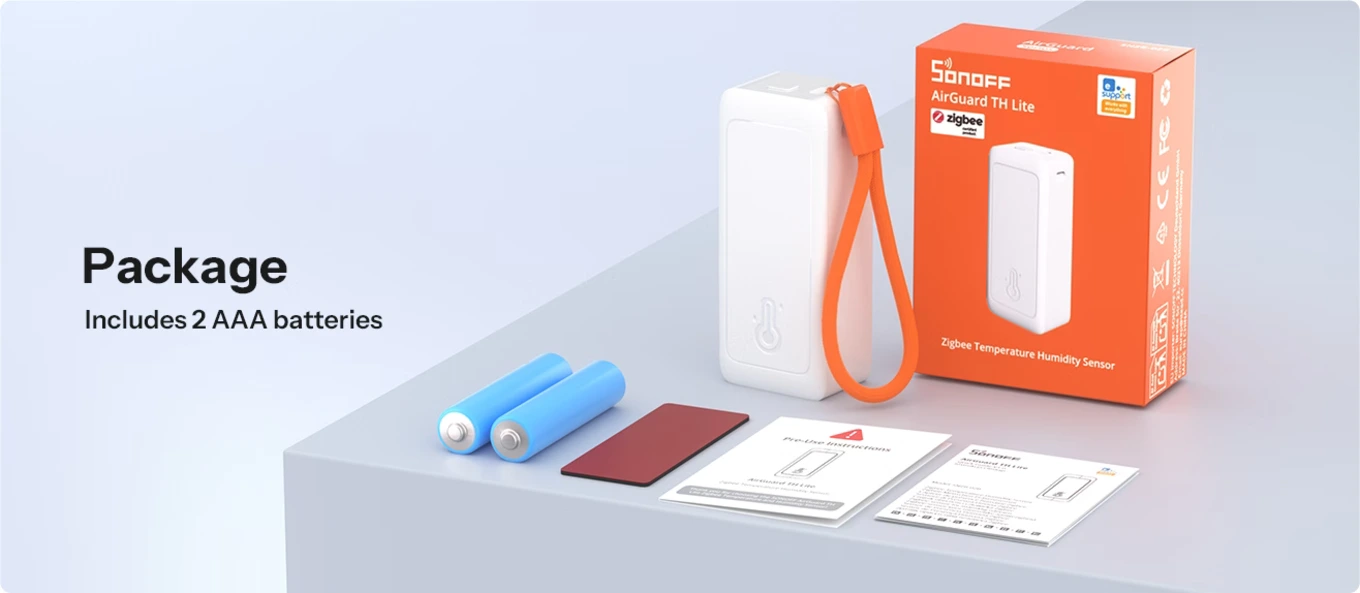
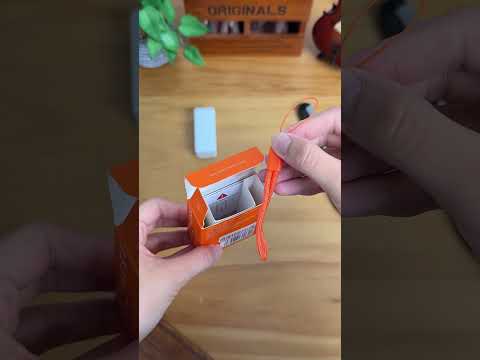
The box contains everything you need to get it up and running in five minutes: the SNZB-02B sensor , a hanging strap , two AAA batteries , 3M wall mounting tape , and a quick-start guide. There are no tools to find, and nothing else to buy, except the Zigbee hub if you don't already have one. Open the box, insert the batteries, hold down the button for five seconds, and the sensor is ready to be found by the app. The rest is choosing the room.
Products That Go With the SNZB-02B: Zigbee Hub, Batteries, and Other AirGuard Sensors
Yes. It doesn't connect to the internet on its own: it requires a Sonoff Zigbee hub, a Zigbee dongle on Home Assistant, or an Echo with a built-in Zigbee hub. It's purchased separately.
Three ways: hang with the lanyard, attach with the 3M adhesive, or place it flat. Keep within two meters of the wall, away from radiators and direct sunlight.
Same sensor and same accuracy. The 02B measures dew point and VPD and uses two AAA batteries; the 02P only displays temperature and humidity and uses a CR2477.
Sonoff-SNZB-02B
Data sheet
Power supply
LR03 1.5V battery
Colors
White
Material
PC
Working temperature
-20℃-60℃
Working humidity
5% - 95% non-condensing
Voice Control
Amazon Alexa, Google Home and Siri
Mobile application
eWeLink
Dimensions
66.3x27.8x20 mm
Communication Protocol
Zigbee 3.0
Humidity measurement accuracy
±2% RH
Temperature measurement accuracy
±0.2℃/±0.4℉
mcu
TLSR8656
Features
Humidity Measurement
Temperature Measurement
Usage environment
Indoor
Works with
Amazon Alexa
Apple Home (HomeKit)
Google Home
Home Assistant
SmartThings
eWeLink (Sonoff)