

Expert4House – Smart Home Automation

 Read the 2 reviews
 Secure payments: cards, PayPal, bank transfer, and installments
 Delivery within 48 hours: Free shipping on orders over €150 across Europe
 Easy 14-day returns: follow the steps to get your refund
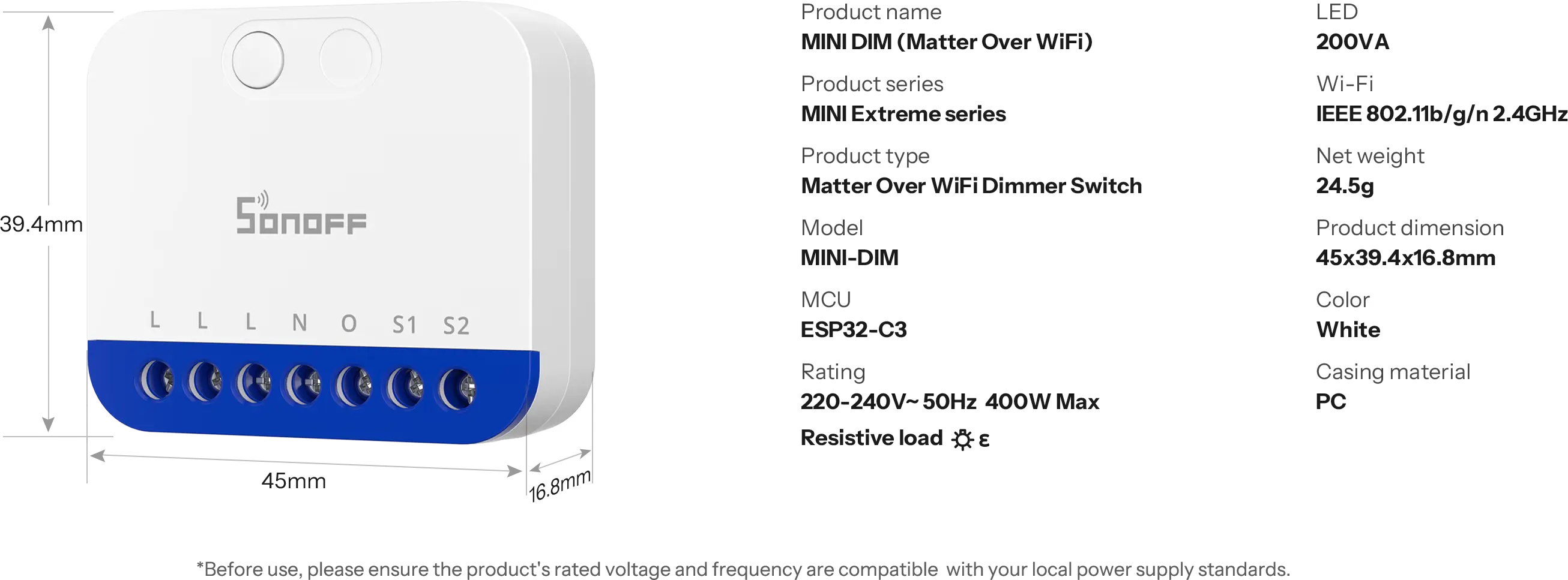
Data sheet
Specific References

 Read the 2 reviews