Tuya Dimmer Module for 0/1-10V Smart WiFi or Zigbee LED Driver for Flush Mount
€19.90
Tax included
No review at the moment
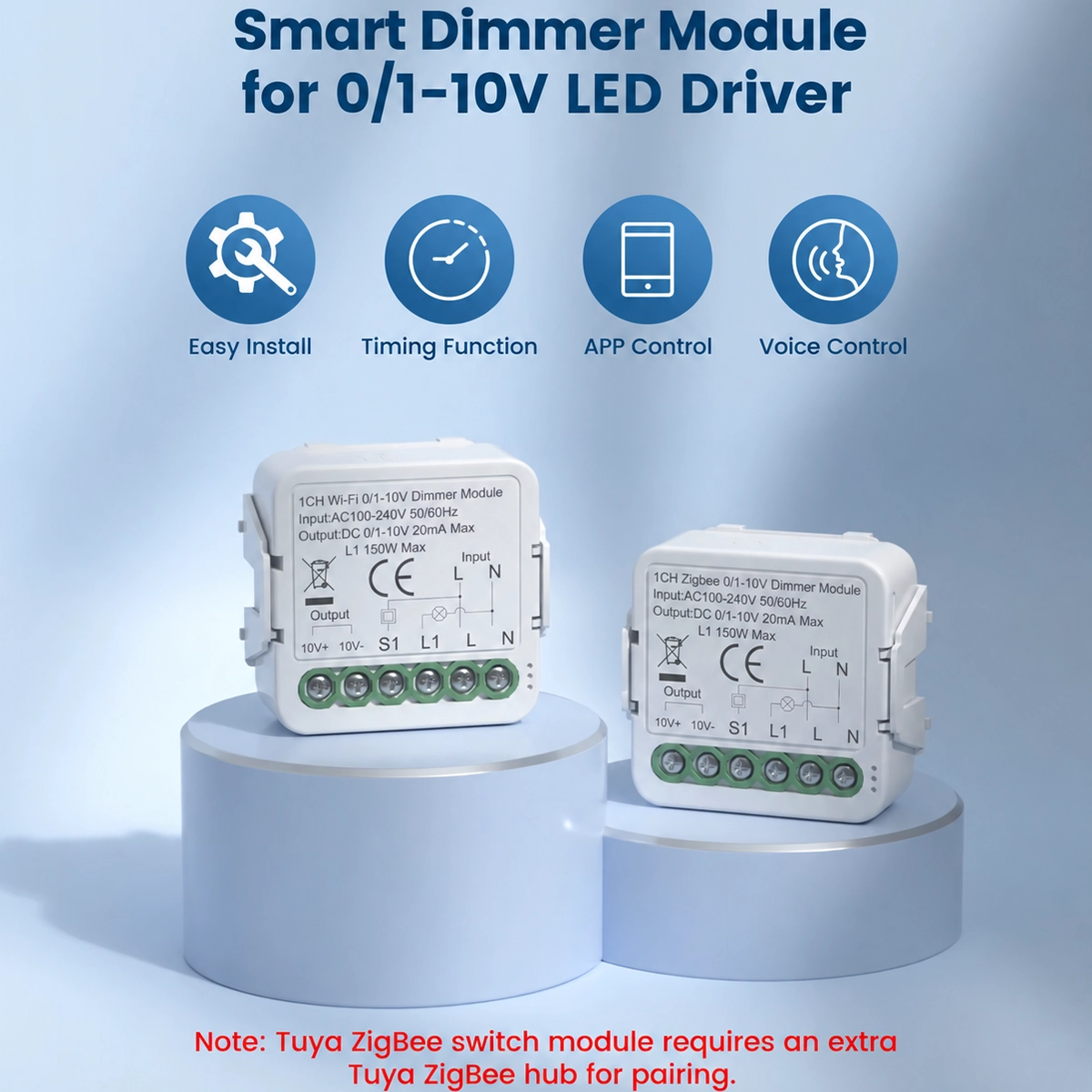
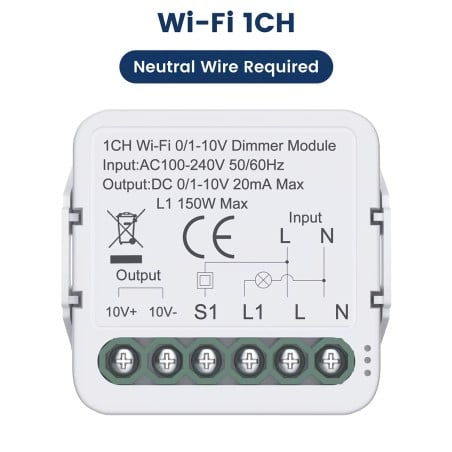
Dimmer for 0/1-10V LED drivers: controls LED drivers and power supplies with a 0/1-10V dimming input: 10V+ and GND output up to 20 mA and an L1 output that switches the driver on and off.
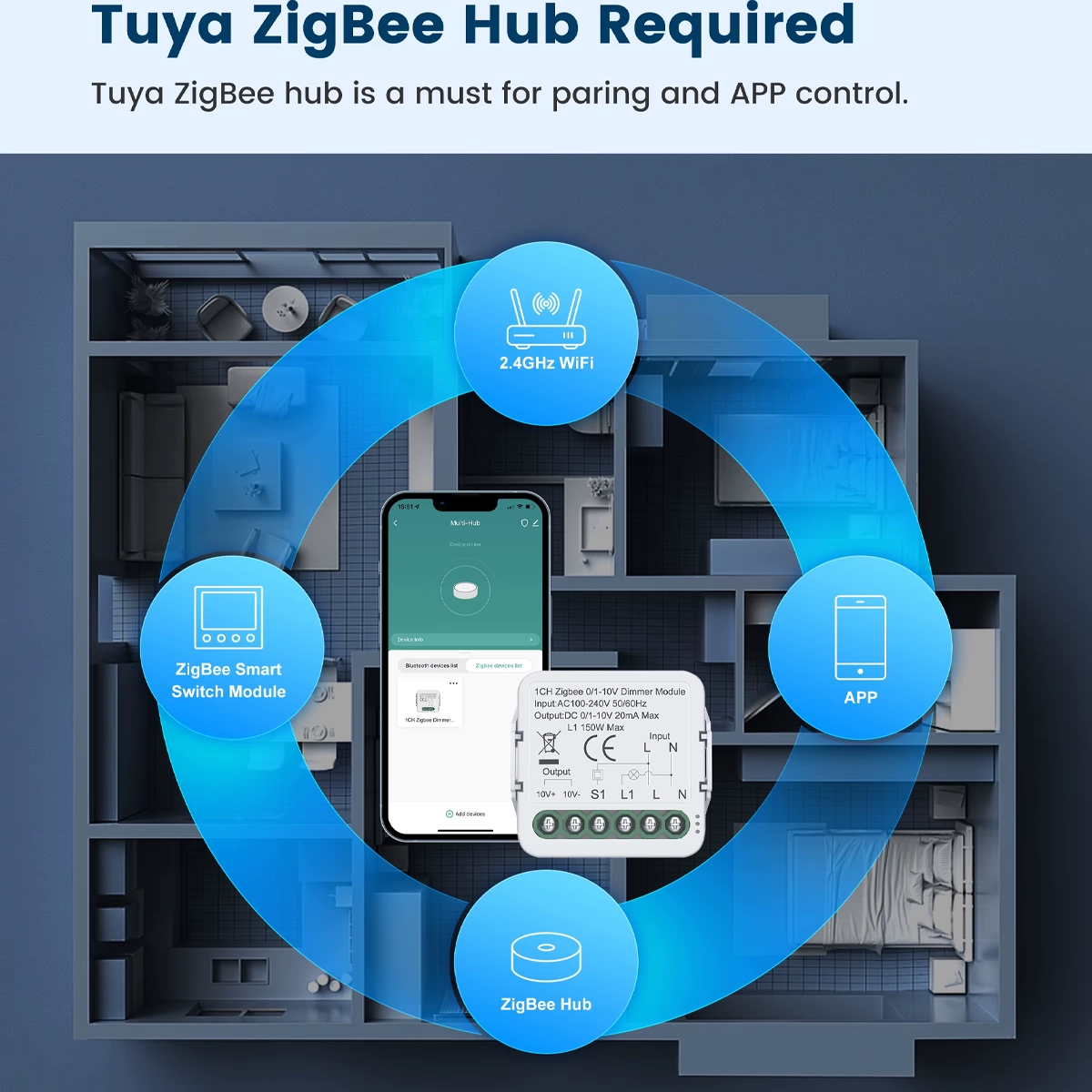
Two versions: WiFi or Zigbee: the WiFi version connects to your home router without a hub; the Zigbee 3.0 version requires a Tuya Zigbee gateway, not included. Select the version from the product options.
L1 output up to 150 W: the L1 output supplies the live connection to the LED driver, with a maximum load of 150 W, and switches it off completely when the light is off. Power supply: AC 100-240 V 50/60 Hz.
Neutral required: the module connects to live and neutral: both must be available in the flush-mount box, along with the driver's power and dimming cables.
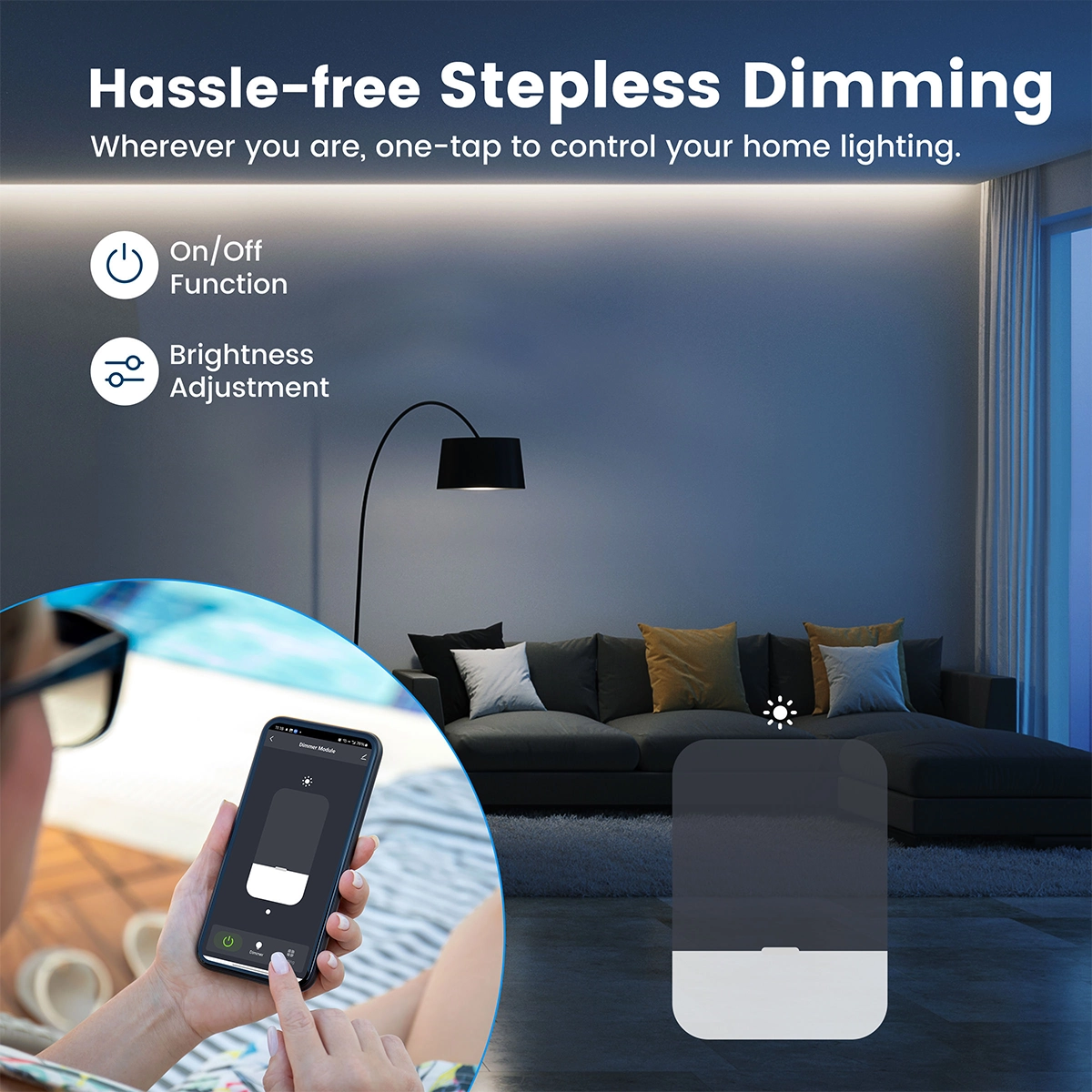
Tuya Smart or Smart Life app: switch the light on and off and adjust the brightness remotely. You can also set the minimum and maximum brightness in the app to adapt the dimming range to the driver.
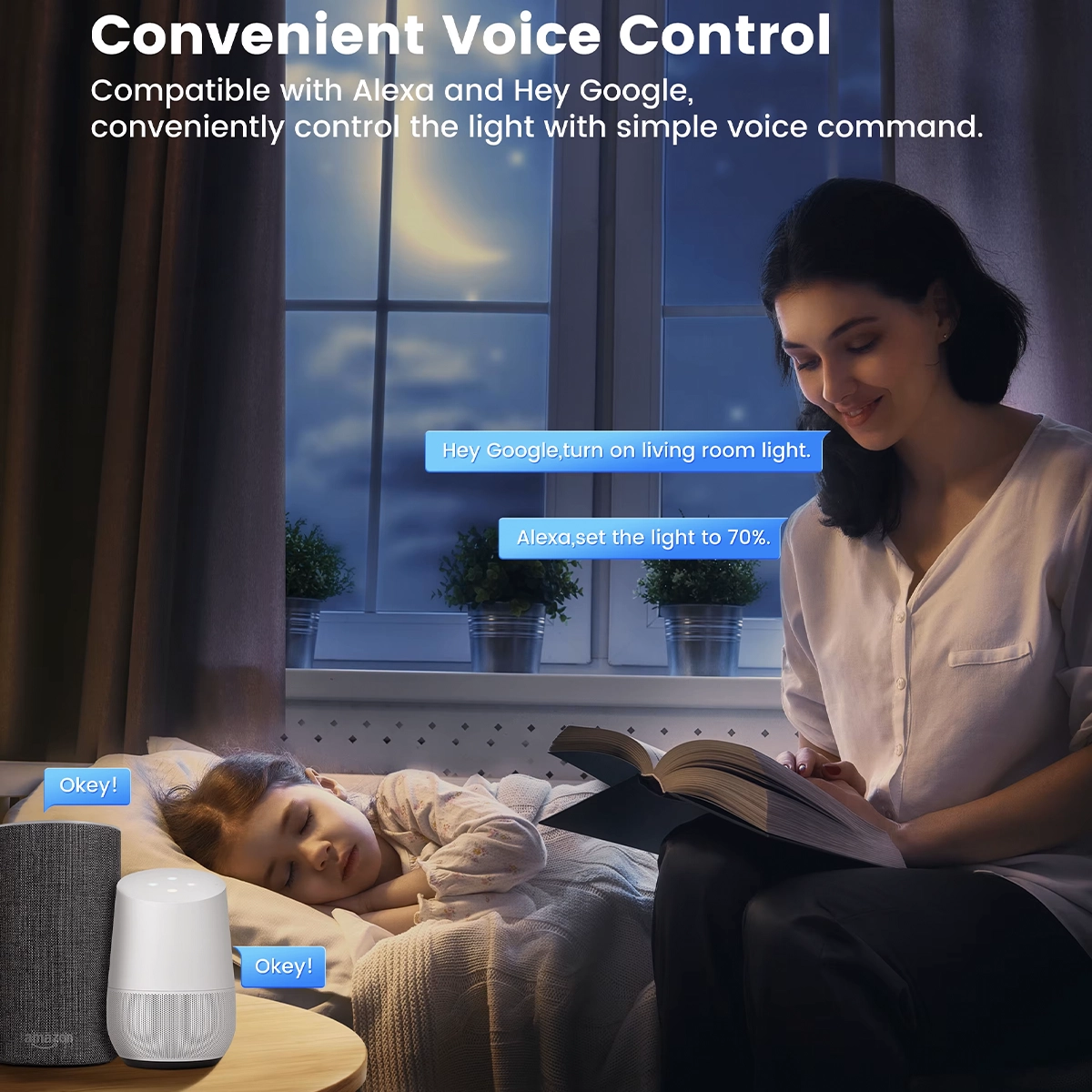
Alexa and Google Home: control the light by voice via Amazon Alexa and Google Home after linking your Tuya or Smart Life account to the assistant.
Wall push button: connect a momentary push button to the S input: a short press switches the light on and off; on the WiFi version, a long press adjusts the brightness. The app and push button stay in sync.
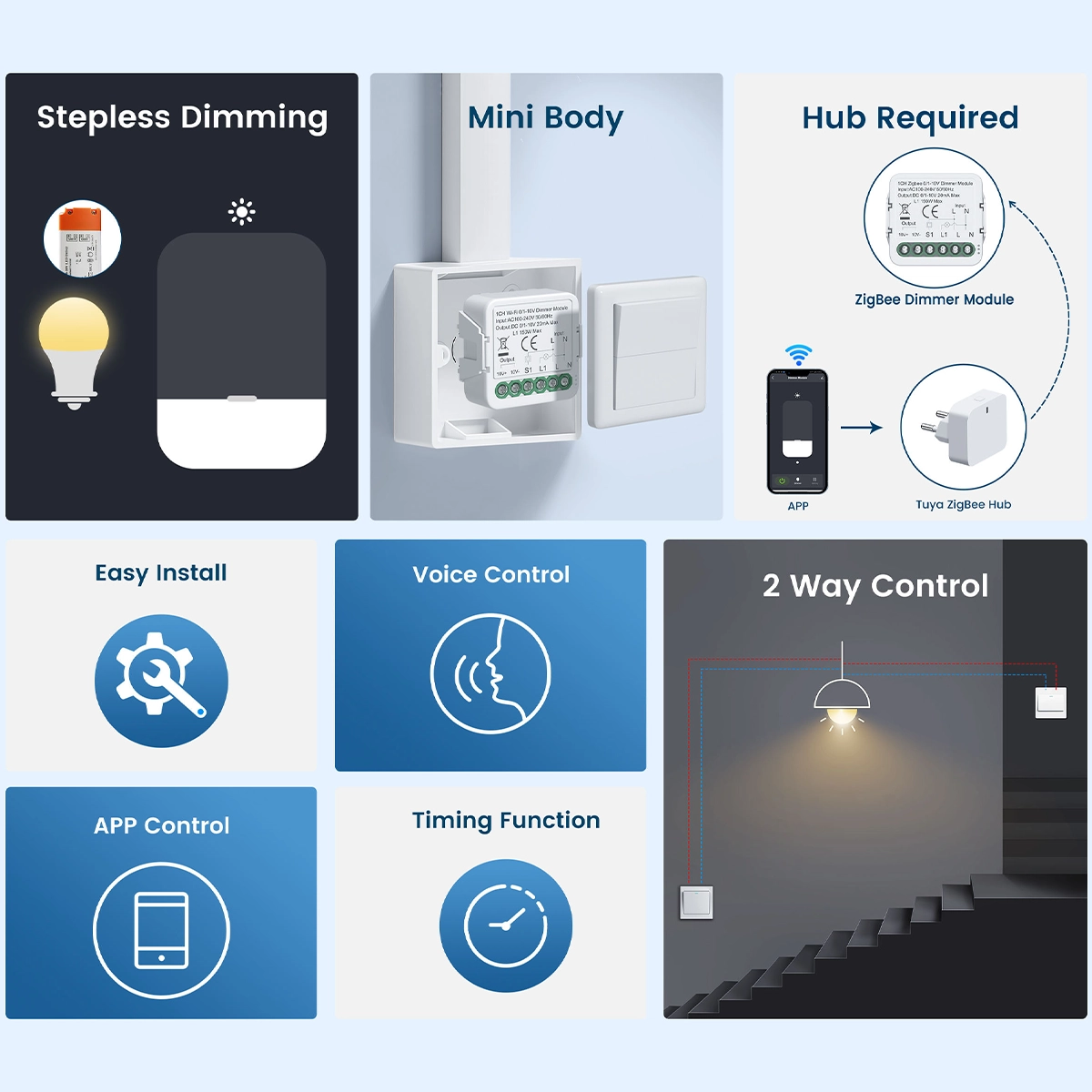
Two-way control: control the light using the wall push button, the app or your voice: the latest setting is stored in memory, regardless of which control was used.
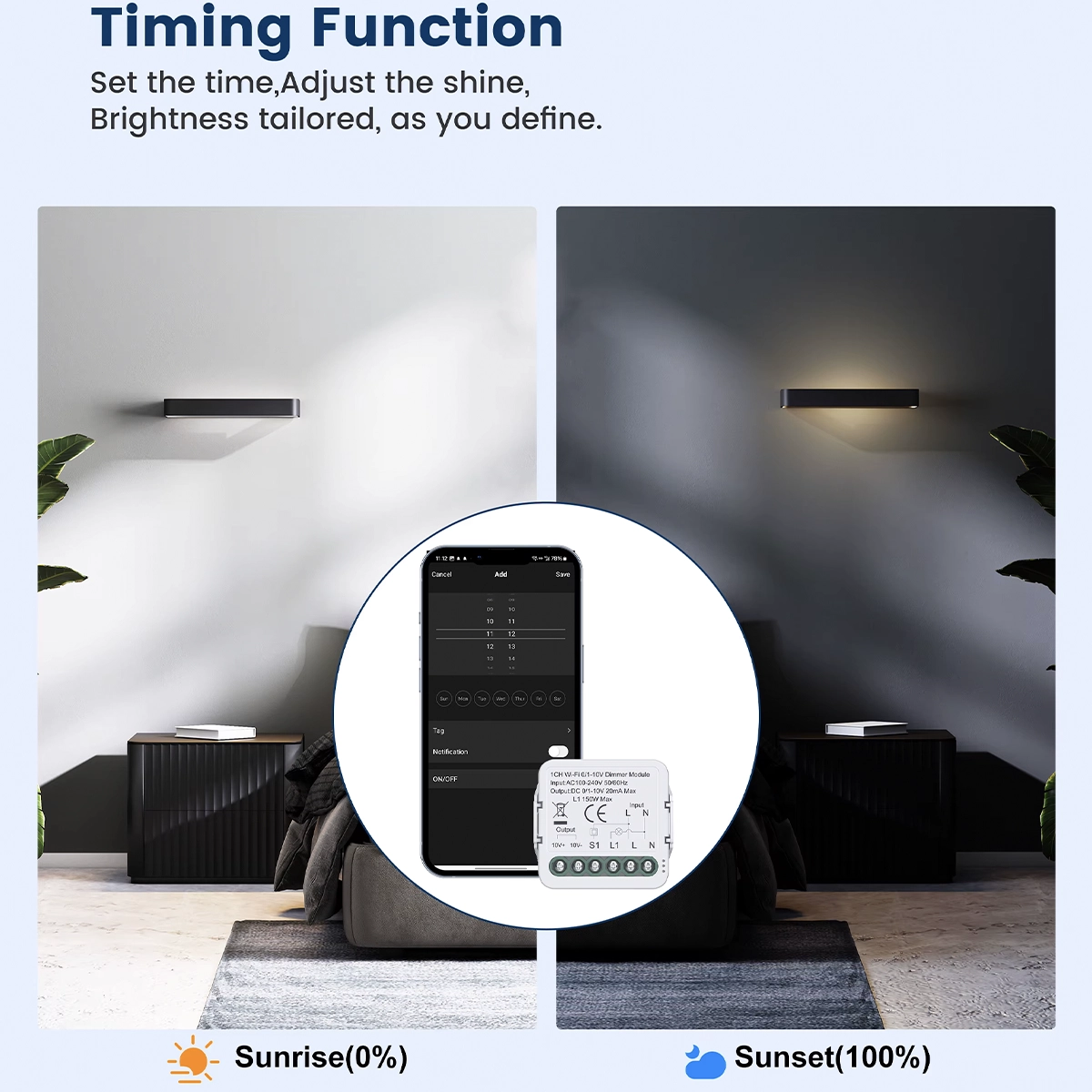
Timer and countdown: schedule the light to switch on and off at fixed times or after a set interval, directly from the Tuya Smart or Smart Life app.
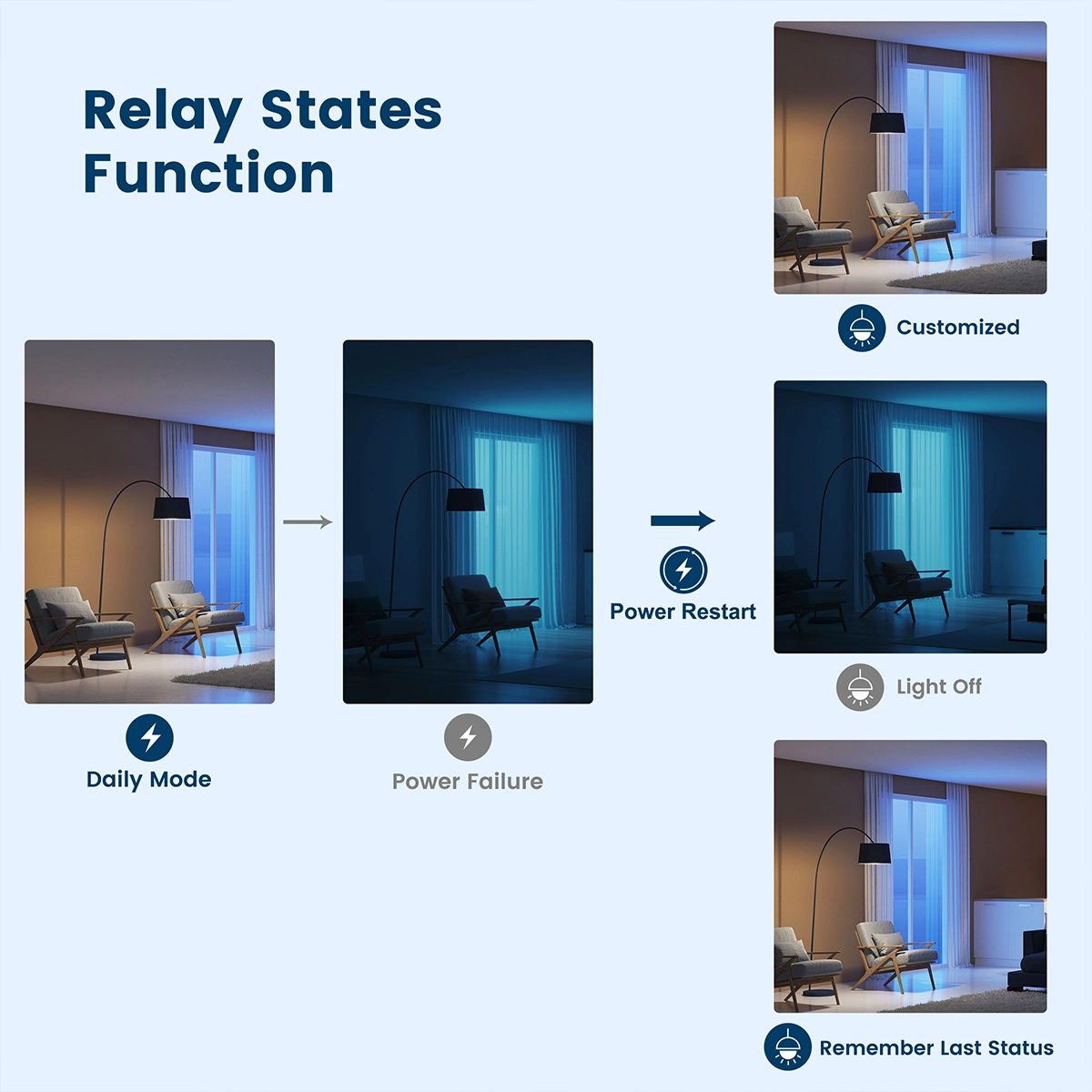
State after a power outage: choose how the light restarts when power is restored: on, off or in its last state before the outage.
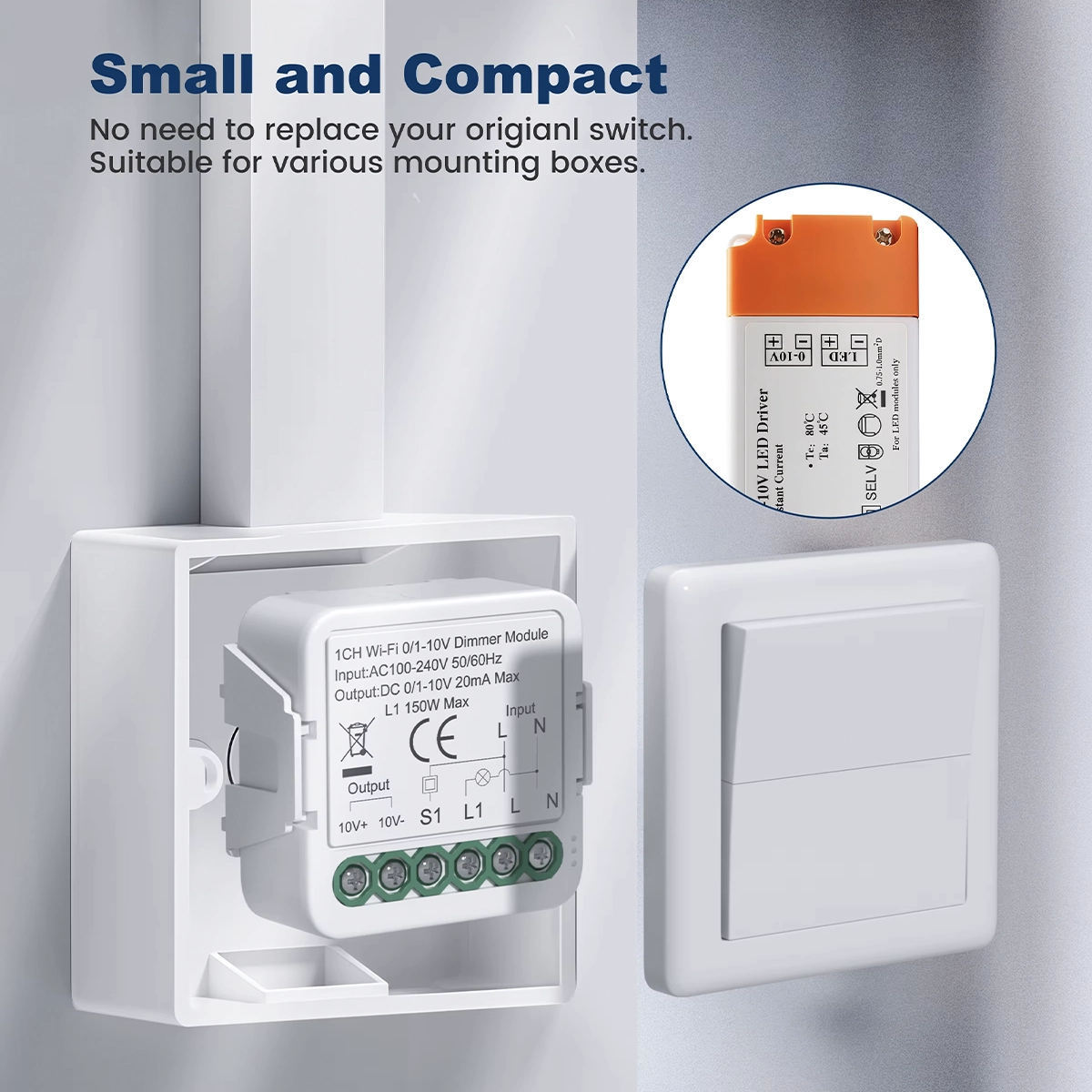
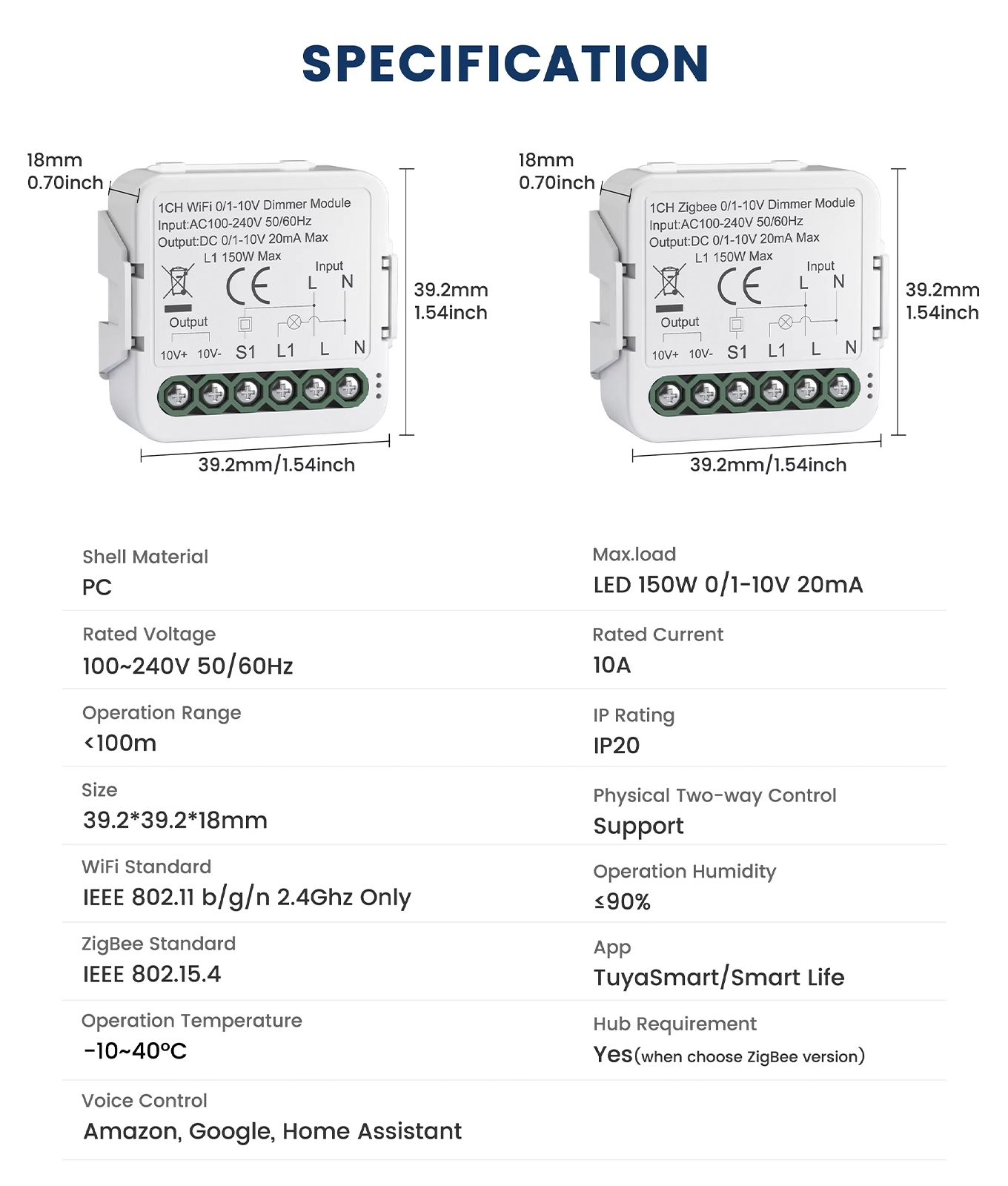
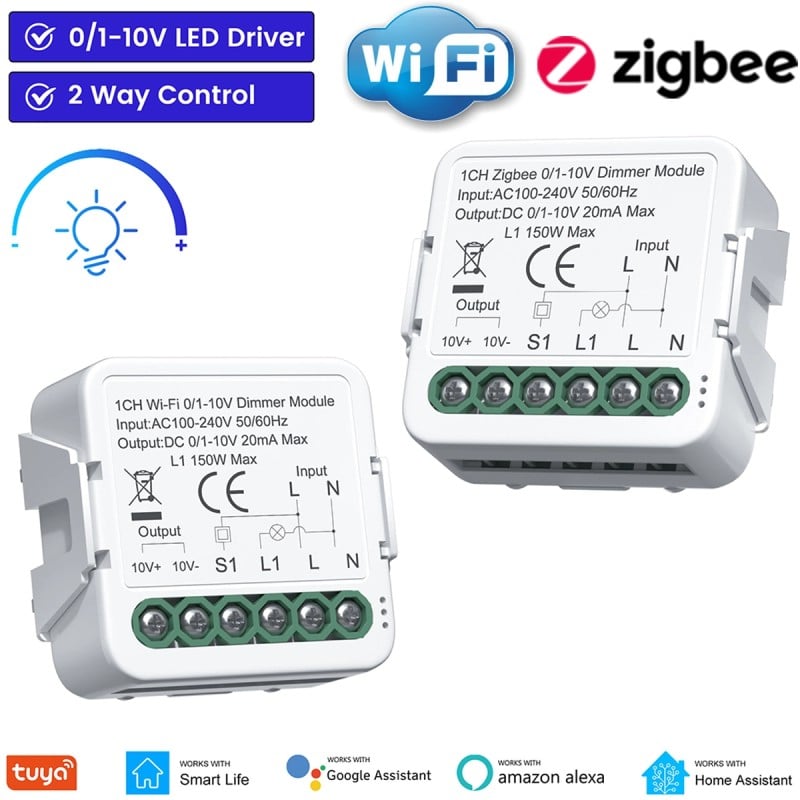
Dimensions: 39.2 × 39.2 × 18 mm: fits in the flush-mount box behind the push button, with screw terminals for live, neutral, L1, the push button and the 0/1-10V output to the driver.
Wireless range: WiFi at 2.4 GHz only (802.11 b/g/n), with a range of less than 30 m; Zigbee 3.0 with a range of less than 100 m. Networks operating only at 5 GHz are not supported.
Home Assistant: the WiFi version connects through the Tuya integration; the Zigbee version connects via the Tuya gateway or a Zigbee dongle connected to Home Assistant.
Indoor use only:PC housing, IP20 protection rating, operating temperature from -10 to +40 °C and humidity up to 90%. Installation by an electrician.
Secure payments: cards, PayPal, bank transfer, and installments
Delivery within 48 hours: Free shipping on orders over €150 across Europe
Easy 14-day returns: follow the steps to get your refund
0/1-10V dimmer module for LED drivers: brightness control via app, voice, and button in WiFi or Zigbee
The 0/1-10V dimmer module makes LED drivers and power supplies with a 0/1-10V dimming input smart: it mounts in the flush-mounted box, turns the driver on and off, and adjusts its brightness. You can choose between two versions: WiFi , which connects to your home router, or Zigbee 3.0 , which requires a Tuya Zigbee gateway. Control the light from the Tuya Smart or Smart Life app, with your voice via Amazon Alexa and Google Home , and from a wall button. It operates at AC 100-240V , with a 0/1-10V output up to 20mA and an L1 output up to 150W to power the driver. Neutral wire is required. The timer, countdown, and status after a blackout are set from the app.
0/1-10V output for brightness and L1 output to turn on the driver
The module works on two outputs. The 0/1-10V output, on the 10V+ and 10V- terminals, goes to the LED driver's dimming input and controls its brightness, with a maximum current of 20 mA . The L1 output brings the phase to the driver's input: when you turn it off, the module cuts off the power to the driver and the light turns off completely. The maximum load on L1 is 150 W. So a single recessed module acts as both a switch and a dimmer for the driver, which remains the one you already have, as long as it has the 0/1-10V dimming input. The module does not directly power the LED strips: it always works in conjunction with a driver.
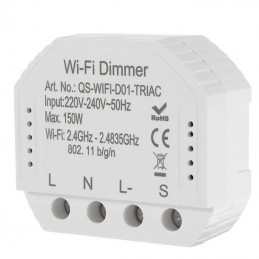
Continuously adjust your light from the Tuya Smart or Smart Life app
From the Tuya Smart or Smart Life app, you can turn the light on and off and adjust the brightness continuously with a slider, from any room and even when you're away. You can set the module's minimum and maximum brightness to adapt the dimming range to the driver you've connected and the light you need. The last setting is remembered, whether made from the app or the wall switch, and the app always displays the current level. Control can be shared with other members of the family, and the module can be included in the app's scenes and automations along with other Tuya devices.
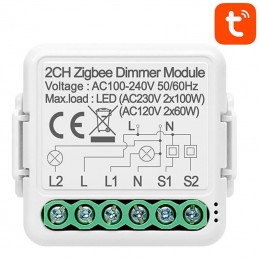
Voice-controlled brightness with Amazon Alexa and Google Home
By connecting your Tuya or Smart Life account to the Amazon Alexa or Google Home app, the module becomes a dimmable light that the assistant recognizes by name. You can say, "Ok Google, turn on the living room light" or "Alexa, set the light to 70%," and the driver follows your command, both for turning on and adjusting the brightness. The light integrates into the assistant's rooms and routines, along with the other lights in the house. It's convenient when your hands are full, when you're already in bed, or when you want to dim everything with a single command. Assistant speakers and smart screens are not included.
Timer with set brightness and countdown
From the app, you can program the light by schedule: you can associate each time when it turns on, off, and even the brightness level —for example, minimum light in the morning and full brightness in the evening. The countdown timer turns the light on or off only once, after a preset time: useful for bedroom or utility room lighting. Each program can be activated, changed, or deleted from the app at any time. The wall button always works, even with an active timer, and the last setting, regardless of the command, replaces the previous one.
Light status after a blackout: on, off, or last state
When power returns after a power outage, choose how the lights restart from the app: on , off, or in the last state they had before the outage. Off is the most prudent choice for lights you don't want to find on when you return; the last state is for shop lights, window displays, and hallway lights, which should automatically restart as you left them. The setting can be changed at any time, without affecting the system. If you change your Wi-Fi network or router password, the Wi-Fi module must be re-paired from the app; the wall switch will still control the lights even without a network connection.
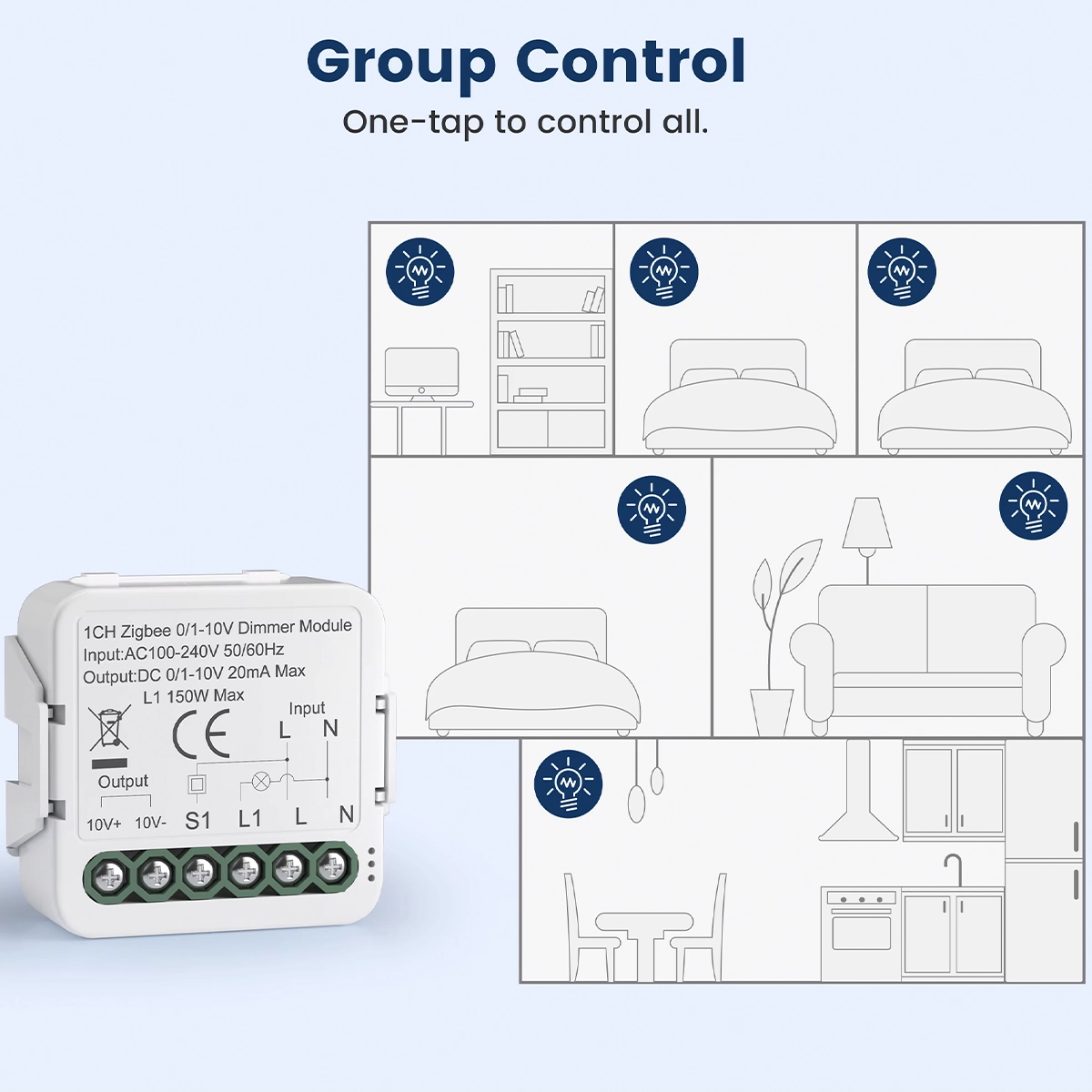
Groups of LED drivers to be switched on and dimmed with a single touch
In the app, you can combine multiple modules into a group and control them with a single touch : turn on, off, or dim the lights in multiple rooms or an entire floor together, each with its own 0/1-10V driver. A group can be controlled like a single light, even with Alexa and Google Home. Groups can be combined with scenes and automations in the Tuya Smart or Smart Life apps, for example, to dim all the lights in the evening or turn everything off when you leave. Each light in the group can also be controlled individually, from its own wall button or from its own page in the app, without modifying the group.
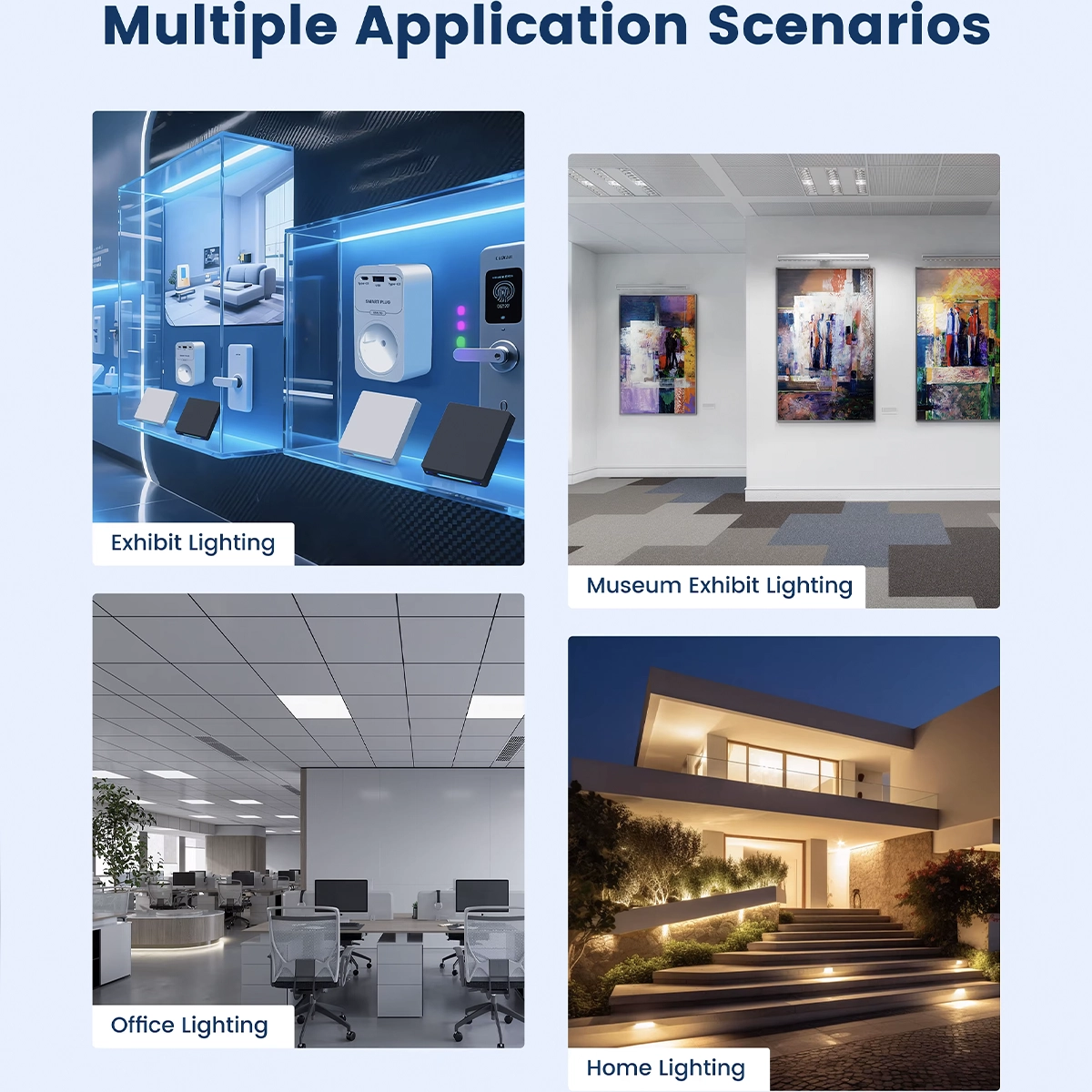
For shops, shop windows, museums, offices and home lighting
Drivers with 0/1-10V dimming are common in professional and home lighting: spotlights and LED profiles in shops and shop windows, display lights in museums, ceiling lights and panels in offices, LED strips and stair and garden lights at home. With this module, you can control them via app or voice without changing the driver. If you're dimming a 230V lamp without a 0/1-10V driver, check out the other smart dimmers in the catalog, designed for direct connection. Below you'll find the Zigbee gateways, dimmer modules, and controllers closest to this product.
WiFi version without hub or Zigbee version with Tuya gateway
The WiFi version connects directly to your 2.4 GHz (802.11 b/g/n) home network and doesn't require a hub; it pairs from the Smart Life app via WiFi or Bluetooth, with a range of less than 30 m. The Zigbee 3.0 version requires a Tuya Zigbee gateway , not included, connected to the router: you can find Zigbee gateways and hubs in the catalog. However, the Zigbee radio range is less than 100 m, compared to 30 m for WiFi. If you already have a Tuya gateway, Zigbee is better, as it can be added to the other Zigbee controllers and dimmers ; otherwise, WiFi is ready straight away.
In the flush-mounted box, with wall button and neutral required
The module measures 39.2 × 39.2 × 18 mm and fits into the flush-mounted box behind the wall control, with screw terminals for phase, neutral, L1, button, and 0/1-10V output. The neutral wire is required : phase and neutral wires must reach the box, as well as the cables to the driver. Connect a push-button to the S input: a short press turns the light on and off, and on the WiFi version, a long press adjusts the brightness. If you don't need the wall control, the S input can be left free. The app and button are always aligned. Below you will find other products compatible with this module.
LED driver connection diagram and module technical data
The diagram in the gallery shows the connection: L and N to the power supply, L1 to the driver's phase input, the driver's neutral on the line, 10V+ and 10V- to the driver's 0/1-10V regulation input, and the button between the phase and the S terminal. Technical data: AC power supply 100-240 V 50/60 Hz, 0/1-10V output up to 20 mA, L1 load up to 150 W, PC casing, IP20 protection rating, operating temperature from -10 to +40 °C, humidity up to 90%. 2.4 GHz WiFi radio or Zigbee 3.0, depending on the version. Installation must be carried out with the system switched off by an electrician.
With LED drivers and power supplies that have a 0-10V or 1-10V dimming input. The module does not directly power the LED strips: it always works in conjunction with a driver.
Wi-Fi connects directly to your 2.4 GHz home router, without a hub. Zigbee 3.0 requires a Tuya Zigbee gateway, not included, and has a longer range. The app functions are the same.
A push-button switch must be connected to input S: a short press turns the light on and off; on the WiFi version, a long press adjusts the brightness. If you don't need a wall control, input S can be left free.
Yes, both versions, by connecting your Tuya or Smart Life account to the assistant. You can turn the lights on and off, and adjust the brightness level using your voice.
Dimmer for 0/1-10V LED drivers: controls LED drivers and power supplies with a 0/1-10V dimming input: 10V+ and GND output up to 20 mA and an L1 output that switches the driver on and off.
Two versions: WiFi or Zigbee: the WiFi version connects to your home router without a hub; the Zigbee 3.0 version requires a Tuya Zigbee gateway, not included. Select the version from the product options.
L1 output up to 150 W: the L1 output supplies the live connection to the LED driver, with a maximum load of 150 W, and switches it off completely when the light is off. Power supply: AC 100-240 V 50/60 Hz.
Neutral required: the module connects to live and neutral: both must be available in the flush-mount box, along with the driver's power and dimming cables.
Tuya Smart or Smart Life app: switch the light on and off and adjust the brightness remotely. You can also set the minimum and maximum brightness in the app to adapt the dimming range to the driver.
Alexa and Google Home: control the light by voice via Amazon Alexa and Google Home after linking your Tuya or Smart Life account to the assistant.
Wall push button: connect a momentary push button to the S input: a short press switches the light on and off; on the WiFi version, a long press adjusts the brightness. The app and push button stay in sync.
Two-way control: control the light using the wall push button, the app or your voice: the latest setting is stored in memory, regardless of which control was used.
Timer and countdown: schedule the light to switch on and off at fixed times or after a set interval, directly from the Tuya Smart or Smart Life app.
State after a power outage: choose how the light restarts when power is restored: on, off or in its last state before the outage.
Dimensions: 39.2 × 39.2 × 18 mm: fits in the flush-mount box behind the push button, with screw terminals for live, neutral, L1, the push button and the 0/1-10V output to the driver.
Wireless range: WiFi at 2.4 GHz only (802.11 b/g/n), with a range of less than 30 m; Zigbee 3.0 with a range of less than 100 m. Networks operating only at 5 GHz are not supported.
Home Assistant: the WiFi version connects through the Tuya integration; the Zigbee version connects via the Tuya gateway or a Zigbee dongle connected to Home Assistant.
Indoor use only:PC housing, IP20 protection rating, operating temperature from -10 to +40 °C and humidity up to 90%. Installation by an electrician.