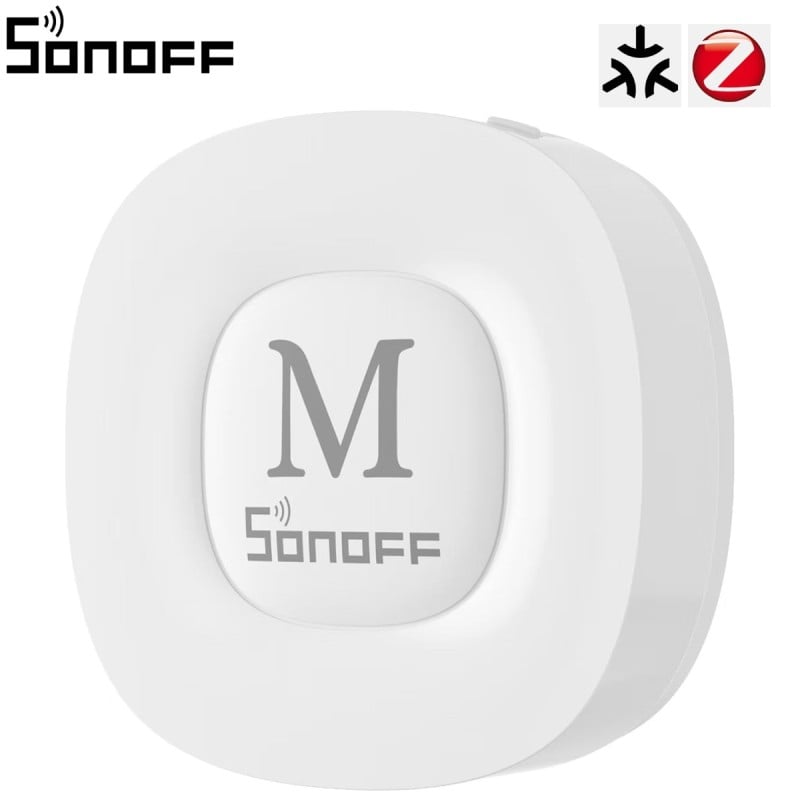
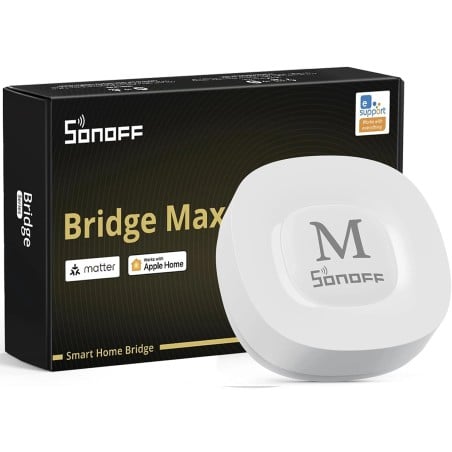
Sonoff Bridge Max Bridge-M Hub Zigbee Compatible Matter with Ethernet, Wi-Fi 6
€59.91
€69.91
Save €10.00
Tax included
No review at the moment
Multiprotocol Matter Bridge: brings Zigbee devices, eWeLink Wi-Fi devices, BTHome sensors and Home Assistant entities into Apple Home, Google Home, Alexa and SmartThings.
Zigbee 3.0 hub: connects up to 128 Zigbee devices, the number recommended by Sonoff, supporting all Sonoff Zigbee devices and many devices from other brands.
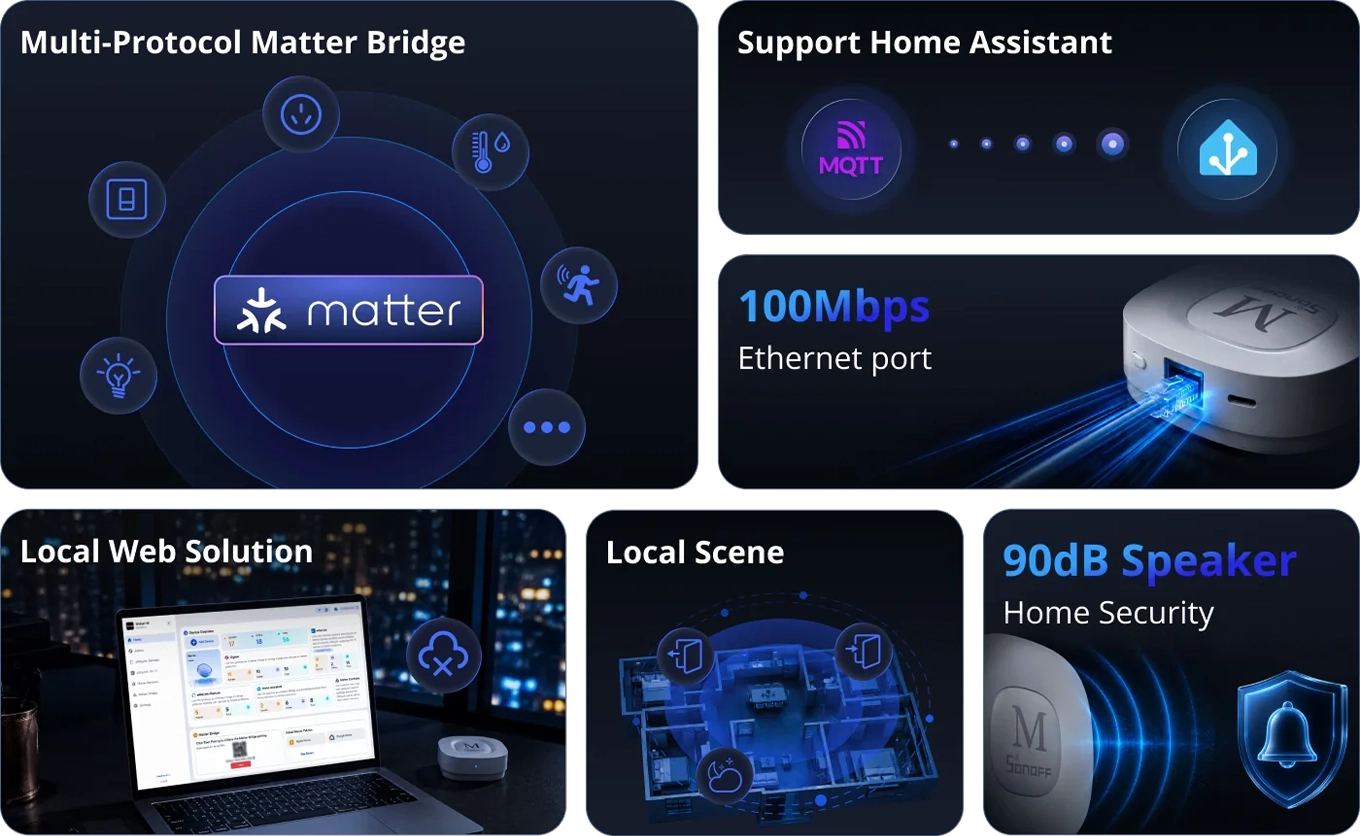
Local web interface: configure the bridge and Matter synchronization from your browser at bridgem.local, with no app, account or Internet connection required.
Also works with the eWeLink app: control devices, create scenes and receive notifications in the eWeLink app: the app and web interface work together on the same bridge.
Home Assistant via MQTT: syncs Zigbee devices with Home Assistant through an MQTT broker and brings Home Assistant entities into Matter platforms.
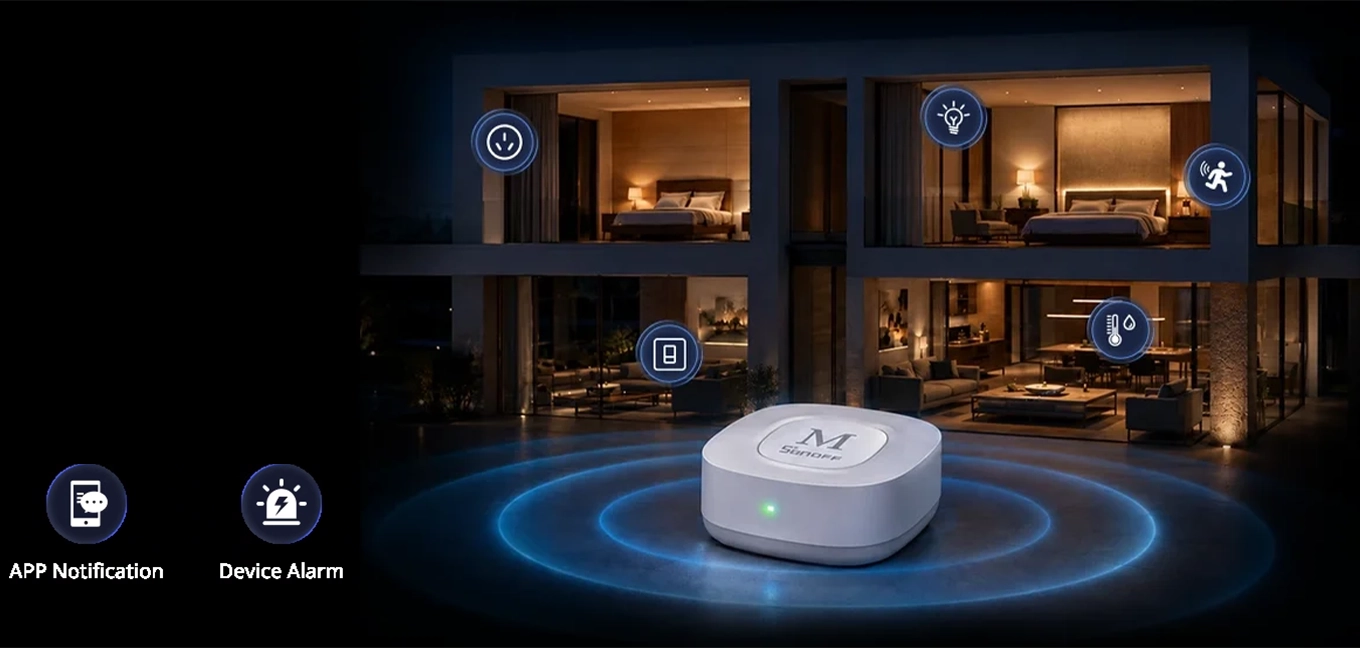
Security hub: away, night and home modes with Zigbee sensors, in-app notifications and an alarm from the built-in 90 dB speaker.
Ethernet and Wi-Fi 6: a 10/100 Mbps RJ45 port for a stable connection, or 2.4 and 5 GHz Wi-Fi 6 when a network cable cannot reach.
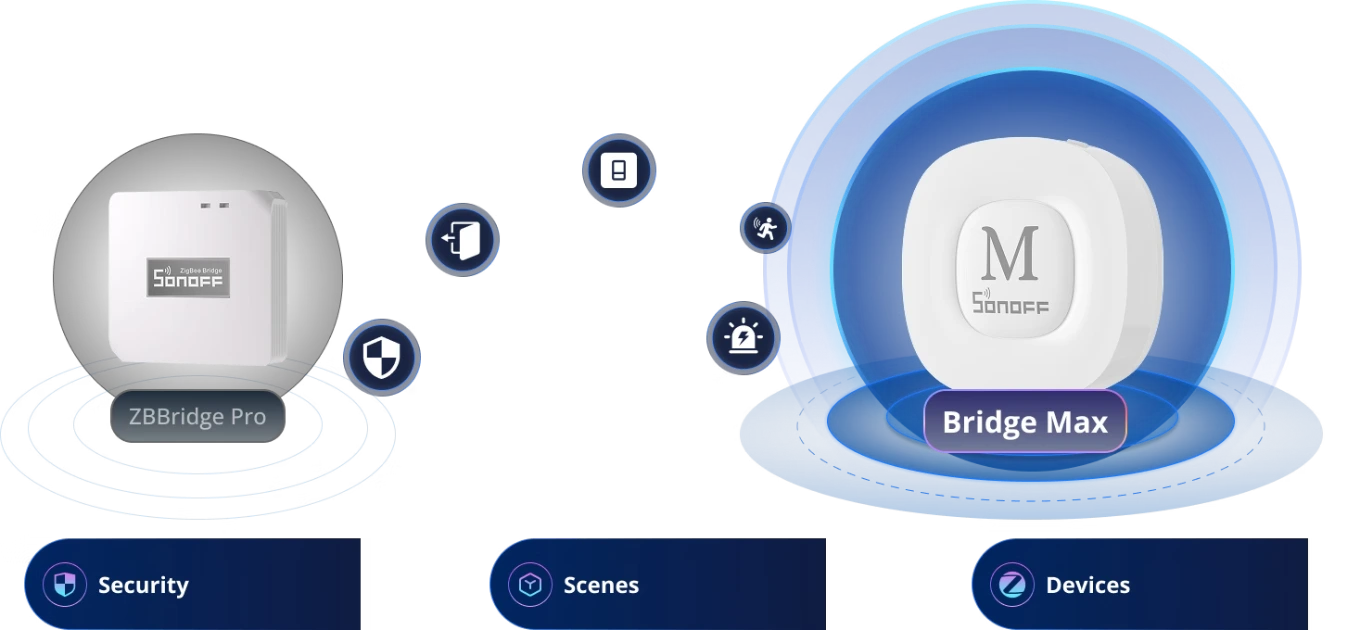
Replaces the ZBBridge Pro: transfers Zigbee devices, scenes and security settings from the ZBBridge Pro in a single step, without having to pair devices again.
Bluetooth for remote controls and BTHome: adds up to 8 eWeLink-Remote controls and BTHome sensors, which it also brings into Matter.
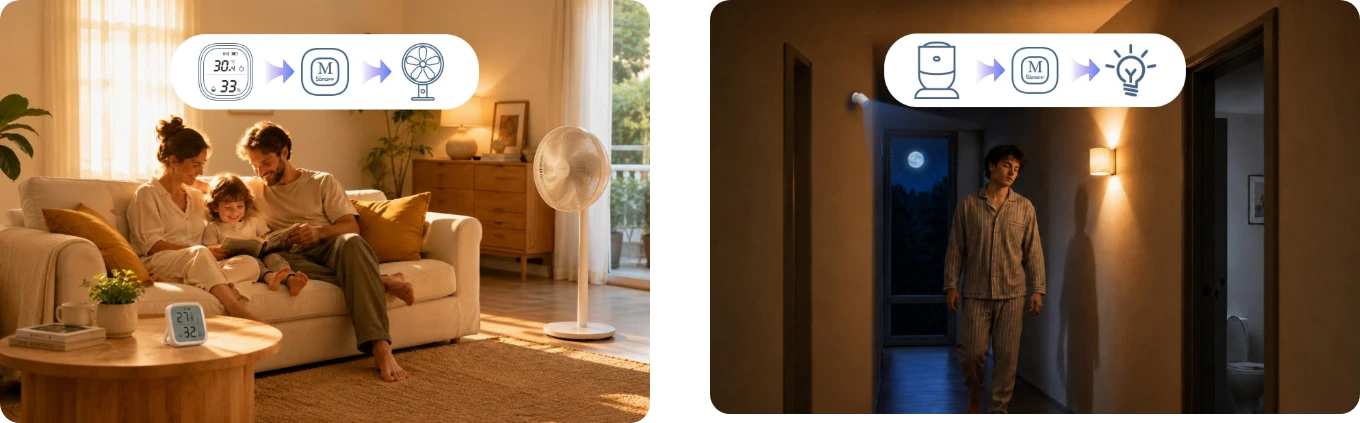
Local scenes: automations between Zigbee devices run on the bridge: for example, a fan switching on when the temperature rises or a light turning on when motion is detected at night.
A bridge, not a Matter controller: brings its devices into Matter platforms; Matter and Thread devices are added to the platform's controller, such as a HomePod, Nest Hub or Echo.
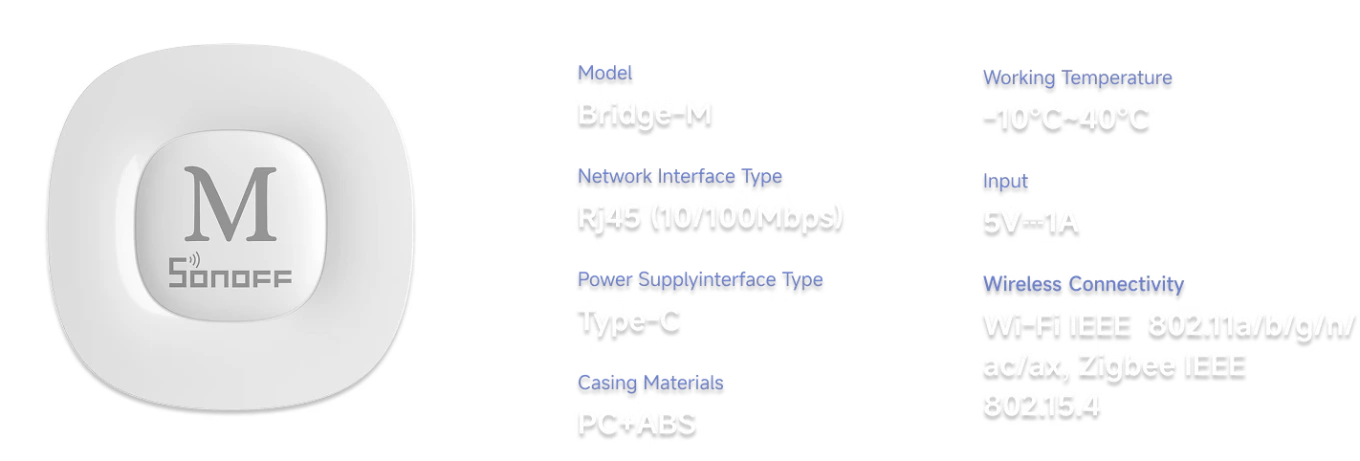
Compact, for indoor use: measures 82 × 82 × 28 mm and weighs 83.4 g, with a white PC+ABS housing; designed for indoor use between -10 and 40 °C.
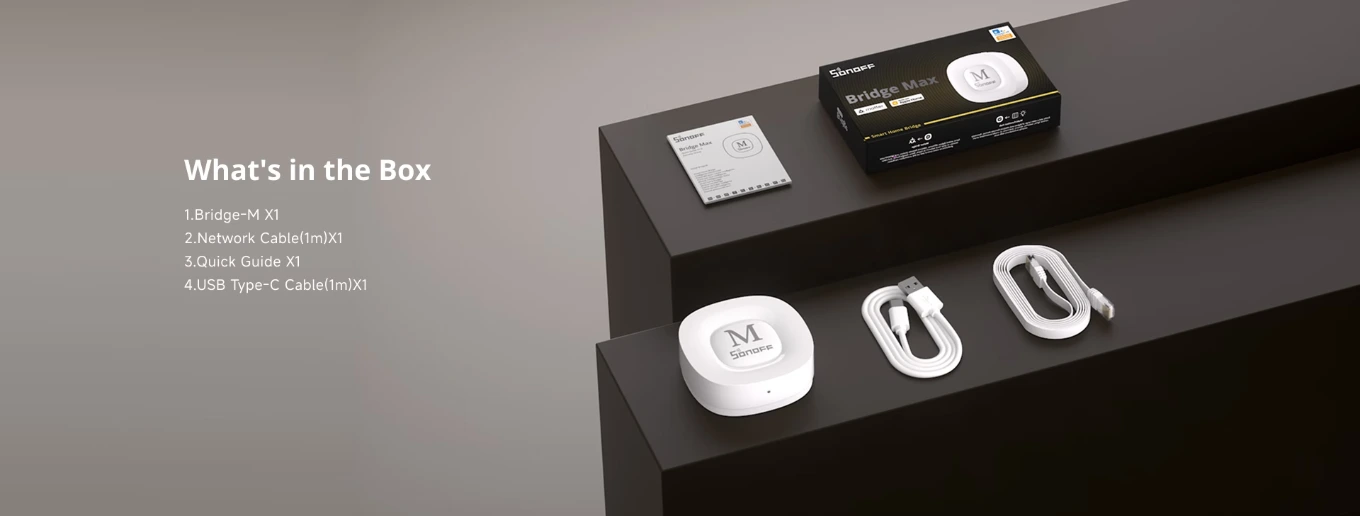
In the box: the bridge, a 1 m network cable, a 1 m USB-C cable and the quick start guide. The 5 V 1 A USB power adapter is not included.
Secure payments: cards, PayPal, bank transfer, and installments
Delivery within 48 hours: Free shipping on orders over €150 across Europe
Easy 14-day returns: follow the steps to get your refund
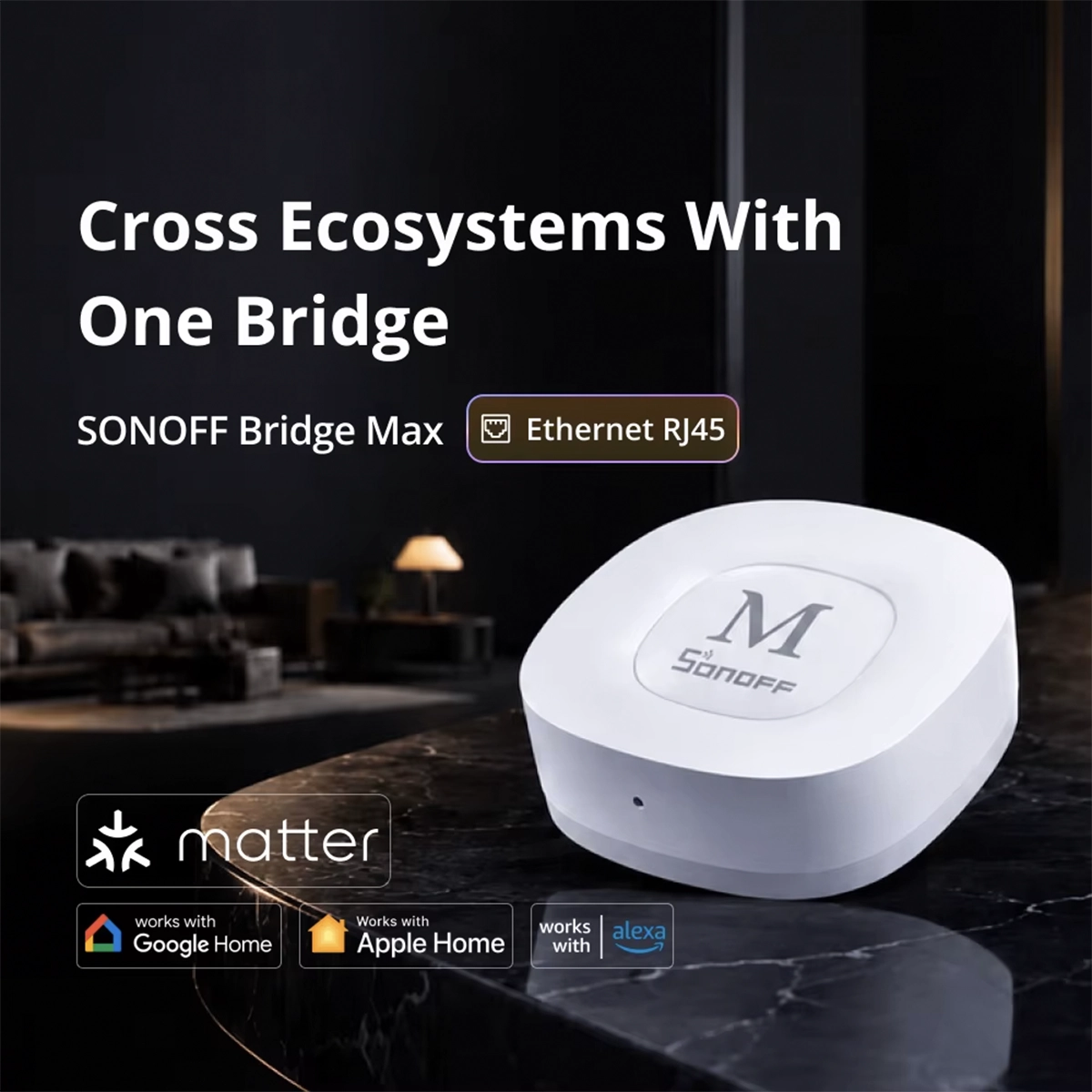
Sonoff Bridge Max: Zigbee 3.0 hub and Matter Bridge with Ethernet, Wi-Fi 6 and local web
The Sonoff Bridge Max (Bridge-M) is a Zigbee 3.0 hub and Matter Bridge in one. It connects up to 128 Zigbee devices and brings them, along with eWeLink Wi-Fi devices, BTHome sensors, and Home Assistant entities, to Apple Home , Google Home , Alexa , and SmartThings. You can set it up from the eWeLink app or from the local web interface , which works online without an account or cloud. It connects via an RJ45 Ethernet port or 2.4 and 5 GHz Wi-Fi 6 , syncs Zigbee devices with Home Assistant via MQTT, and acts as a security center with a 90 dB speaker. If you have a Zigbee Bridge Pro , it transfers devices, scenes, and settings in one step.
A single bridge to bring Zigbee, eWeLink and BTHome into Matter
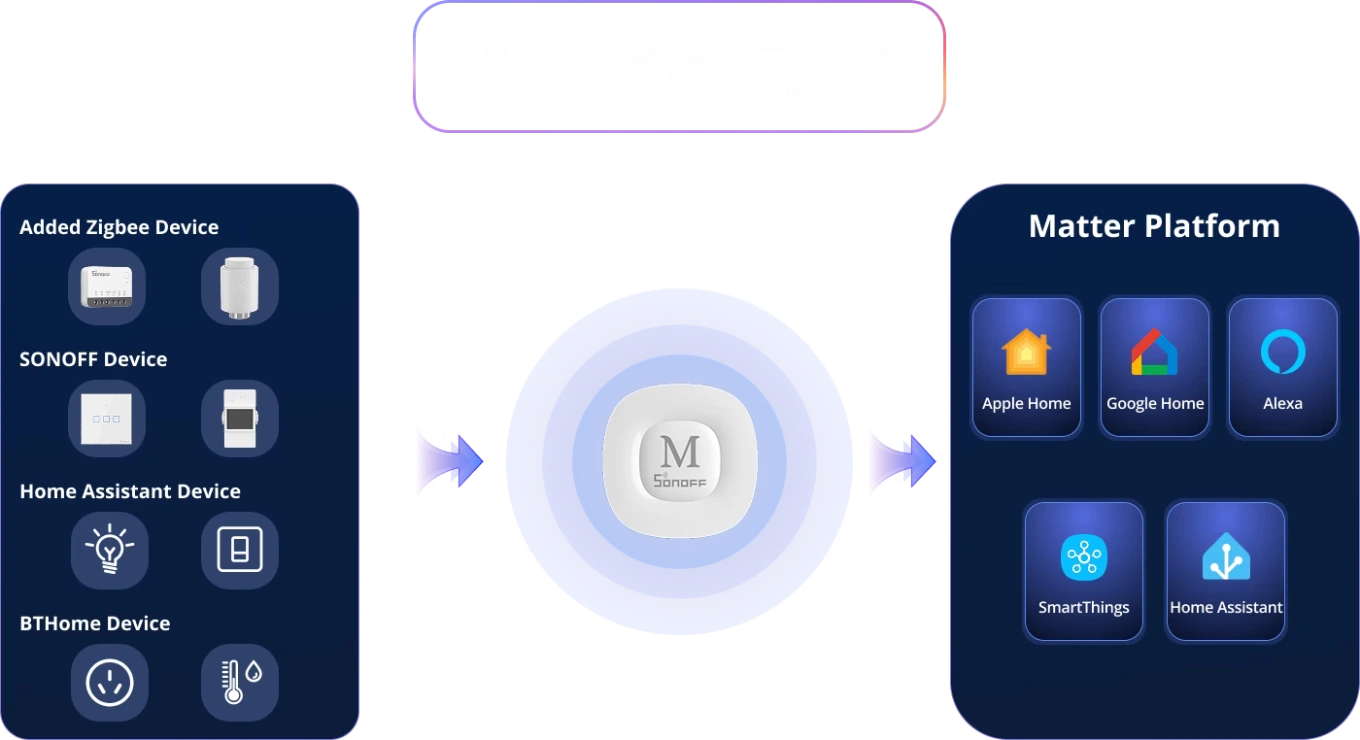
The Max Bridge combines functions that usually require multiple devices into a single hub. It's a Matter Bridge , so it makes your devices visible to Matter platforms, and a Zigbee gateway , so it directly connects Zigbee sensors, switches, sockets, and valves. It integrates with Home Assistant via MQTT, has a 100 Mbps Ethernet port, a local web interface, scenes that run on the bridge, and a 90 dB speaker for security. On the left in the image, you can see what goes into Matter: the Zigbee devices added to the bridge, the Sonoff Wi-Fi devices in your eWeLink account, Home Assistant entities, and BTHome sensors. On the right, the platforms that receive them.
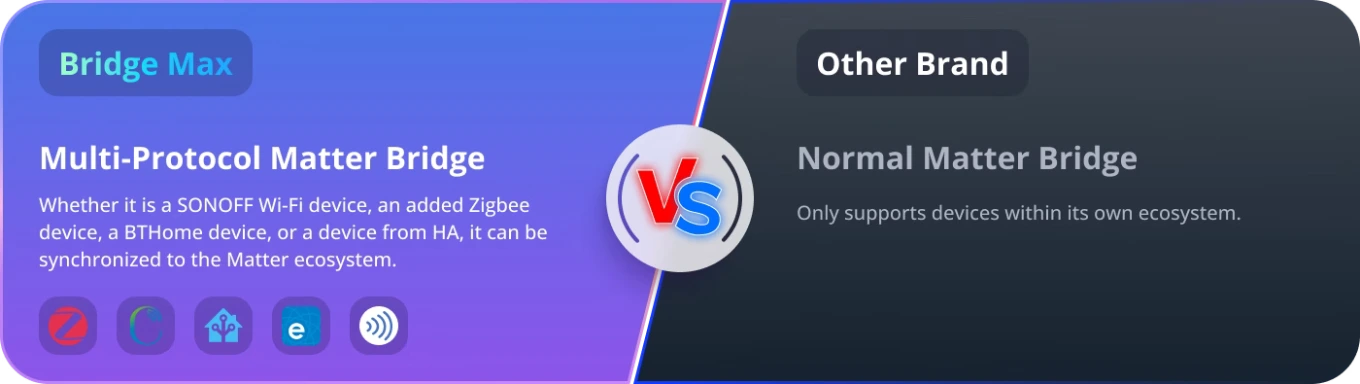
A standard Matter Bridge only brings its own brand of devices into Matter. The Max Bridge, on the other hand, syncs four families of devices : Zigbee devices associated with the bridge, even those from other manufacturers, Sonoff Wi-Fi devices connected to your eWeLink account, BTHome sensors via Bluetooth, and Home Assistant entities . This way, a Sonoff socket, a Zigbee sensor from another brand, and a light managed by Home Assistant appear in the same app, such as Apple Home, and can be part of the same automation. However, the bridge is not a Matter controller: Matter and Thread devices are added directly to the platform, like HomePod, Nest Hub, or Echo.
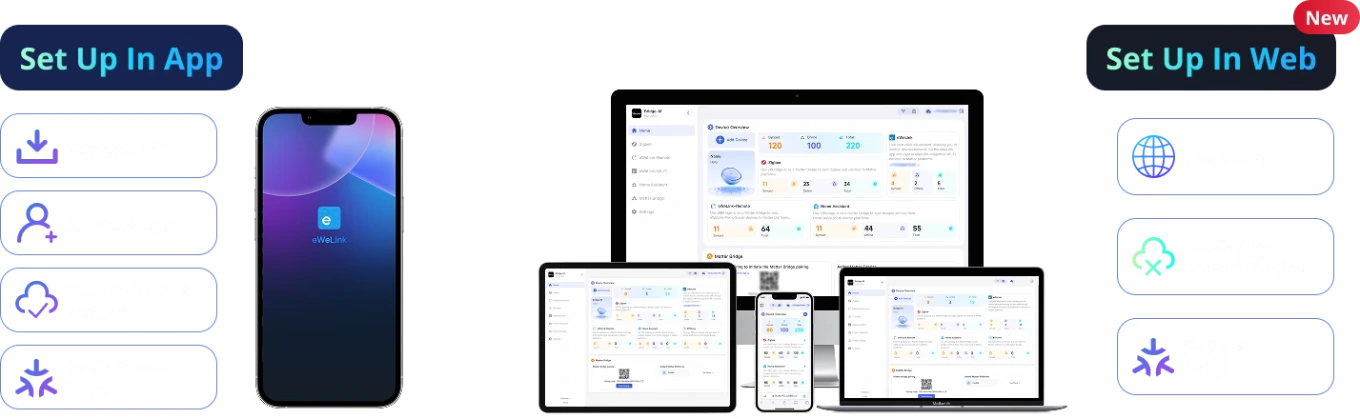
Setup from eWeLink app or local web interface
You can set up the Bridge Max in two ways, even simultaneously. With the eWeLink app , you download the app, log in to your account, pair the bridge, and set up the Matter Bridge—a cloud connection is required. With the web interface , open bridgem.local from a computer or phone browser on the same network, set a password the first time you log in, and add the devices locally, without the cloud. From the web interface, you configure the bridge and Matter synchronization; however, the devices are controlled from the eWeLink app or the Matter platform. If you want the app later, log in to your eWeLink account from the web interface and the bridge will sync with the app.
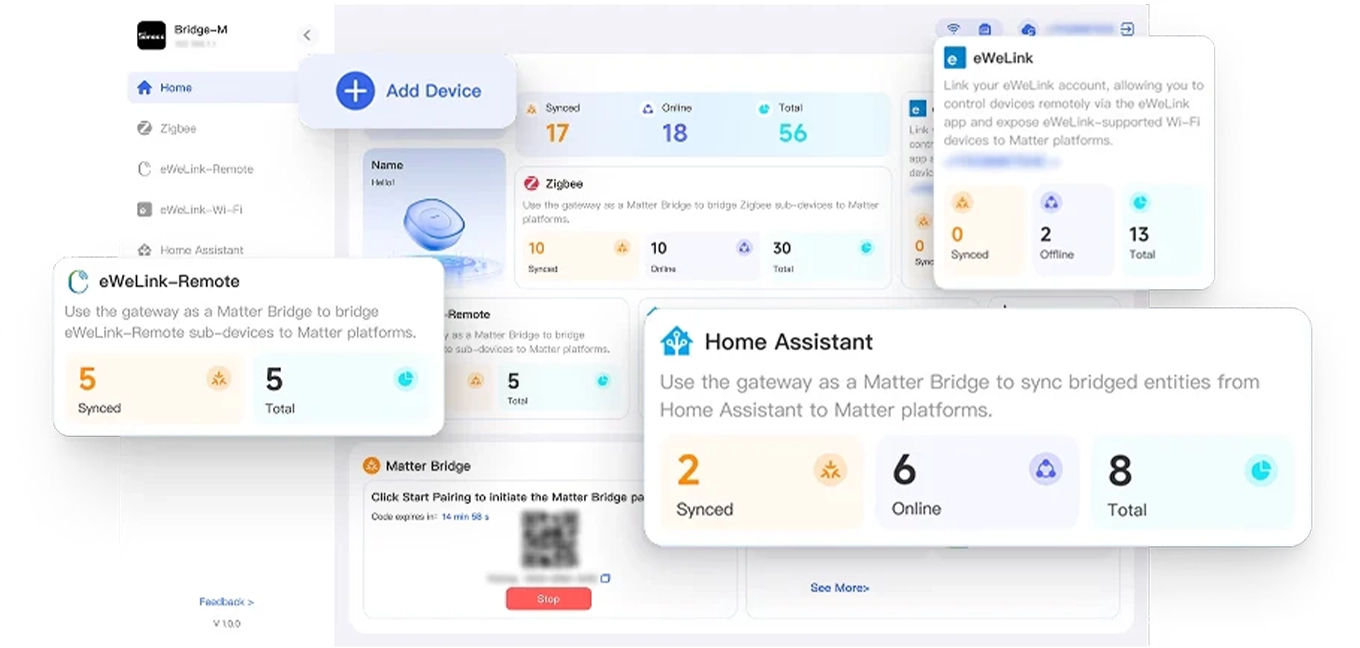
A web dashboard for devices synced in Matter
The web interface dashboard shows at a glance what's going through the bridge: how many Zigbee devices, how many eWeLink devices, how many eWeLink -Remote remote controls and Home Assistant entities are synced to Matter, how many are online, and how many in total. The Add Device button starts the Zigbee pairing, while the Matter Bridge box displays the QR code to scan with the platform app. Up to 8 eWeLink -Remote remote controls can be added from here. The bridge can be accessed from bridgem.local or from the IP address found in the router settings, from any browser on your home network.
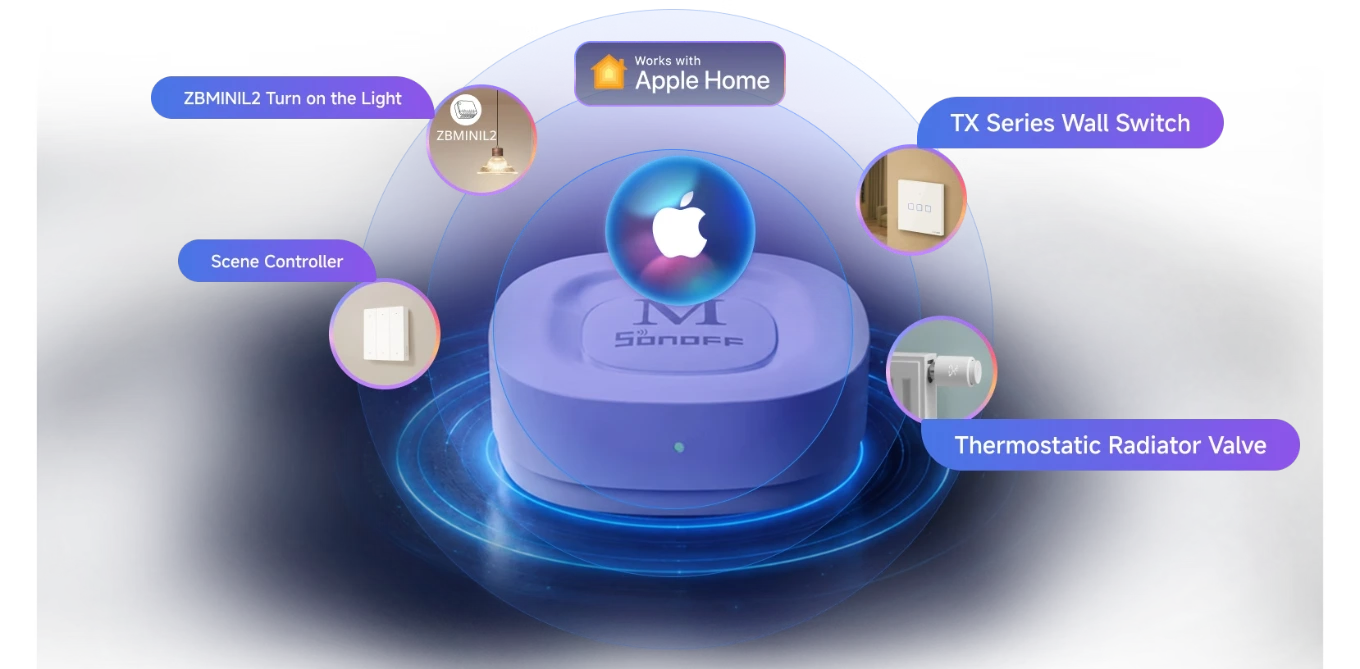
Sonoff Zigbee Devices in Apple Home, Even Without HomeKit
Many Zigbee devices are not HomeKit certified: with the Max Bridge, they still enter Apple Home via Matter. In the Sonoff image, a ZBMINIL2 module turns on the light, a scene button, a TX series switch, and a thermostatic valve appear in Home alongside Apple accessories. You can control them from your iPhone, iPad, Apple Watch, and CarPlay, place them in rooms and Apple Home automations, and summon them with Siri. For valves, you'll find the Sonoff TRVZB thermostatic valve ; for switches and modules, you'll find the Sonoff Zigbee device categories from our catalog.
Sonoff Zigbee Modules
Modules for lights and loads
Scene buttons
Zigbee devices
Wall switches
Sonoff smart switches
Thermostatic valves
Zigbee valves for radiators
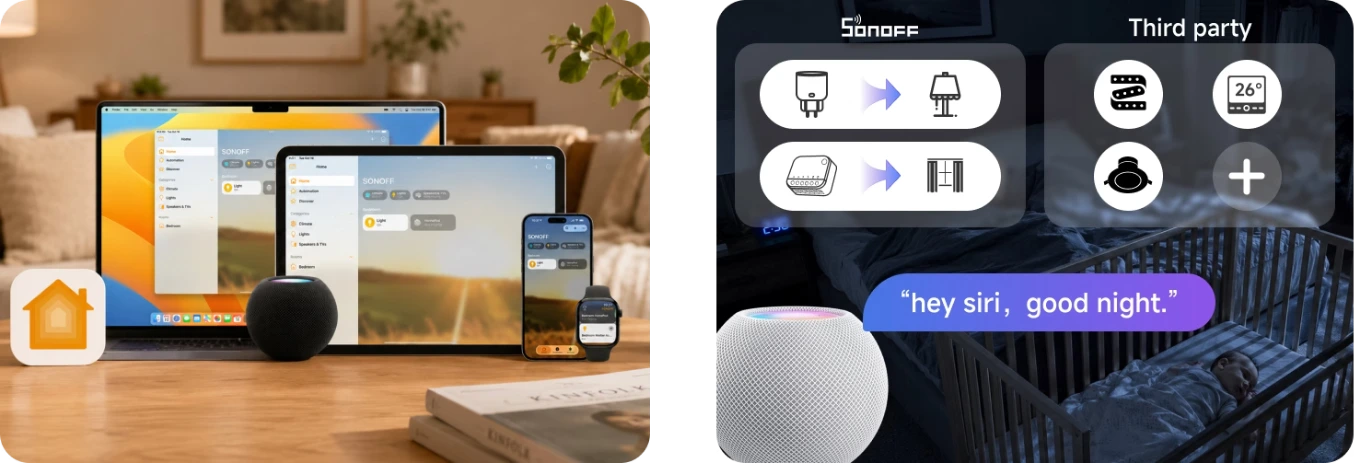
Siri and Apple Home scenes also work with devices from other brands
Once in Apple Home, Max Bridge devices respond to Siri from iPhone, iPad, Mac, Apple Watch, and HomePod just like HomeKit devices. With a phrase like "Hey Siri, goodnight," you can launch a scene that turns off the lamp connected to a Sonoff outlet, closes the curtains with a roller shutter module, and even controls third-party devices connected to the bridge. Scenes and automations are created in the Home app, with the same devices you use in eWeLink . The same goes for Google Home and Alexa : each Matter platform receives the devices you choose to sync.
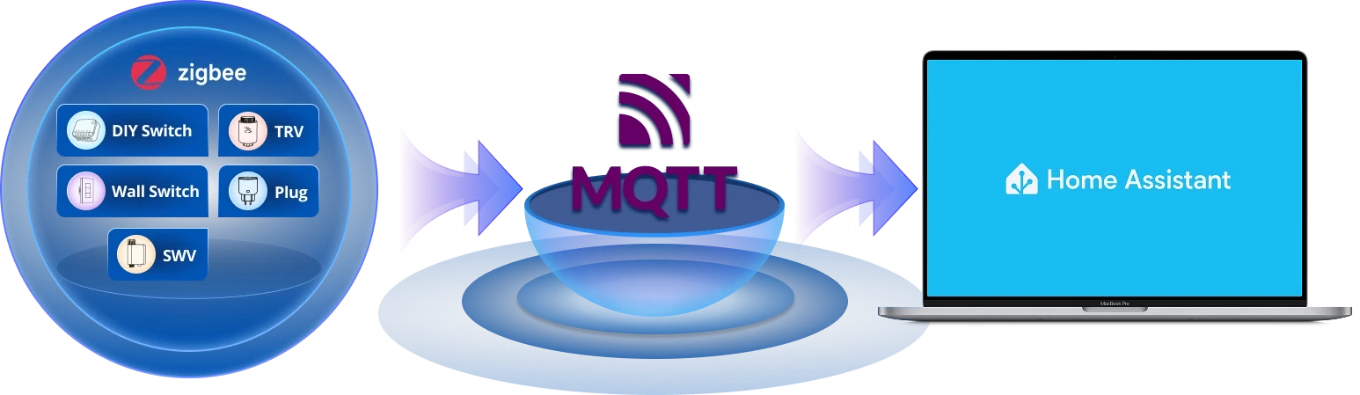
Home Assistant via MQTT: Zigbee bridge devices in HA
If you use Home Assistant , the Max Bridge can send its Zigbee devices to HA via an MQTT broker. Switches, thermostatic valves, sockets, water valves, and sensors associated with the bridge appear in Home Assistant with their entities, and you can use them in HA automations, while the bridge remains the Zigbee hub for your home. It also works the other way around: Home Assistant entities sync to Matter via the bridge and appear in Apple Home, Google Home, or Alexa. So, anyone who uses HA for automations and another family app has the same devices in both.
Sonoff Zigbee Modules
DIY modules
Thermostatic valves
Zigbee valves for radiators
Wall switches
Sonoff smart switches
Smart sockets
Sonoff Zigbee Sockets
Compatible with all Sonoff Zigbee devices, sensors and modules
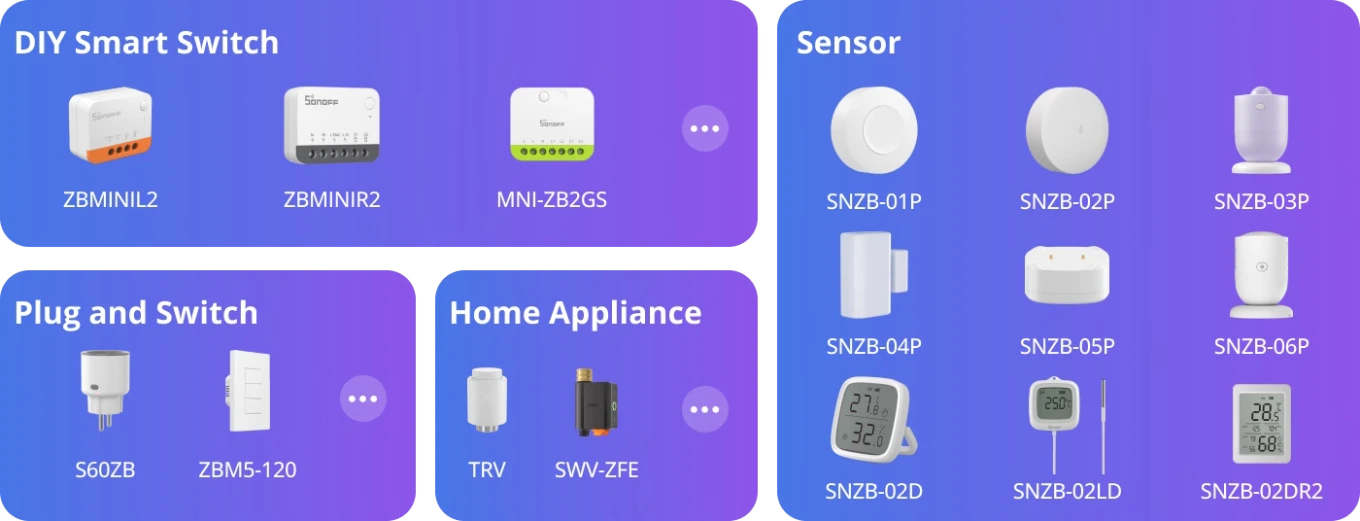
The Max Bridge supports all Sonoff Zigbee devices with all their functions. In the image you will find DIY modules such as the MINI-ZB2GS , the S60ZB socket, the ZBM5 wall switches, the thermostatic valve and the water valve, and the sensors: the SNZB-01P button, the SNZB-02D and SNZB-02P temperature sensors, the SNZB-03P motion sensor, the SNZB-04P door sensor, the SNZB-05P water leak sensor and the SNZB-06P presence sensor. You can connect up to 128 of them, which is the value recommended by Sonoff for stable operation; the bridge accepts even more, with performance that may decrease.
Sonoff ZBMINIL2
Sonoff Zigbee Modules
Sonoff ZBMINIR2
Sonoff Zigbee Modules
Sonoff MINI-ZB2GS
Two-channel Zigbee module
Sonoff S60ZB
Zigbee smart socket
Sonoff ZBM5
Zigbee wall switch
Sonoff TRVZB
Zigbee thermostatic valve
Sonoff SNZB-01P
Zigbee Smart Button
Sonoff SNZB-02P
Temperature and humidity sensor
Sonoff SNZB-03P
Zigbee motion sensor
Sonoff SNZB-04P
Door and window sensor
Sonoff SNZB-05P
Water leak sensor
Sonoff SNZB-06P
Presence sensor
Sonoff SNZB-02D
Temperature sensor with display
Sonoff SNZB-02LD
Sensor with probe and display
Sonoff SNZB-02DR2
Temperature sensor with display
Zigbee devices from other brands and compatibility table
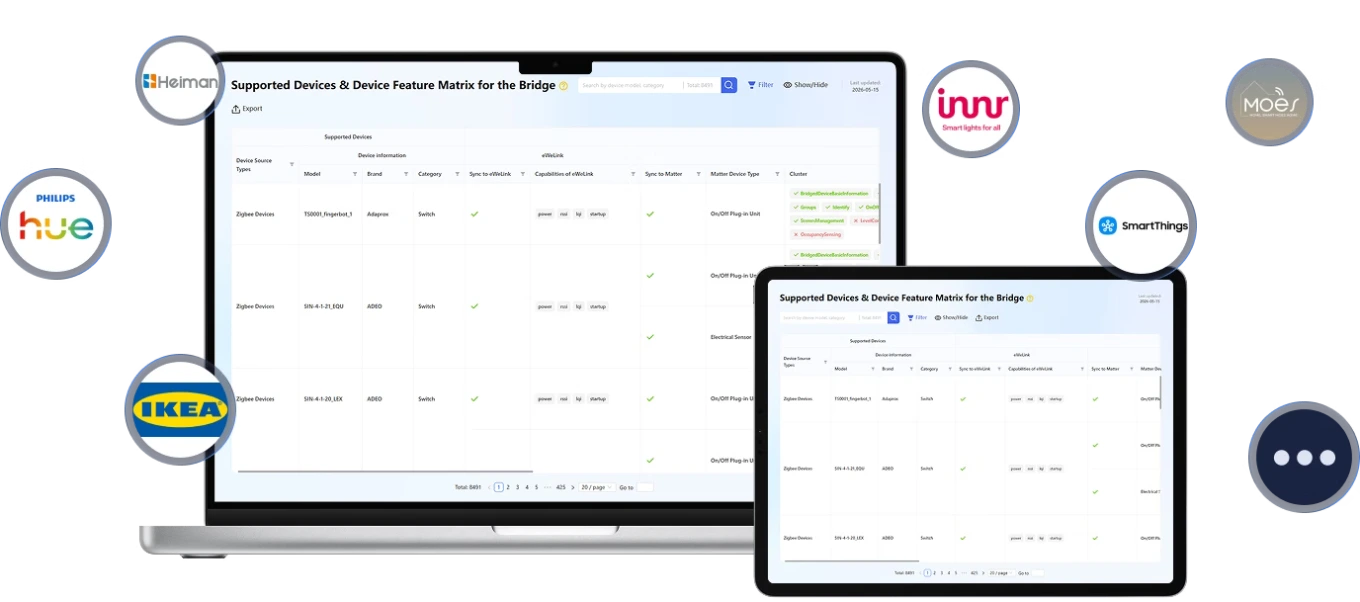
In addition to Sonoff devices, the bridge supports many Zigbee devices from other brands , such as those from Philips Hue, IKEA, Heiman, innr, and Moes shown in the image. The number of available functions varies from model to model: before purchasing a third-party device, check the compatibility table published by Sonoff, which lists the brand, category, and supported functions for each model. The table can be found at bridge.sonoff.tech , in the Device Function Reference Table section. Once paired, these devices can also switch to Matter and Home Assistant like Sonoff devices.
Security center with app notifications and 90 dB alarm
With Zigbee sensors, the Max Bridge becomes a security center . When a door sensor, motion sensor, or water leak sensor detects something, the bridge sends a notification to the app and can sound its 90 dB speaker ; a single tap on the bridge button stops the alarm. If you need a louder sound or in another room, add the 105 dB Sonoff SNZB-09P Zigbee siren . The SNZB-04PR2 door and window sensor is suitable for openings, and the SNZB-03PR2 motion sensor for passages. The Zigbee hub is always required: the security functions are those of the bridge.
Smart sockets
Sonoff Zigbee Sockets
Light modules
Sonoff Zigbee Modules
Motion sensors
Zigbee PIR Sensors
Door and window sensors
Zigbee magnetic sensors
Temperature sensors
Temperature and humidity sensors
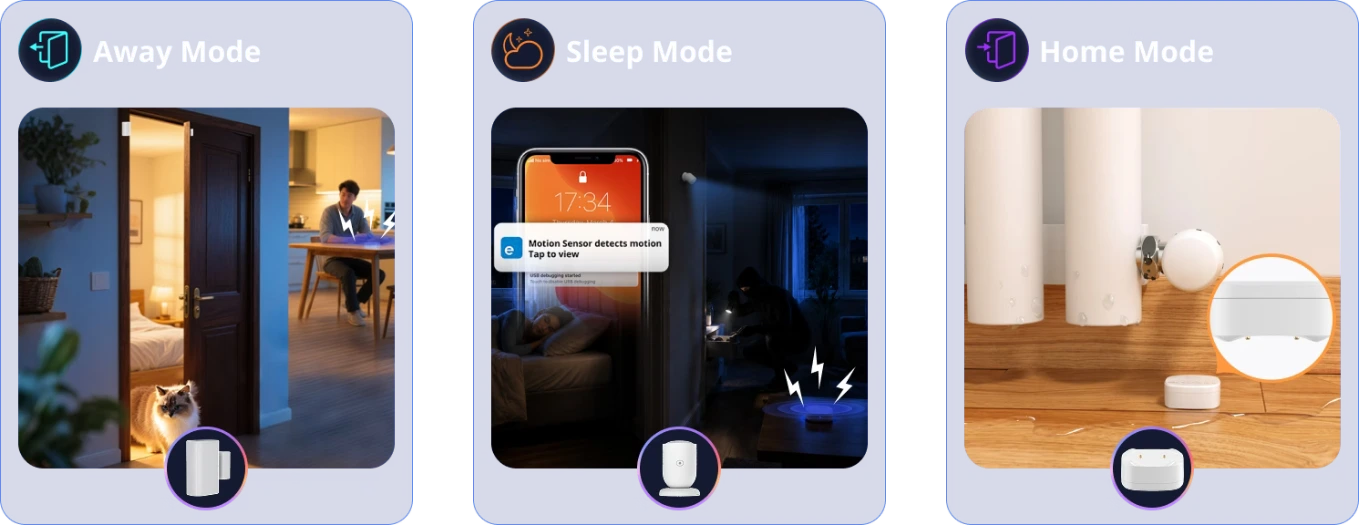
Three security modes: away, night and at home
The control panel has three modes, which you can activate from the app depending on the situation. In Away mode, the door sensor detects every opening, even while you're at work. In Night mode , the motion sensor alerts you to your phone if someone moves in the house while you're sleeping. In Home mode , you can leave the sensors you need active even when you're away, such as the SNZB-05P water leak sensor under the radiator or washing machine. Alerts arrive as notifications in the app, and the alarm can sound through the bridge speaker. The same settings are transferred to the Bridge Max when you replace a ZBBridge Pro.
Door and window sensors
Zigbee magnetic sensors
Motion sensors
Zigbee PIR Sensors
Sonoff SNZB-05P
Water leak sensor
Sensor-based automation: fans and lights that turn on automatically
Local scenes run directly on the Max Bridge, between associated Zigbee devices. In the first example, a temperature and humidity sensor like the Sonoff SNZB-02D measures the heat in the room: when the temperature exceeds the threshold you set, the bridge turns on the fan connected to a socket or a Zigbee module, without you having to intervene. In the second, a motion sensor like the SNZB-03PR2 detects passage in the corridor at night and the bridge turns on the lights , so you don't have to search for the switch in the dark. Automations are created in the eWeLink app, choosing the sensor that triggers them and the device to control.
Temperature sensors
Temperature and humidity sensors
Motion sensors
Zigbee PIR Sensors
Replaces the ZBBridge Pro: Devices, scenes and security in one step
If you already have a Sonoff Zigbee Bridge Pro at home, switching to the Bridge Max doesn't mean starting from scratch. The transfer brings your Zigbee devices , scenes , and security settings to the new bridge in a single step: you don't have to re-associate sensors and switches one by one or recreate automations. After the switch, the devices can also access Matter and Home Assistant, just like those added from scratch. The transfer is only available from the ZBBridge Pro: from the ZBBridge-U or iHost , the data doesn't move and the devices must be re-associated.
Sonoff Zigbee Bridge Pro
Hub to be replaced with the Bridge Max
RJ45 Ethernet port and Wi-Fi 6 for stable connection
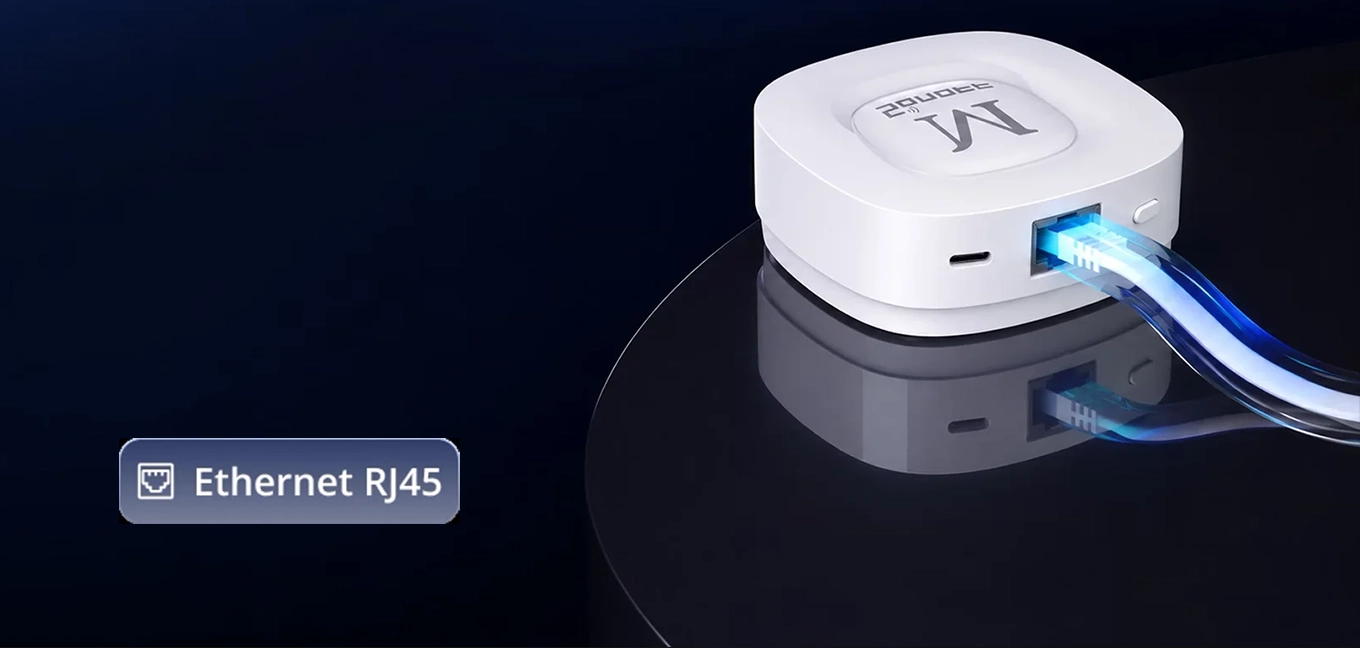
The Bridge Max has a 10/100 Mbps RJ45 Ethernet port : connected to the router with the included 1-meter network cable , it stays connected without depending on the Wi-Fi signal, and is the most stable choice for a hub that manages up to 128 Zigbee devices and the security control panel. If the router is far away, you can connect it to Wi-Fi 6 , either 2.4 GHz or 5 GHz , by setting up the network during pairing with the eWeLink app. In both cases, it is powered by the USB-C port with a 5 V 1 A power adapter, not included: with Wi-Fi, you can place it even far from the router, in a central point of the house.
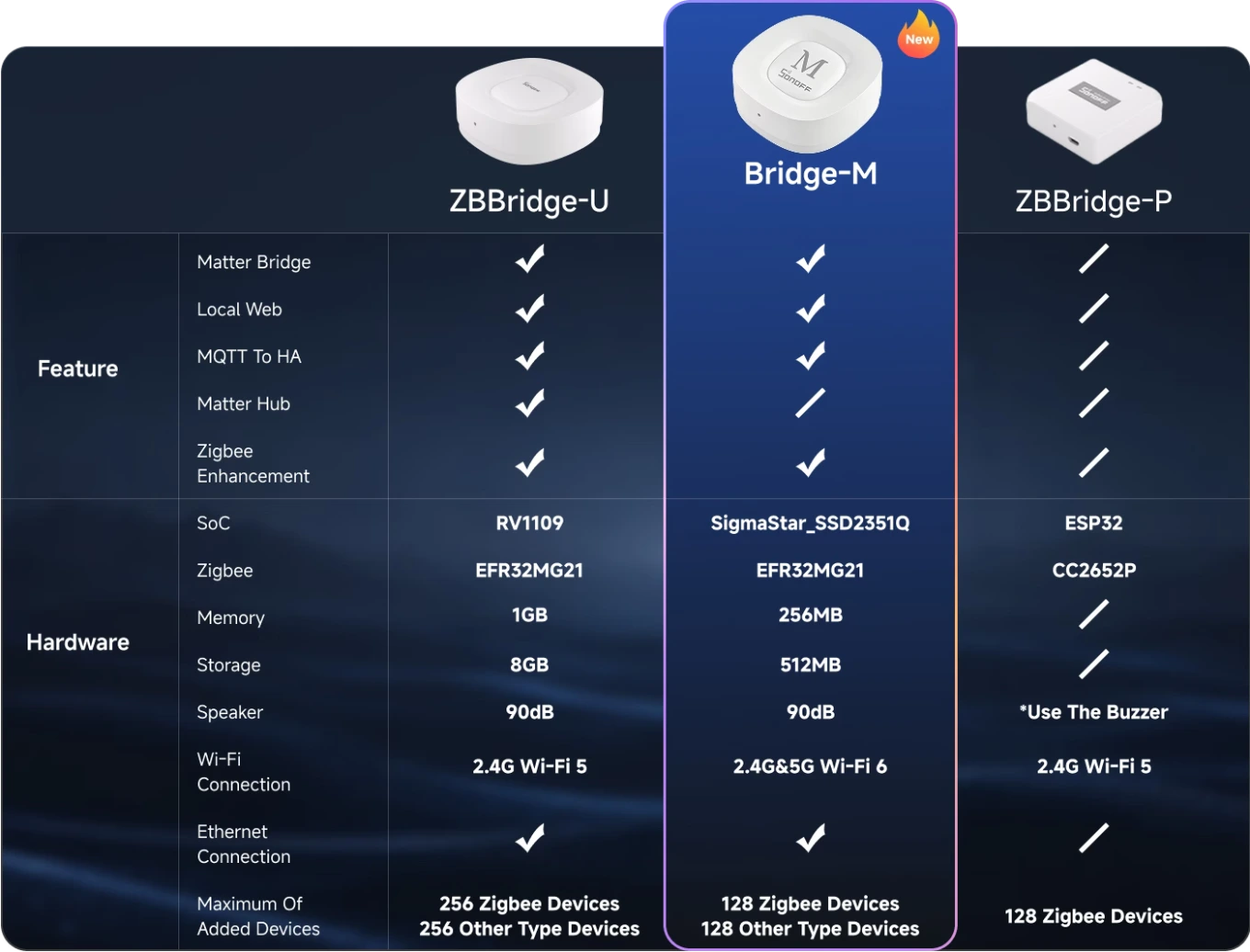
Bridge Max, ZBBridge Ultra and ZBBridge Pro compared
Sonoff Zigbee Bridge Ultra
ZBBridge-U
Sonoff Zigbee Bridge Pro
ZBBridge-P
Package contents: bridge, network cable and USB-C cable
How Matter Bridge connects devices to Apple Home, Google Home, Alexa, SmartThings, and Home Assistant. With the eWeLink app, you can manage them even without Matter.
No. The Max Bridge is a bridge, not a Matter controller: Matter and Thread devices add directly to the platform, for example to a HomePod, Nest Hub, or Echo.
Yes, with the local web interface: from bridgem.local you configure the bridge and Matter synchronization over the network, without an account and without the cloud.
Yes, if it's a ZBBridge Pro: Zigbee devices, scenes, and security settings are transferred in one step, without re-pairing. Transfer is not available from ZBBridge-U or iHost.
Multiprotocol Matter Bridge: brings Zigbee devices, eWeLink Wi-Fi devices, BTHome sensors and Home Assistant entities into Apple Home, Google Home, Alexa and SmartThings.
Zigbee 3.0 hub: connects up to 128 Zigbee devices, the number recommended by Sonoff, supporting all Sonoff Zigbee devices and many devices from other brands.
Local web interface: configure the bridge and Matter synchronization from your browser at bridgem.local, with no app, account or Internet connection required.
Also works with the eWeLink app: control devices, create scenes and receive notifications in the eWeLink app: the app and web interface work together on the same bridge.
Home Assistant via MQTT: syncs Zigbee devices with Home Assistant through an MQTT broker and brings Home Assistant entities into Matter platforms.
Security hub: away, night and home modes with Zigbee sensors, in-app notifications and an alarm from the built-in 90 dB speaker.
Ethernet and Wi-Fi 6: a 10/100 Mbps RJ45 port for a stable connection, or 2.4 and 5 GHz Wi-Fi 6 when a network cable cannot reach.
Replaces the ZBBridge Pro: transfers Zigbee devices, scenes and security settings from the ZBBridge Pro in a single step, without having to pair devices again.
Bluetooth for remote controls and BTHome: adds up to 8 eWeLink-Remote controls and BTHome sensors, which it also brings into Matter.
Local scenes: automations between Zigbee devices run on the bridge: for example, a fan switching on when the temperature rises or a light turning on when motion is detected at night.
A bridge, not a Matter controller: brings its devices into Matter platforms; Matter and Thread devices are added to the platform's controller, such as a HomePod, Nest Hub or Echo.
Compact, for indoor use: measures 82 × 82 × 28 mm and weighs 83.4 g, with a white PC+ABS housing; designed for indoor use between -10 and 40 °C.
In the box: the bridge, a 1 m network cable, a 1 m USB-C cable and the quick start guide. The 5 V 1 A USB power adapter is not included.