Heat only the rooms you use: each radiator has its own temperature and schedule, helping lower your bills.
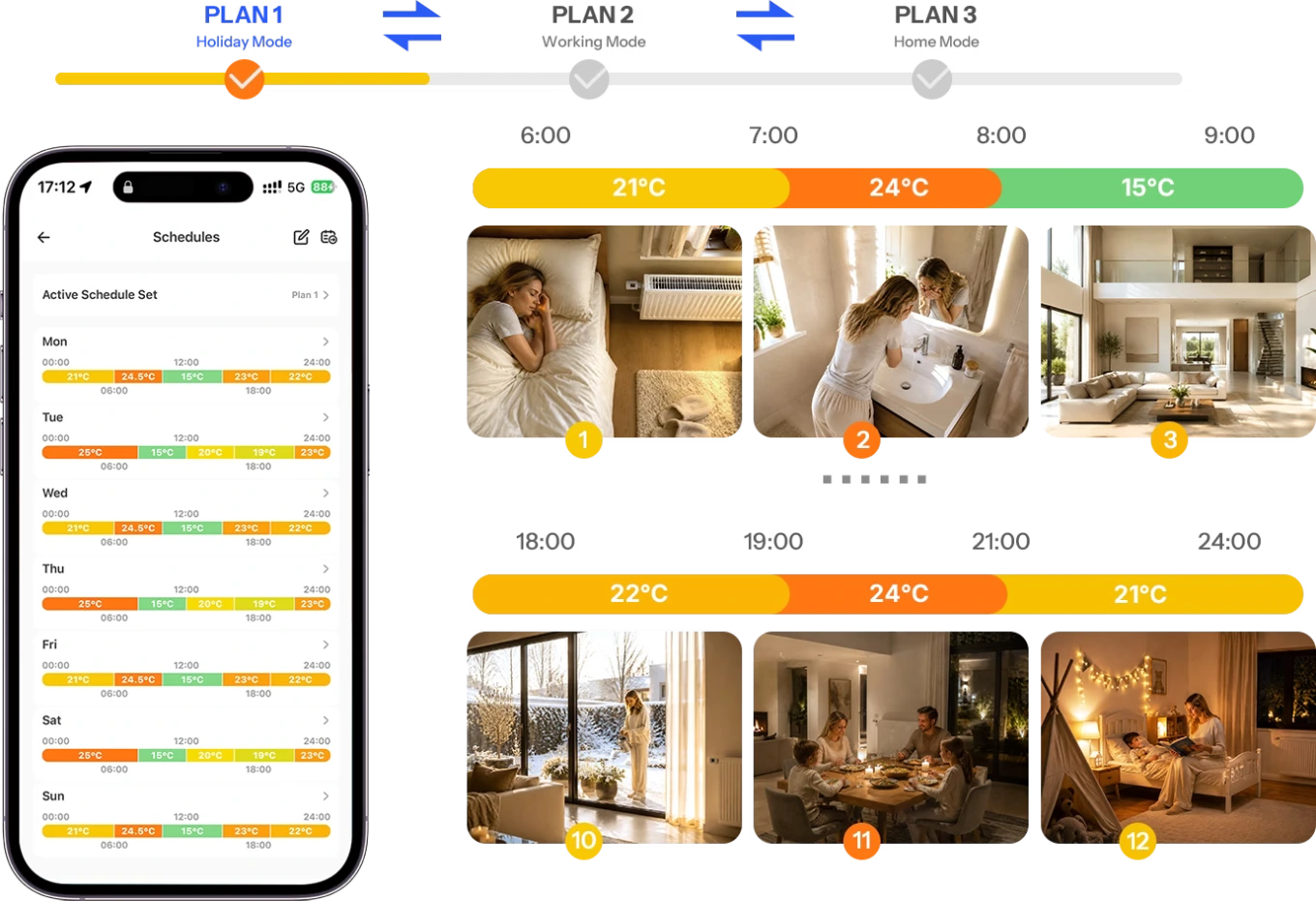
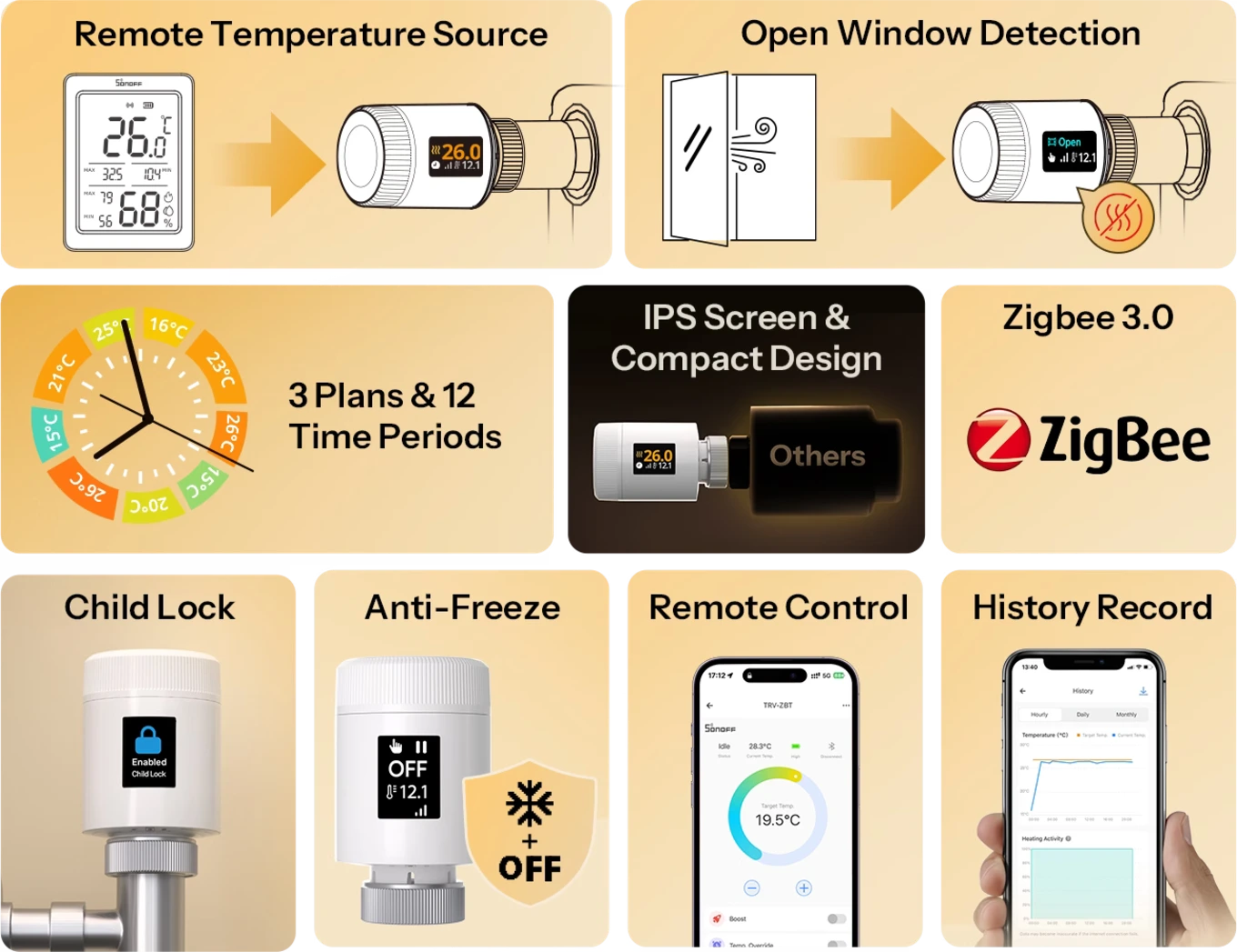
Weekly schedules:3 independent schedules with up to 12 time slots, for your home, office or guest room.
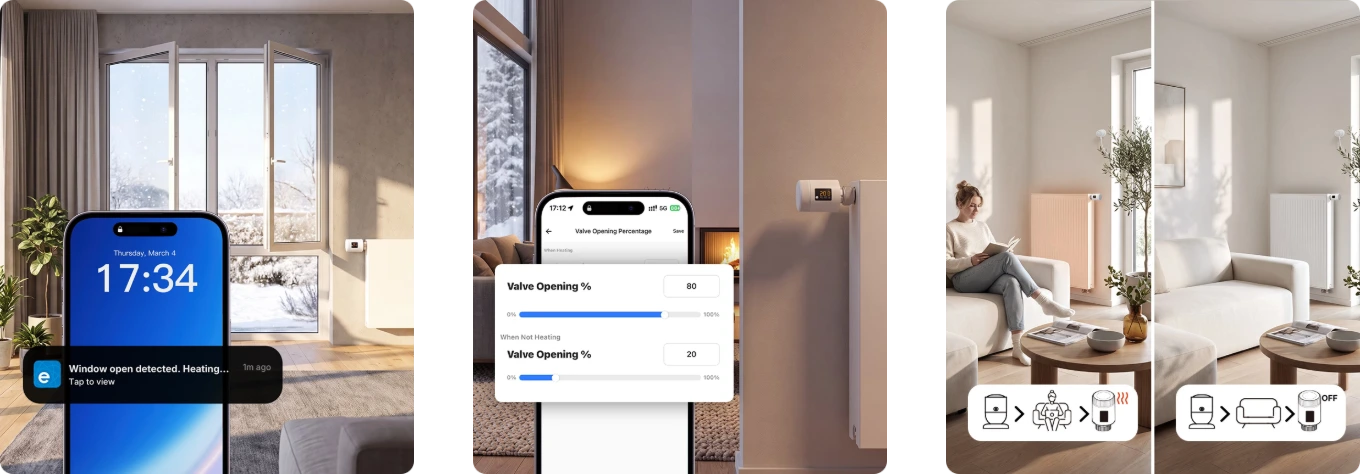
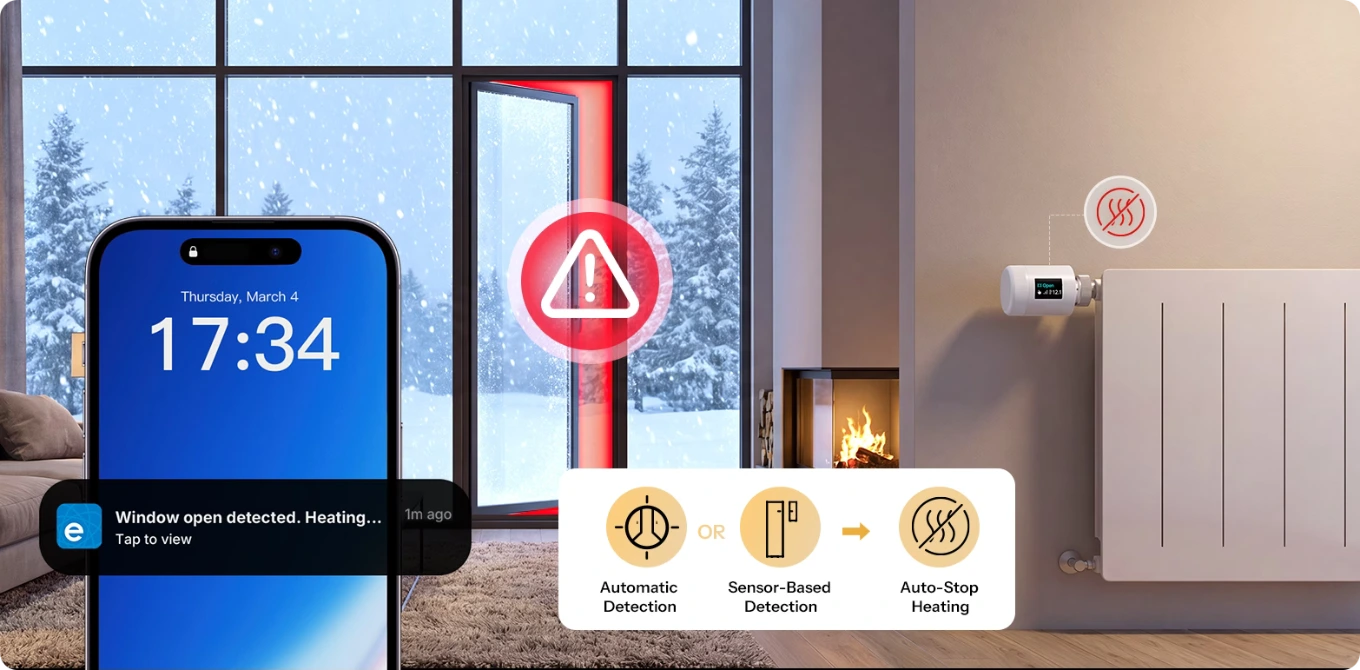
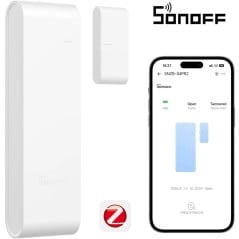
Window open, heating off: if the temperature drops by more than 1.5 °C in 5 minutes, the valve closes automatically, or it can be triggered by a Sonoff door/window sensor.
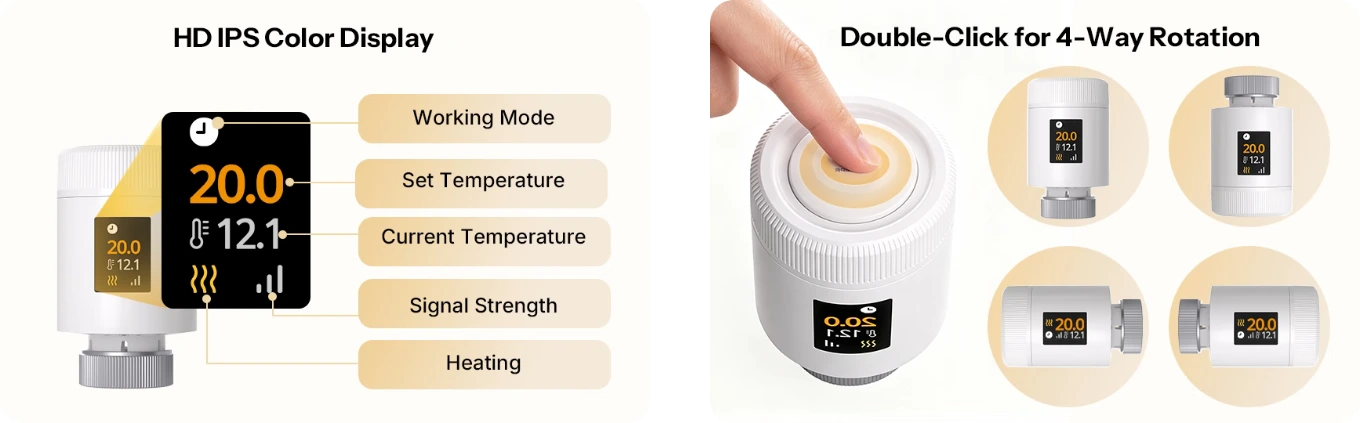
Colour display readable from any angle: an IPS screen you can rotate in 4 directions, so you can read it even when the valve is mounted sideways.
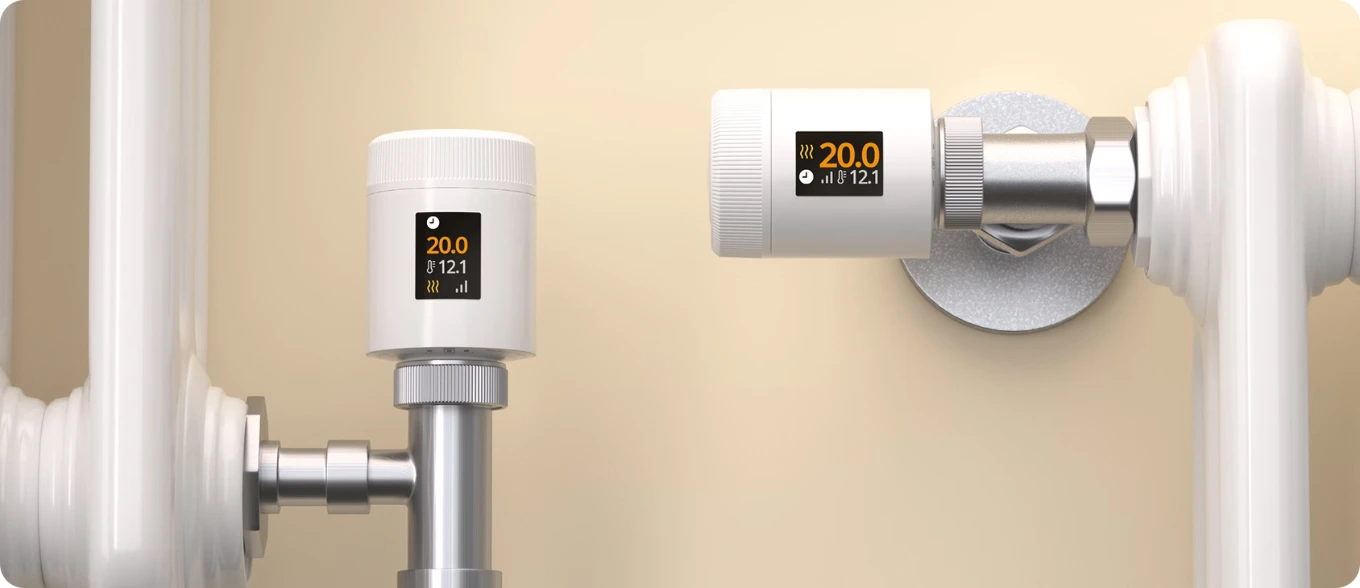
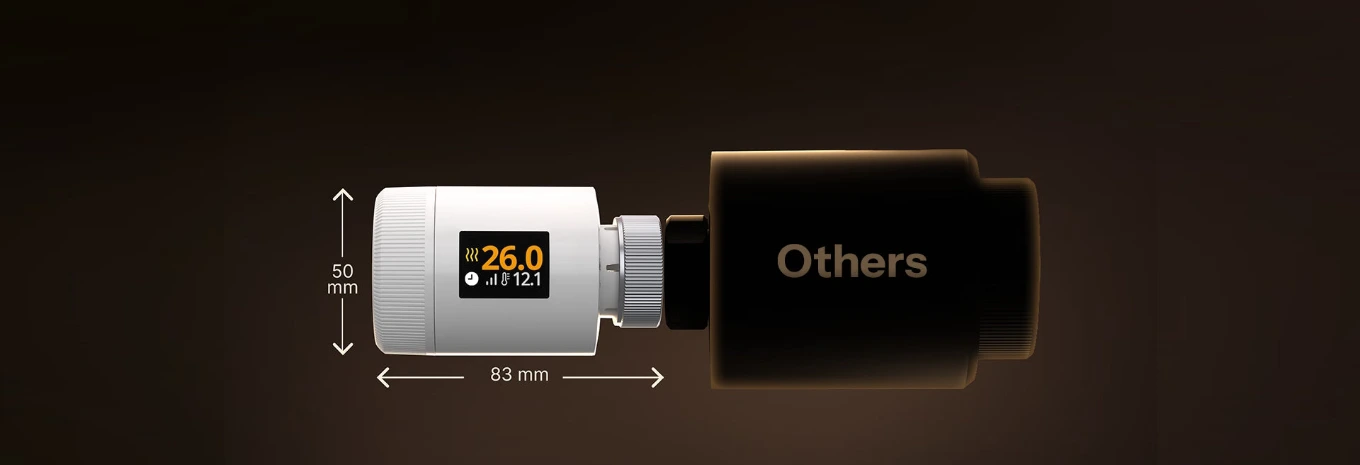
38% smaller than the TRVZB: just 8.3 cm long, it fits behind furniture and under windowsills.
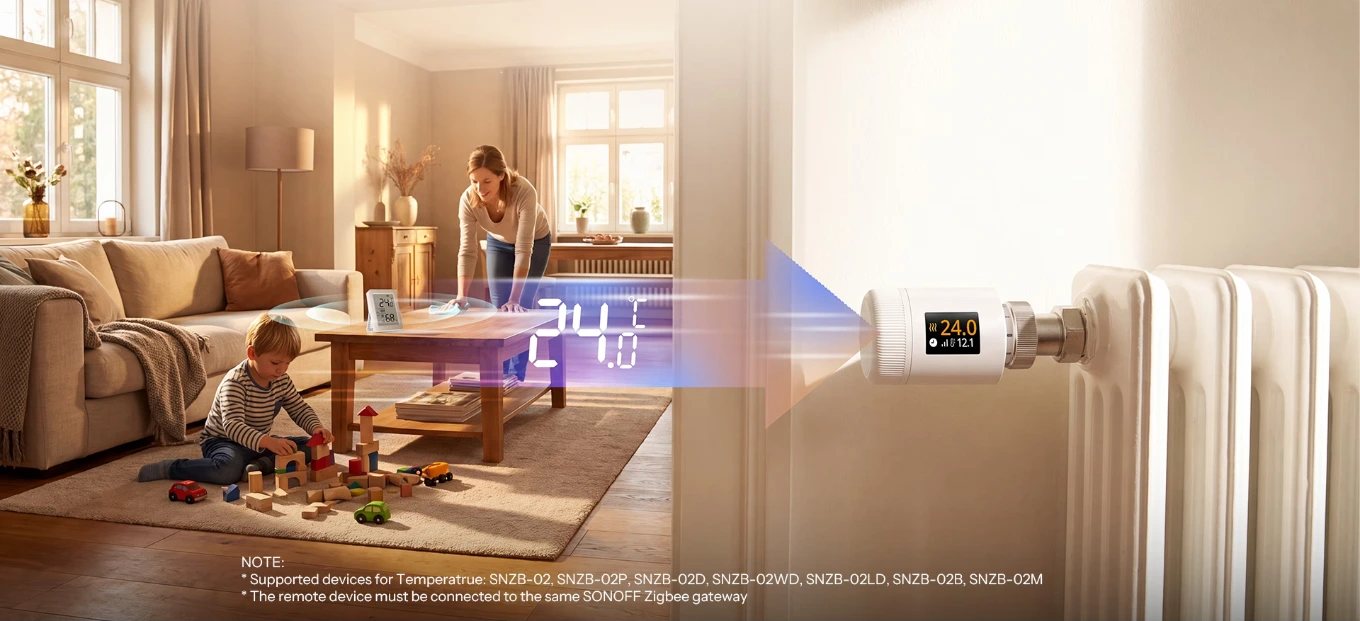
The right temperature, even away from the radiator: use an SNZB sensor as an external probe, and the valve adjusts to the room temperature rather than the heat nearby.
Built-in protection:child lock, automatic weekly anti-limescale cycle, frost protection mode at 5 °C, and low-battery alert.
Boost and group control: fully heat a room in minutes and control multiple valves together; use the offset to correct the temperature reading.
Tool-free installation:M30 × 1.5 thread with CAL, RAVL, RAV, GIA, RA and M28 adapters included; calibration is automatic.
AA batteries last up to 6 months: two LR6 alkaline batteries included; consumption history is stored in the eWeLink app for the same period.
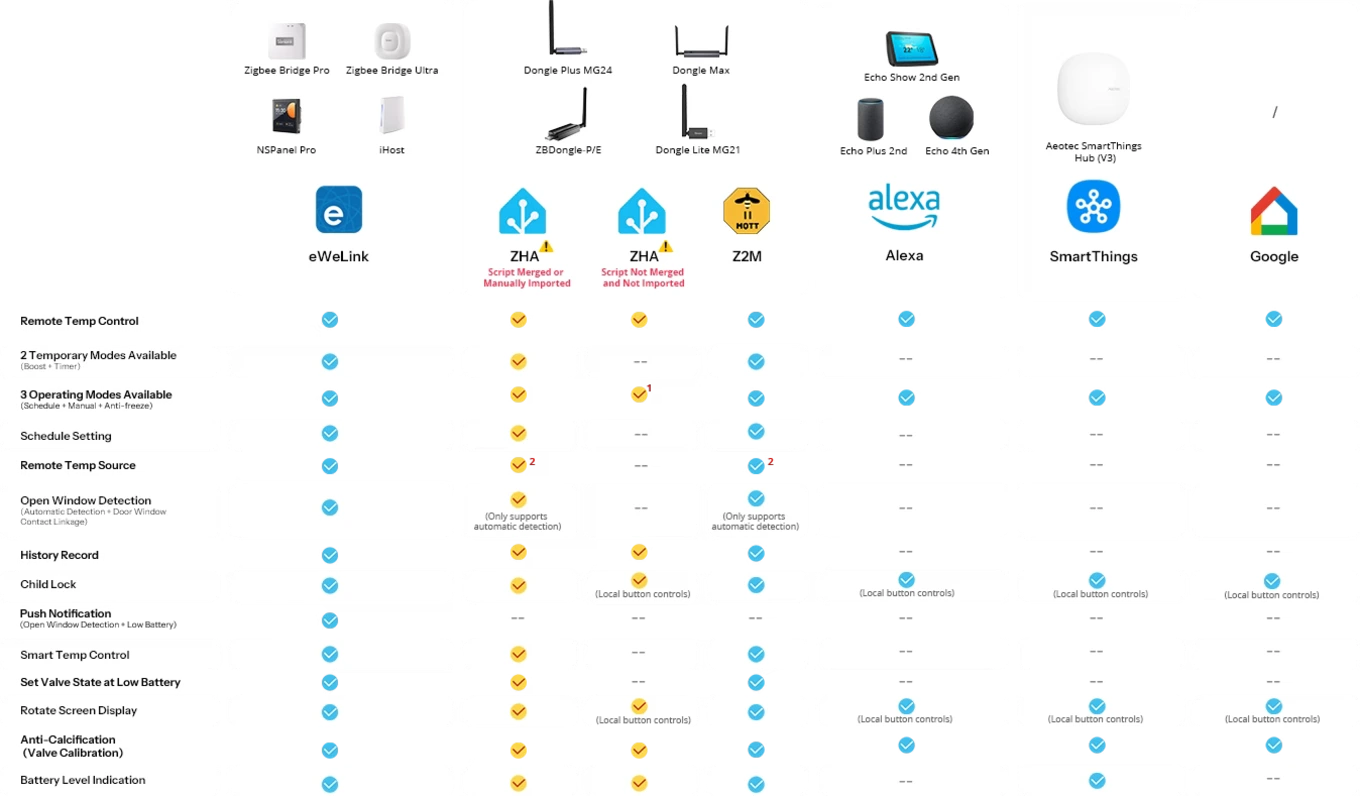
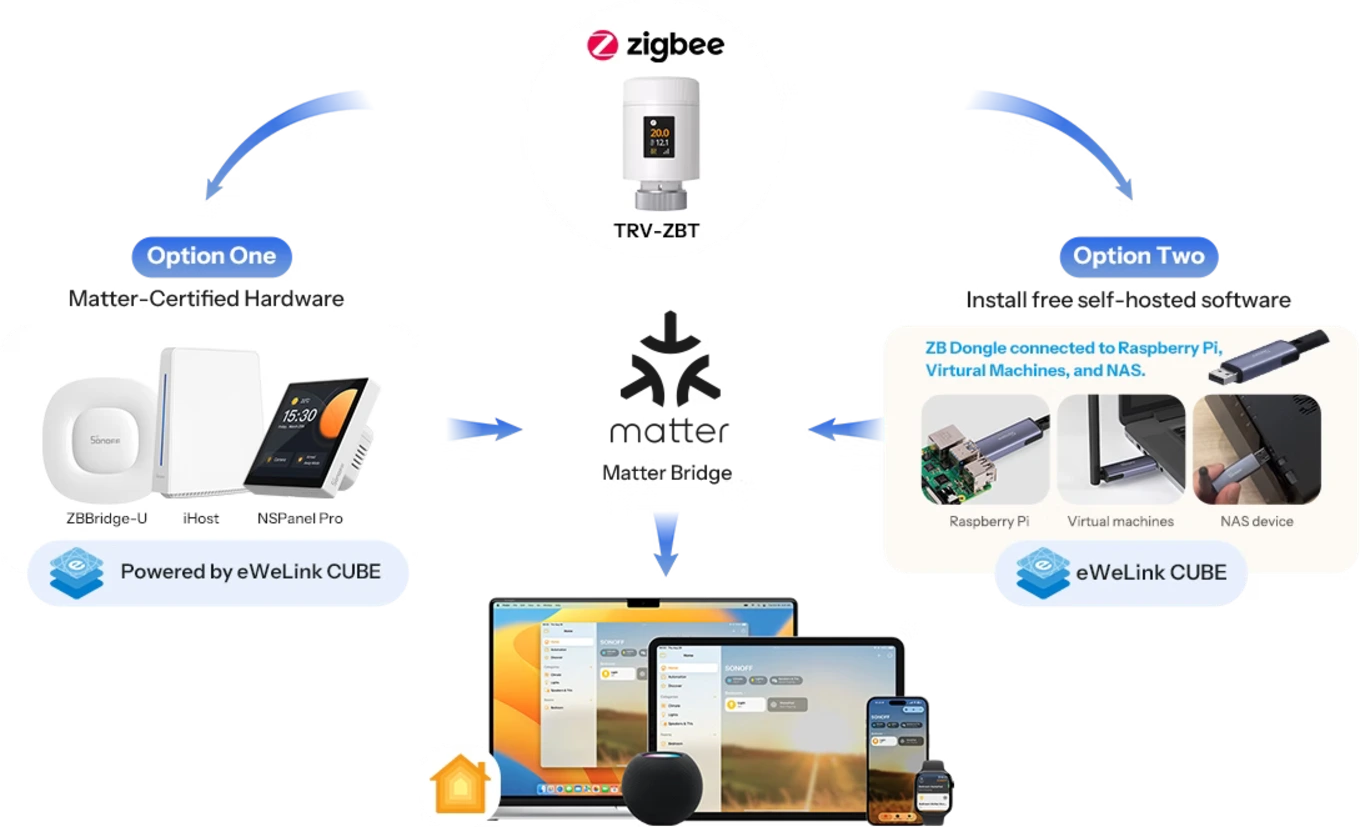
Works with Alexa, Google Home and Home Assistant:Zigbee2MQTT version 2.12.1 onwards, Alexa and SmartThings with their Zigbee hubs, Google Home via eWeLink, and Apple Home via Matter Bridge.
Connects to a Sonoff Zigbee hub (ZBBridge-P/U, NSPanel Pro, iHost), sold separately, for schedules and scenes.
Secure payments: cards, PayPal, bank transfer, and installments
Delivery within 48 hours: Free shipping on orders over €150 across Europe
Easy 14-day returns: follow the steps to get your refund

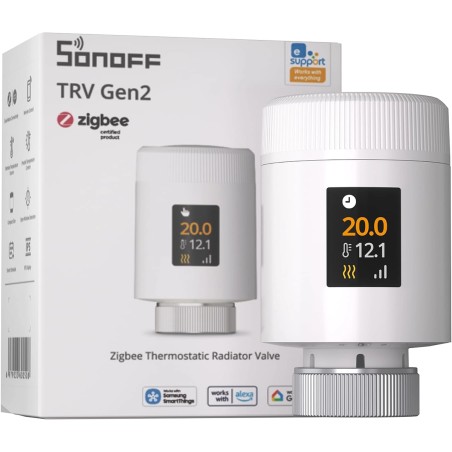
The Sonoff TRV Gen2 (TRV-ZBT) is a Zigbee smart thermostatic valve that replaces the radiator valve head and regulates each room to its own temperature. You can set up to three weekly programs with 12 time slots per day, and the valve automatically closes when you open a window. The color IPS display shows the set and detected temperatures, and the screen rotates in four directions so you can read it even when the valve is mounted sideways. It's 38% smaller than the TRVZB, screws onto the M30 x 1.5 thread, and the package includes six adapters for the most popular valves. It runs on two AA batteries for up to about six months. To use it, you need a Zigbee hub : from there, you can control it with eWeLink , Alexa, Google Home, Home Assistant, and Apple Home via Matter Bridge.
Zigbee thermostatic valve with IPS display, programs and eWeLink app
The TRV-ZBT regulates the opening of the radiator based on the temperature you choose, room by room. From the eWeLink app, you can set programs, control the temperature remotely, and consult the history ; on the valve you will find the display and the central button for quick commands. The valve speaks Zigbee 3.0 and also has Bluetooth for pairing with eWeLink : to make it work, you need a Sonoff Zigbee hub , sold separately, such as the Sonoff Zigbee Bridge Ultra or the Sonoff iHost hub . Functions such as the external probe, window detection with sensor, and the motion sensor require that the other Sonoff devices are connected to the same hub.
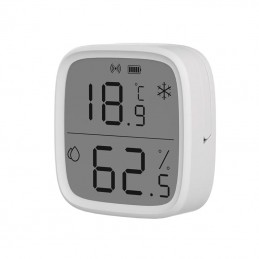
Sonoff SNZB-02D
Zigbee Temperature and Humidity Sensor with Display
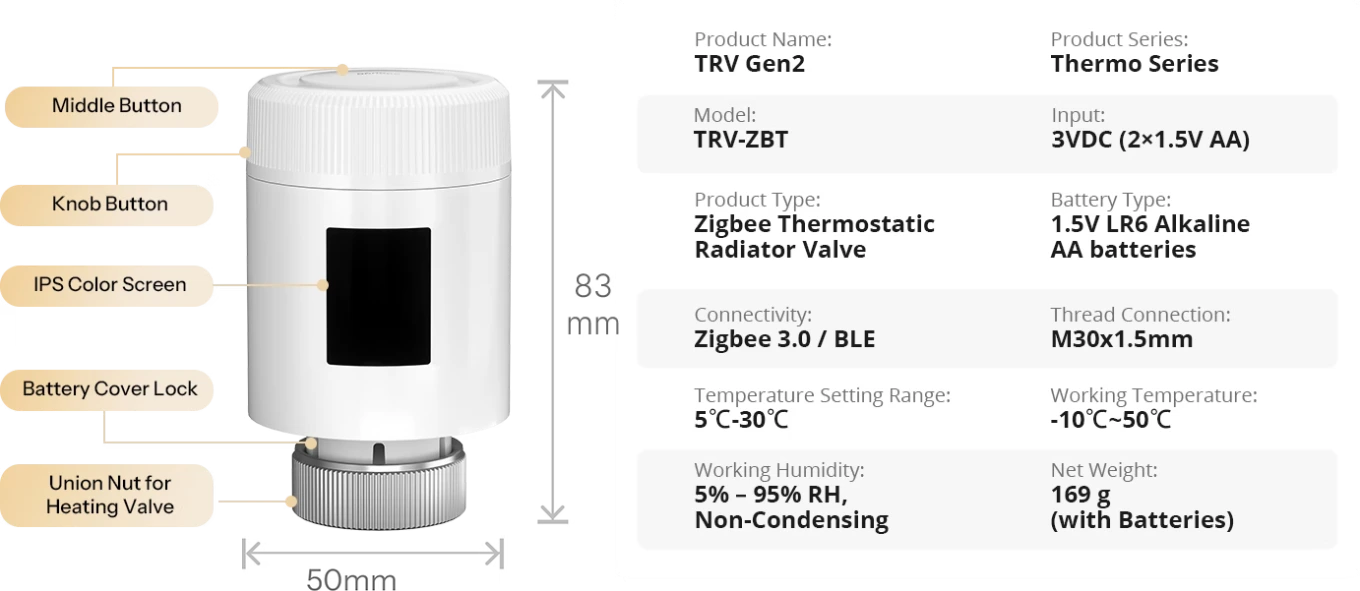
38% smaller than the TRVZB: 83 mm long and 50 mm in diameter
At 83 mm long and 50 mm in diameter, the TRV Gen2 is 38% smaller than the TRVZB, Sonoff's previous-generation valve, and more compact than traditional thermostatic heads. It protrudes only slightly from the radiator, allowing it to fit easily behind curtains, under windowsills, and near furniture. It also stays within reach of the wall in tight spaces. The body is made of white polycarbonate and weighs 169 g with two batteries inserted. The color display is located on the side of the valve, where it can be seen even when standing in front of the radiator. Its small size also helps in bathrooms, where radiators are often narrow and close to other furnishings.
Readable from any side, mounted vertically or horizontally
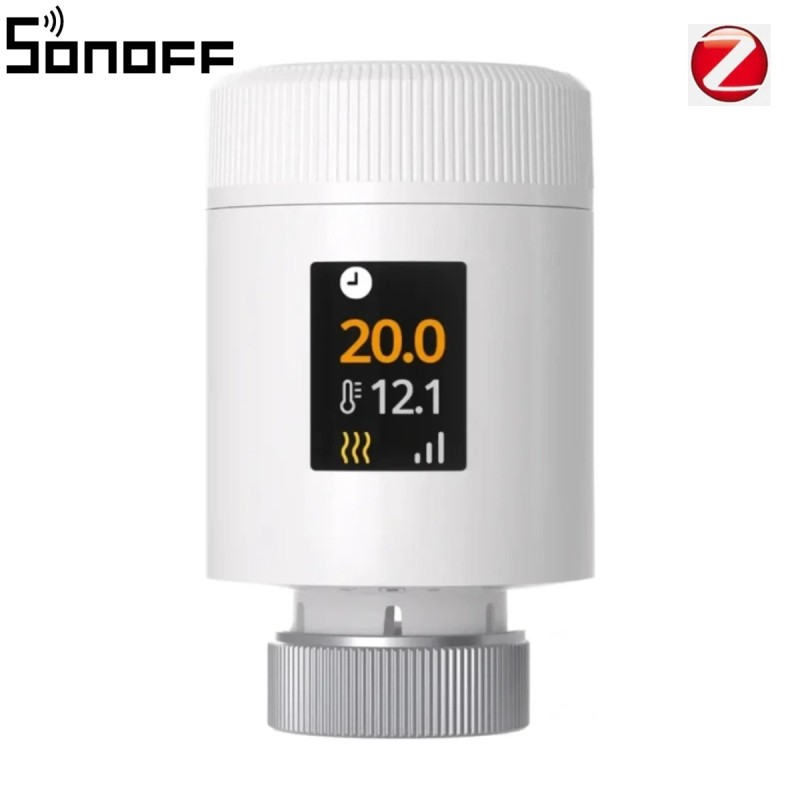
The TRV-ZBT can be mounted on both vertical and horizontal radiator valves: it screws onto the M30 x 1.5 connection with the metal ring, or with one of the six included adapters . The display remains readable in both positions, because the button on the valve allows you to rotate the screen and keep it upright. The display shows the set temperature in large format and the actual temperature directly below it, with a heating icon when the valve is heating. This way, you can check at a glance what each radiator is doing, even those mounted low or behind a cabinet, without opening the eWeLink app on your phone.
IPS color display with four-way rotating screen
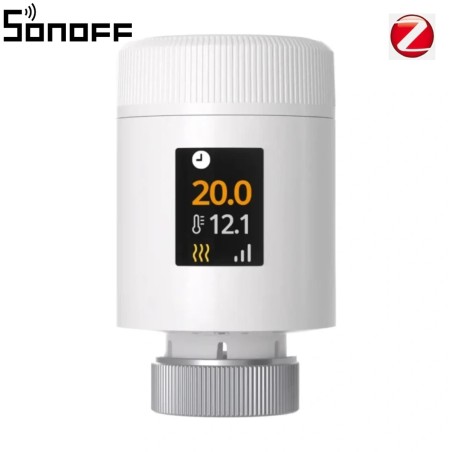
The color IPS display shows the operating mode , set temperature , actual temperature, signal strength, and the active heating icon at a glance. The large numbers are easy to read even from a few steps away, without opening the app. The button on the valve rotates the screen in four directions , so it stays upright whether the valve is vertical, horizontal, or upside-down. The knob is used to change the temperature on the fly: turn it, wait a couple of seconds, and the valve saves the new value. The previous-generation TRVZB had a colorless LED display with digits.
Three weekly programs with up to twelve time slots per day
In the eWeLink app, you can create up to three independent schedules —for example, one for your work week, one for when you're at home, and one for your vacation—and switch between them with a tap. Each day can have up to 12 time slots , each with its own temperature: warmer when you wake up and in the evening, cooler at night and when the house is empty. The valve automatically follows the schedule and adjusts its opening to reach the right temperature at the set time. If you need a degree more at a time, simply turn the knob on the valve without opening the app. With multiple valves, you can program each room differently: the children's bedroom, the study, the guest room, which you heat only when needed.
Less waste: open window, savings and motion sensor
Three functions work together to prevent unnecessary heating. Open window detection stops the heating when you air the room and alerts you with a notification on the app. Economy mode lets you choose the percentage of valve opening, both while heating and when idle, to limit the heat entering the room. The motion sensor connection turns the heating on when someone is in the room and off when the room is unoccupied. All three functions are activated from the eWeLink app; the motion sensor requires a Sonoff sensor connected to the same Zigbee hub. Together with weekly schedules, they reduce the time the radiators heat unoccupied rooms.
Sonoff external probe to regulate room temperature
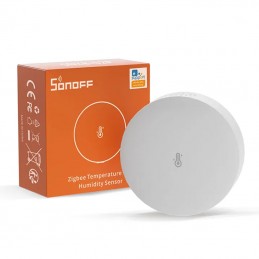
The valve measures the temperature near the radiator, where the air is warmer than in the rest of the room. For more precise adjustment, you can use a Sonoff temperature sensor as an external probe , placed where you actually want to be: near the sofa, on the desk, or on the nightstand. Sonoff lists the SNZB-02, SNZB-02P , SNZB-02D , SNZB-02WD , SNZB-02LD , SNZB-02B , SNZB-02M , and SNZB-02UL as compatible. The sensor must be connected to the same Sonoff Zigbee hub as the valve. The SNZB-02D and SNZB-02WD also have a display, while the SNZB-02LD has an external probe. The valve thus regulates its opening based on the temperature measured by the sensor, not the temperature near the radiator.
Sonoff Temperature Sensors
External probes compatible with the valve
Open window detected in two ways: temperature drop or sensor
Open window detection works in two ways. Automatically , the valve detects a sudden drop in temperature, more than 1.5°C in 5 minutes , and stops the heating. With a Sonoff door and window sensor , such as the Sonoff SNZB-04PR2 , the heating stops as soon as you open the window, without waiting for the room to cool down. In both cases, you receive a notification on the eWeLink app, so you know which room is left open. The sensor must be connected to the same Zigbee hub as the valve. The previous generation TRVZB only had automatic detection; connection to the sensor and notification are new features of the TRV Gen2.
Six-month history: temperatures and heating activity
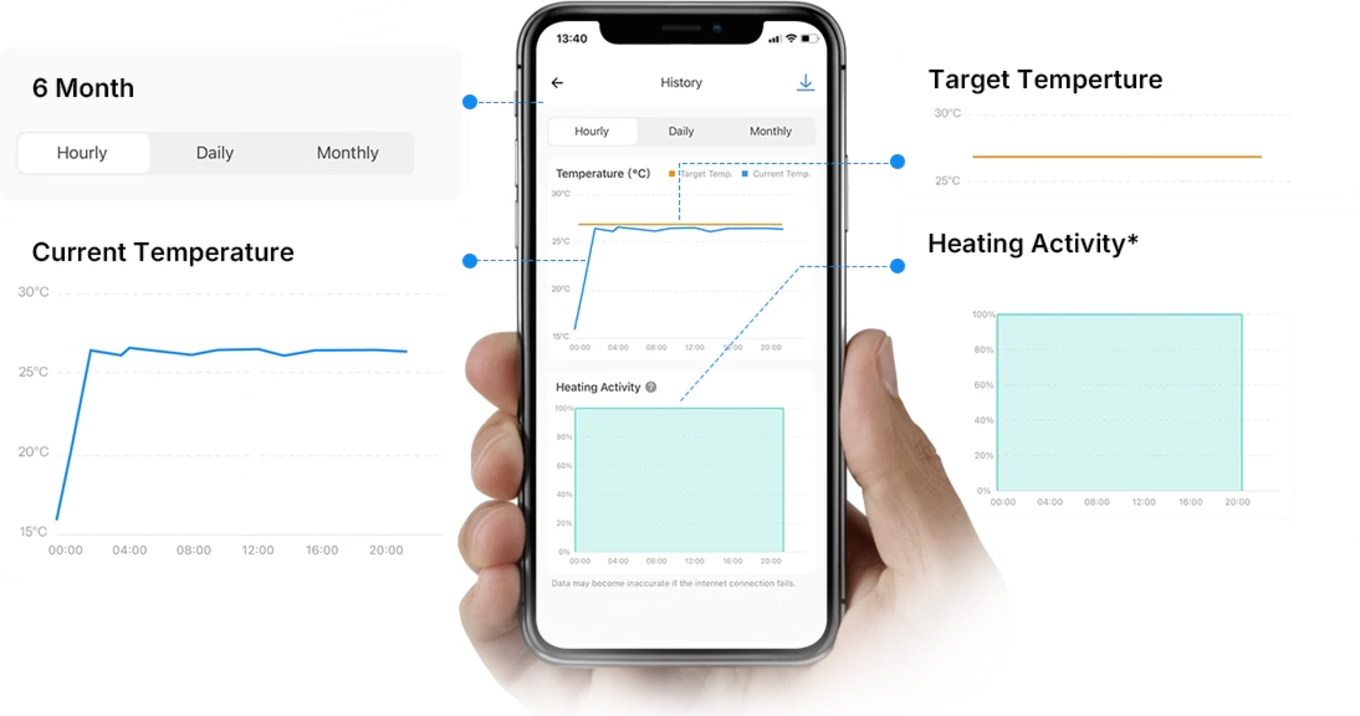
In the eWeLink app, you can view the history of the last six months , which can be viewed by hour, day, or month. There are three data points: the target temperature , the actual temperature , and heating activity . Heating activity indicates how much of each hour the valve heated: 30 minutes of heating in an hour is worth 50%. By comparing the graphs, you can understand which rooms are heating the most, whether a program is starting too early, or whether a window left open has caused the radiator to work idly. This is the starting point for adjusting the time slots and temperatures, room by room, and seeing the effect of the changes in the following months.
Child lock, anti-scale, anti-freeze and low battery warning
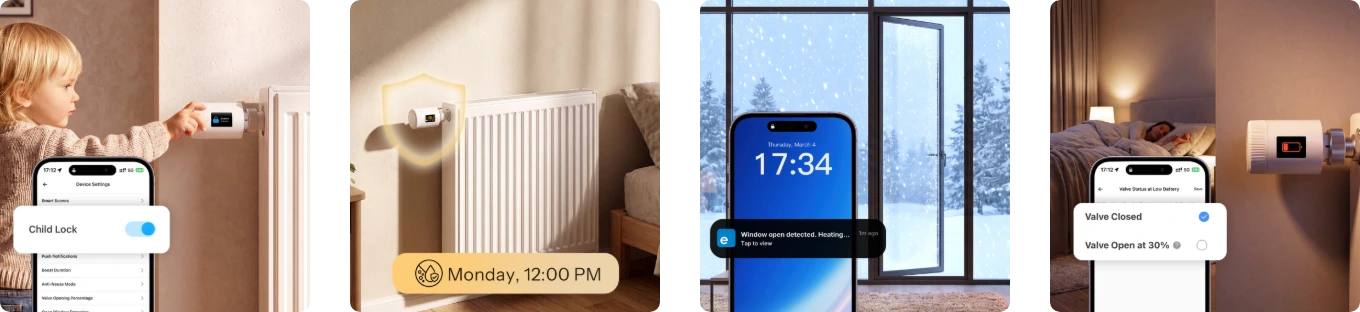
The child lock deactivates the button and knob, so no one can change the temperature for fun. The anti-scale function automatically moves the valve every week, on Mondays at 12:00, to prevent it from locking itself out during months when the heating is off. The anti-freeze mode keeps the radiator at 5°C to protect the system when the house is empty in winter. When the batteries run low, you receive an alert and can choose what the valve does: stay closed or open at 30% , to avoid leaving the room cold. These settings are adjusted once from the eWeLink app and then work automatically, without any intervention.
Group control, Boost mode and temperature correction
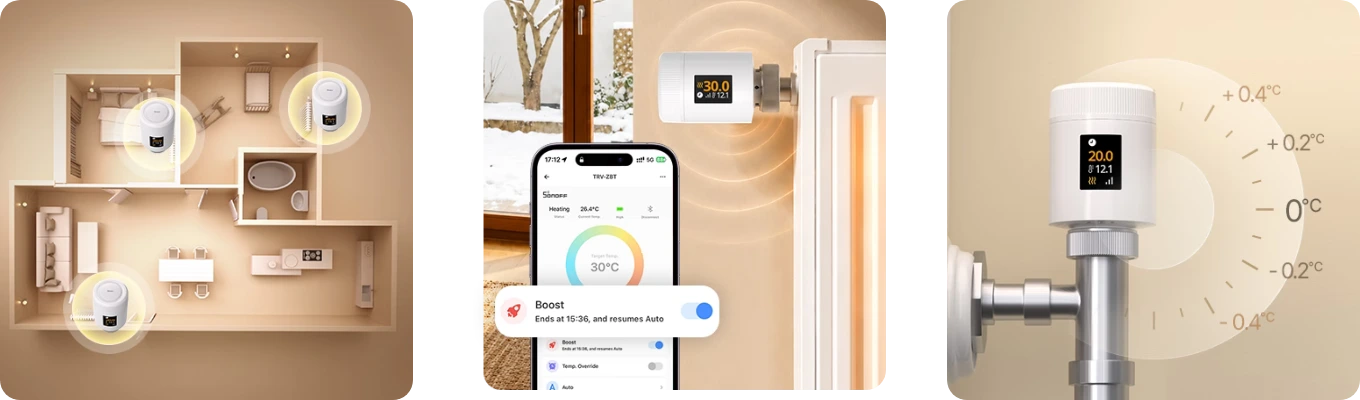
With group control , you can simultaneously control multiple valves, such as all the ones on the master floor or all the radiators in the house, with a single command from the app. Boost mode opens the valve fully to quickly heat a cold room and stops at the specified time, after which the valve returns to automatic operation. Temperature offset corrects the valve reading by a few tenths of a degree when it measures a different temperature near the radiator than what you hear in the room. The three functions are managed from the eWeLink app and can be combined with weekly programs: Boost, for example, doesn't cancel the program but suspends it until the set time.
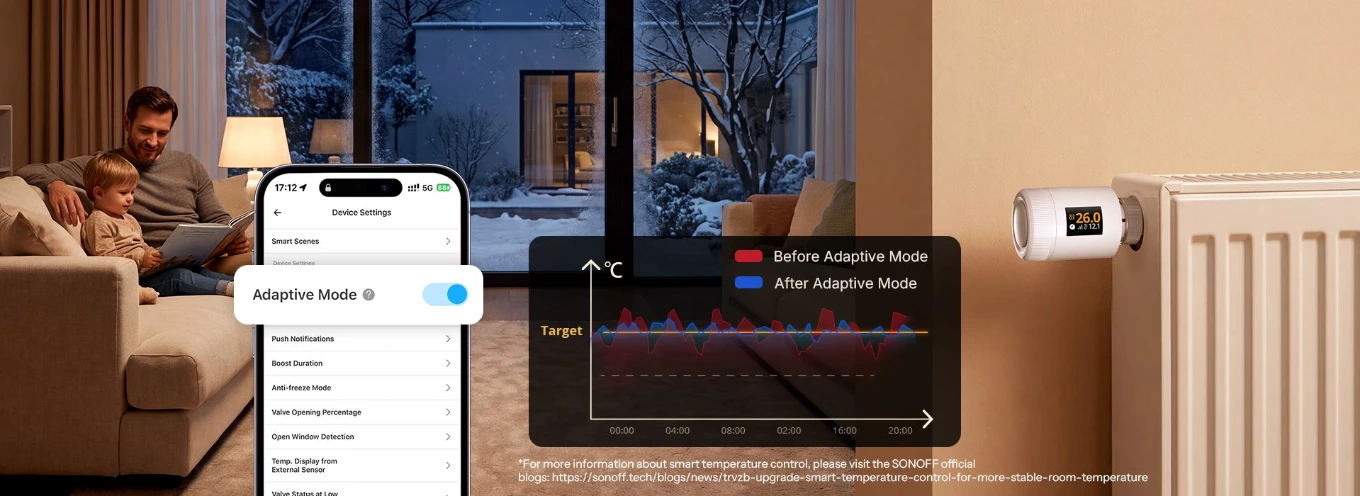
Adaptive mode: modulated opening for a more stable temperature
A traditional thermostatic valve opens and closes in bursts, causing the room temperature to rise above the target temperature and then fall again. The TRV Gen2 uses a PID algorithm that gradually modulates the valve's opening , so the temperature stays closer to the set point. In the eWeLink app, you activate it with adaptive mode , which you can find in the device settings. The result is a more stable room, with fewer swings between hot and cold, and less energy spent on heating beyond what's necessary. It works with weekly programs and an external sensor, which provides the actual room temperature.
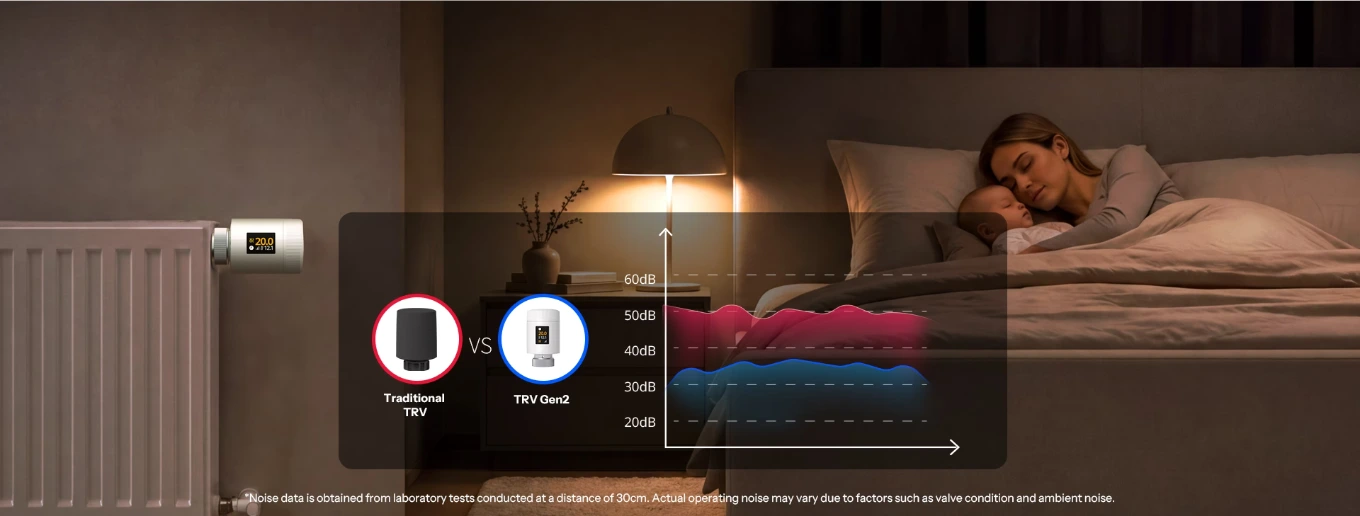
Quieter than a traditional valve, even in the bedroom
Many electronic thermostatic valves can be heard when the motor opens and closes the valve, and that buzzing sound can be disturbing in the bedroom at night. The TRV Gen2 is designed for silent operation : in Sonoff's laboratory tests, measuring at 30 cm away, it was quieter than a traditional thermostatic valve. This makes it a good choice for bedrooms, children's rooms, or study rooms, where silence matters. Sonoff points out that the actual noise may vary depending on the state of the radiator valve and the background noise in the room.
Compatible with most valves: M30 × 1.5 and adapters
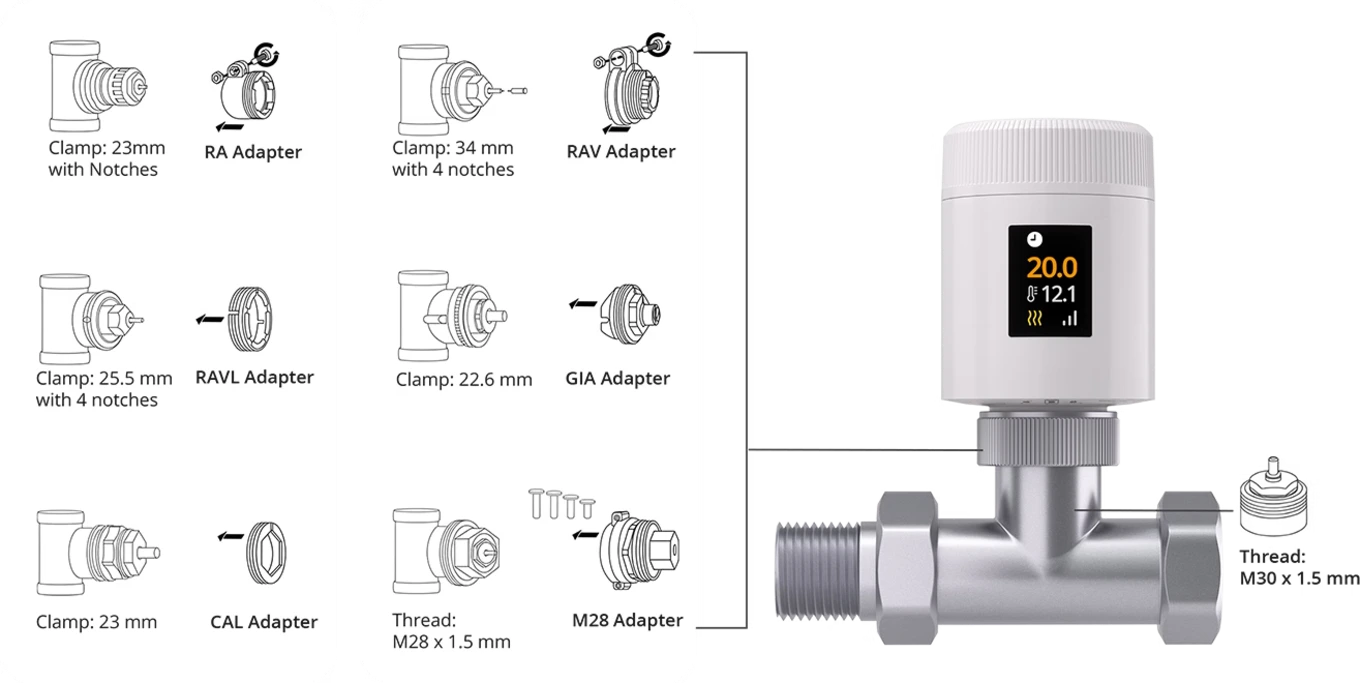
The TRV-ZBT screws directly onto valves with an M30 x 1.5 mm connection, the most common standard for thermostatic valves. For other connections, the package includes six adapters : RA for the 23 mm connection with notches, RAV for 34 mm with four notches, RAVL for 25.5 mm with four notches, GIA for 22.6 mm, CAL for 23 mm, and M28 for the M28 x 1.5 thread. This means the valve can be mounted on most systems and valve brands. Before purchasing, check the connection of your radiator: in the data sheet, you can download the Sonoff valve compatibility guide , which is useful for identifying the type of valve you have.
Apple Home via Matter Bridge with iHost, NSPanel Pro, or ZBBridge-U
Sonoff Zigbee Bridge Ultra
ZBBridge-U, Zigbee hub with Matter Bridge
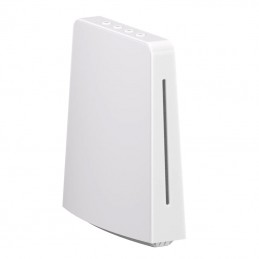
Sonoff iHost
Local Home Hub with Matter Bridge
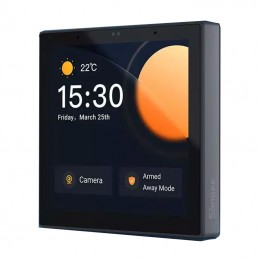
Sonoff NSPanel Pro
Control panel with Zigbee hub
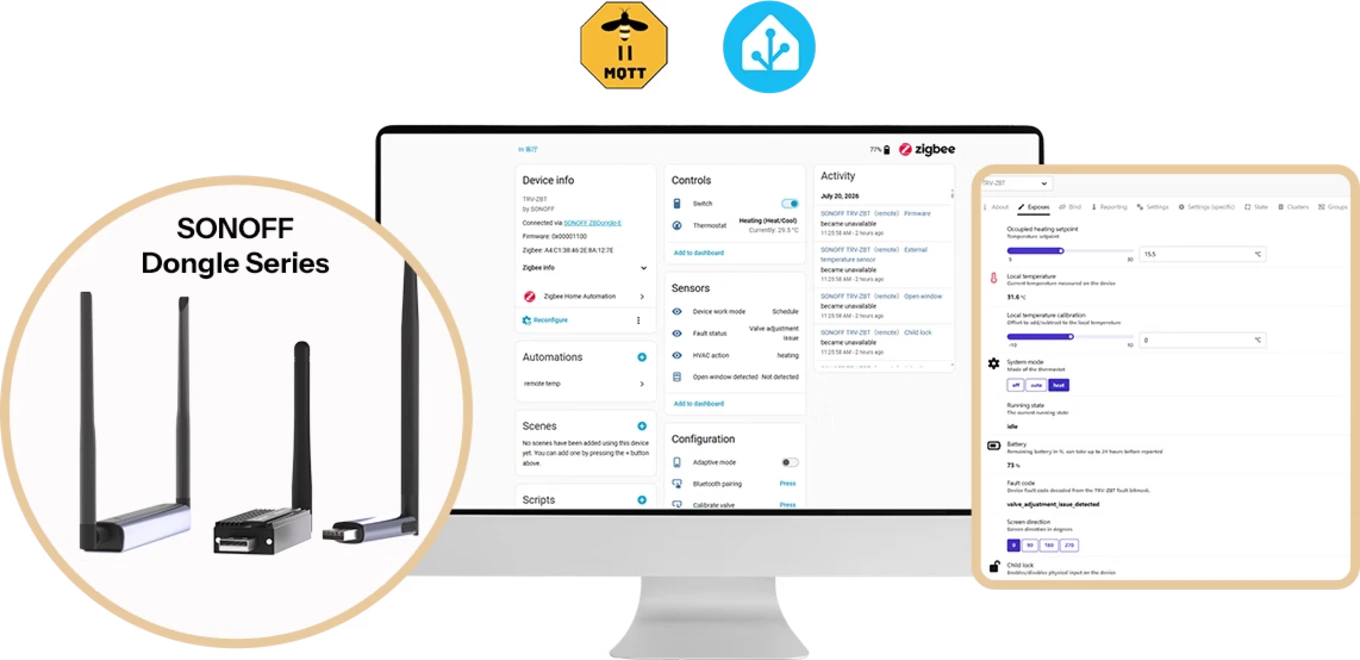
Home Assistant and Zigbee2MQTT with Sonoff Zigbee sticks
Sonoff Dongle Max
Zigbee dongle and PoE thread
Sonoff Dongle Plus MG24
Zigbee and Thread USB Stick
Sonoff Dongle Lite MG21
Zigbee and Thread USB Stick
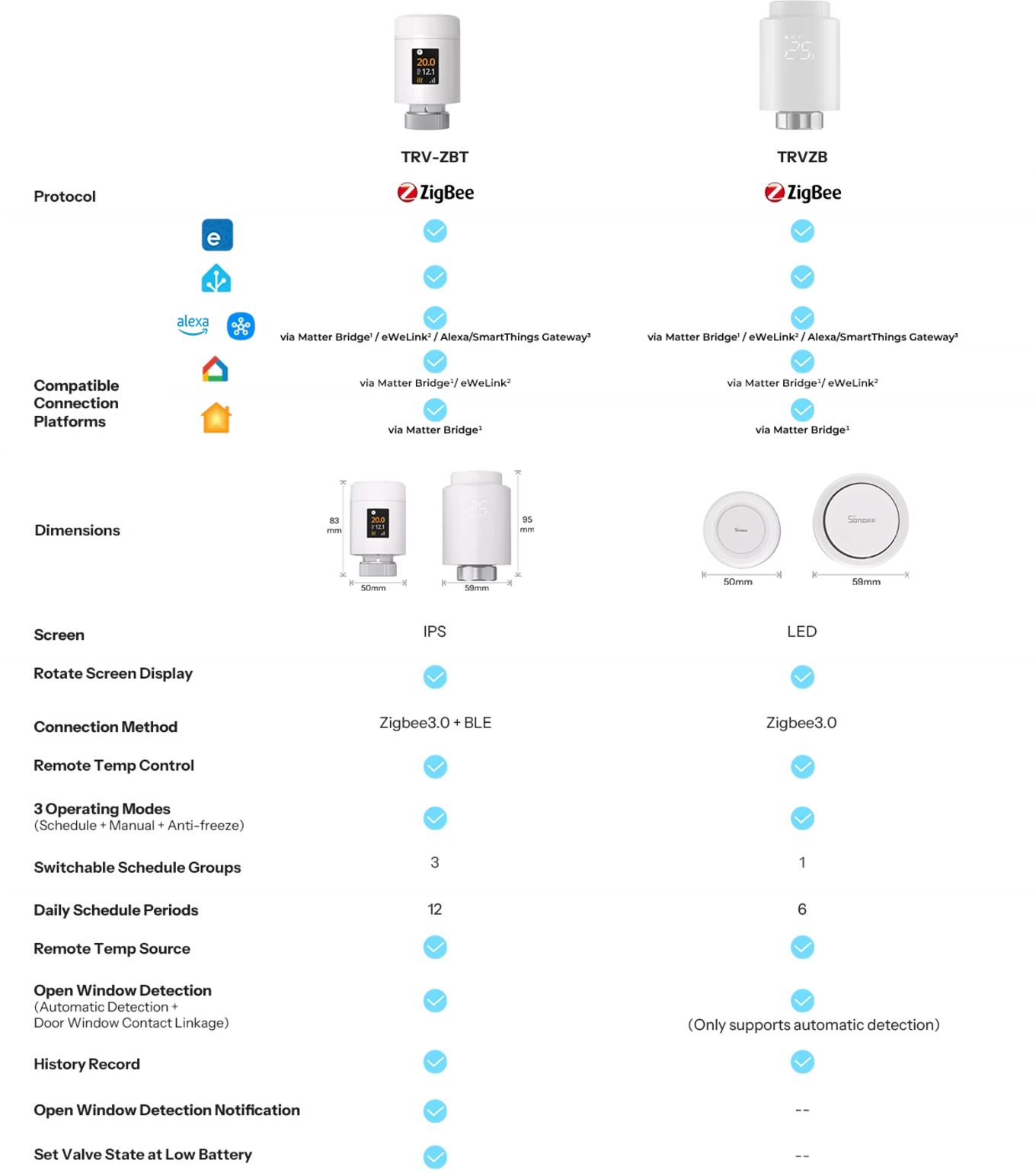
TRV Gen2 vs. TRVZB: What's New in the New Sonoff Valve?
Compared to the Sonoff TRVZB , the TRV Gen2 is smaller: 83 × 50 mm versus 95 × 59 mm. The display goes from LED to a color IPS with a rotating screen, and the Zigbee 3.0 connection is joined by Bluetooth for pairing with eWeLink . The programs go from 1 to 3 , the daily time slots from 6 to 12. The open window detection, which was only automatic on the TRVZB, now also works with the door-window sensor and sends a notification, and you can choose how the valve behaves when the battery is low. The remote temperature control, the three operating modes, the external probe and the history remain the same.
Sonoff TRVZB
Previous generation Zigbee thermostatic valve
Zigbee compatibility, technical specifications and package contents
Yes. It is a Zigbee valve: requires a Sonoff Zigbee hub, such as ZBBridge-P, ZBBridge-U, NSPanel Pro, or iHost, sold separately. Alternatively you can use it with a Zigbee dongle and Home Assistant.
It screws directly onto M30 × 1.5 connections. For other connections, six adapters are included: RA, RAV, RAVL, GIA, CAL, and M28. The downloadable valve compatibility guide is available on the datasheet.
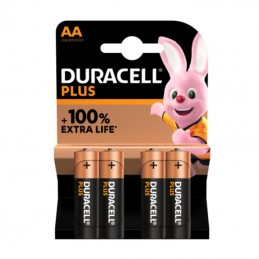
With two 2,000 mAh AA alkaline batteries, up to approximately 6 months of normal use. Battery life varies with adjustment frequency, battery quality, temperature, and Zigbee network stability.

They're not recommended. NiMH rechargeable batteries provide 1.2 V each: two of them barely reach the minimum voltage and don't guarantee long-term operation. Use alkaline batteries.
Yes. You can connect it to Alexa and Google Home via eWeLink after adding it to the Sonoff hub; Alexa and SmartThings also control it with their Zigbee gateways. The available functions are fewer than those of the eWeLink app.
Yes, via Matter Bridge: with a Sonoff hub like ZBBridge-U, iHost, or NSPanel Pro, or with a Sonoff Zigbee dongle and the eWeLink CUBE software on a Raspberry Pi, virtual machine, or NAS.
Yes. Zigbee2MQTT support is complete starting from version 2.12.1. Native support for ZHA is coming soon: in the meantime, Sonoff provides a script in the TRV-ZBT Setup Note guide.
In two ways: alone, when the temperature drops more than 1.5°C in 5 minutes, or with a Sonoff door/window sensor connected to the same hub. In both cases, it stops the heating and alerts you via the app.
Sonoff SNZB-02, SNZB-02P, SNZB-02D, SNZB-02WD, SNZB-02LD, SNZB-02B, SNZB-02M and SNZB-02UL temperature sensors, connected to the same Sonoff Zigbee hub as the valve.
The TRV Gen2 is 38% smaller, has a rotatable IPS color display, 3 programs with 12 bands per day instead of 1 with 6, Bluetooth for pairing and window detection also with sensor.
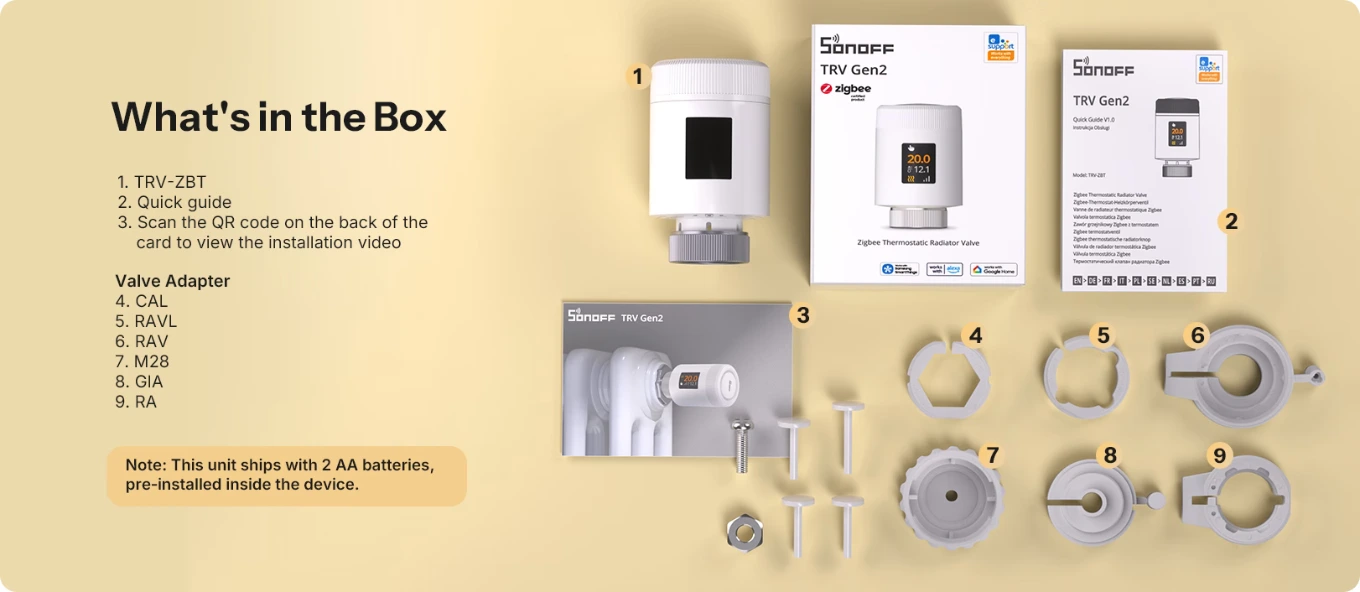
The TRV-ZBT valve with two AA batteries already inserted, the quick start guide, a card with the QR code of the installation video and six valve adapters: CAL, RAVL, RAV, M28, GIA and RA.
Sonoff-TRV-ZBT
Data sheet
Power supply
LR6 battery
Colors
White
Material
PC
Working temperature
from -10°C to +50°C
Working humidity
5% - 95% non-condensing
Voice Control
Amazon Alexa and Google Home
Mobile application
eWeLink
Communication Protocol
Zigbee 3.0
Temperature Range
5°C - 30°C
Zigbee protocol
IEEE 802.15.4 (Zigbee 3.0)
Mounting
Radiator Valve
Plant typology
Boiler with radiators
Thermostatic valves
Threaded Connection
M30x1.5mm
Works with
Amazon Alexa
Apple Home (HomeKit)
Google Home
Home Assistant
SmartThings
eWeLink (Sonoff)
Heat only the rooms you use: each radiator has its own temperature and schedule, helping lower your bills.
Weekly schedules:3 independent schedules with up to 12 time slots, for your home, office or guest room.
Window open, heating off: if the temperature drops by more than 1.5 °C in 5 minutes, the valve closes automatically, or it can be triggered by a Sonoff door/window sensor.
Colour display readable from any angle: an IPS screen you can rotate in 4 directions, so you can read it even when the valve is mounted sideways.
38% smaller than the TRVZB: just 8.3 cm long, it fits behind furniture and under windowsills.
The right temperature, even away from the radiator: use an SNZB sensor as an external probe, and the valve adjusts to the room temperature rather than the heat nearby.
Built-in protection:child lock, automatic weekly anti-limescale cycle, frost protection mode at 5 °C, and low-battery alert.
Boost and group control: fully heat a room in minutes and control multiple valves together; use the offset to correct the temperature reading.
Tool-free installation:M30 × 1.5 thread with CAL, RAVL, RAV, GIA, RA and M28 adapters included; calibration is automatic.
AA batteries last up to 6 months: two LR6 alkaline batteries included; consumption history is stored in the eWeLink app for the same period.
Works with Alexa, Google Home and Home Assistant:Zigbee2MQTT version 2.12.1 onwards, Alexa and SmartThings with their Zigbee hubs, Google Home via eWeLink, and Apple Home via Matter Bridge.
Connects to a Sonoff Zigbee hub (ZBBridge-P/U, NSPanel Pro, iHost), sold separately, for schedules and scenes.