

Smart Plugs
Enclosed design with Waterproof and Dustproof Cover
 0 review
€39.89Price
Smart Plugs
Enclosed design with Waterproof and Dustproof Cover
0 review
€39.89Price
Expert4House – Smart Home Automation
34 products
0 review
0 review

 0 review
0 review
0 review

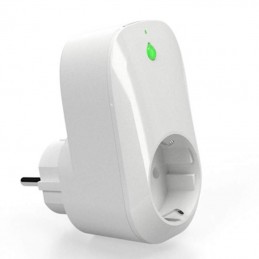

A smart plug sits between the wall socket and your appliance's plug and lets you control it from your smartphone and by voice: with Alexa, with Google Home and, on Matter models, with Apple Home too. Here you'll find WiFi, Zigbee and Matter smart plugs and sockets from Sonoff and Tuya: plug-in, flush-mounted and outdoor models, plus smart power strips with USB ports. Below is a quick guide to choosing the right one.
It depends on where you'll use it and which app or voice assistant you already have:
To get started, with energy monitoring
Recommended: Sonoff iPlug Gen2 S61 or Tuya smart WiFi plug 16A
Why: 16 A and live energy readings in the app; the Sonoff also supports Matter
Apple Home and Matter
Recommended: Tuya Matter smart plug 16A or the Sonoff S61
Why: With Matter the same plug works with Apple Home, Alexa, Google Home and SmartThings, with no Zigbee hub
Zigbee system
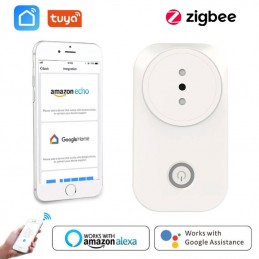
Recommended: Tuya Zigbee smart plug 16A
Why: It keeps traffic off your WiFi and acts as a repeater for Zigbee sensors and relays; it needs a hub, such as the Tuya Multimode gateway
Outdoor
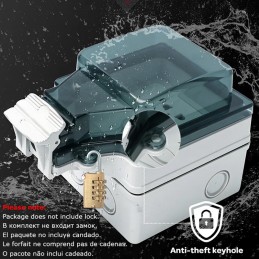
Recommended: Sonoff S61s outdoor plug or the Tuya IP44 outdoor socket
Why: IP44 splash protection and 16 A: for garden lights, pumps, fountains and decorations
Flush-mounted, replacing the wall socket
Recommended: Sonoff ORB Socket (Schuko or type E, Matter) or the Tuya double flush-mounted socket
Why: Nothing sticks out of the wall; they connect to live, neutral and earth like a normal socket and must be installed by an electrician
Smart power strips
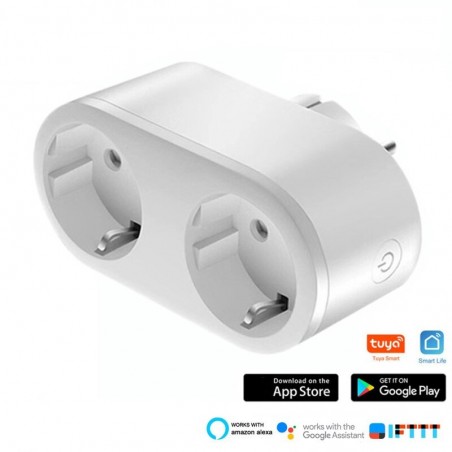
Recommended: Tuya smart WiFi power strip with 4 Schuko, 2 USB and 2 USB-C or the Tuya 16A double plug with 25W fast charging
Why: Several appliances from one outlet, plus phone charging; the power strip handles 10 A in total
Want to control the light from the same spot? In the Wi-Fi switches category you'll find touch switches with a built-in socket.
WiFi
Hub: Not needed: it connects to your home router
App: Tuya Smart / Smart Life or eWeLink
Best for: A few plugs and instant setup
Zigbee
Hub: Required: a Tuya gateway, the Sonoff Zigbee Bridge Pro or a dongle for Home Assistant; all models are in hubs and gateways
Advantages: No load on your WiFi, and it strengthens the network of your other Zigbee devices
Best for: Homes that already have Zigbee devices
Matter over WiFi
Hub: Matter needs the ecosystem's controller: an Echo for Alexa, a Google Nest speaker or display for Google Home, a HomePod or Apple TV for Apple Home
App: It also works with the manufacturer's app
Best for: Using the same plug across several ecosystems
First add the plug to the manufacturer's app (Tuya Smart / Smart Life or eWeLink), then enable the skill in Alexa or link the account in Google Home: the plug shows up with the name you gave it. Matter plugs can also be added directly from the Alexa or Google Home app by scanning the Matter QR code.
Yes, if the appliance has a plug and its power stays below the plug's limit: a 16 A model handles about 3,680 W. For a water heater wired directly into the mains, with no plug, you need an in-wall relay instead, like those in the smart modules and relays category, installed by an electrician.
Very little: according to the manufacturers' data, less than 1 W on standby.
Without internet you can't control them when you're away or with Alexa and Google Home. Zigbee plugs, with a hub that supports local scenes, keep running automations between Zigbee devices.
Yes: Zigbee plugs with a USB dongle such as the Sonoff Dongle Plus MG24 and the ZHA or Zigbee2MQTT integrations, Matter plugs with the Matter integration, and Tuya and Sonoff WiFi plugs with their own integrations. The product sheet shows how each model works with Home Assistant.
Not sure about the plug type, power or compatibility? Write to us: we'll help you choose.